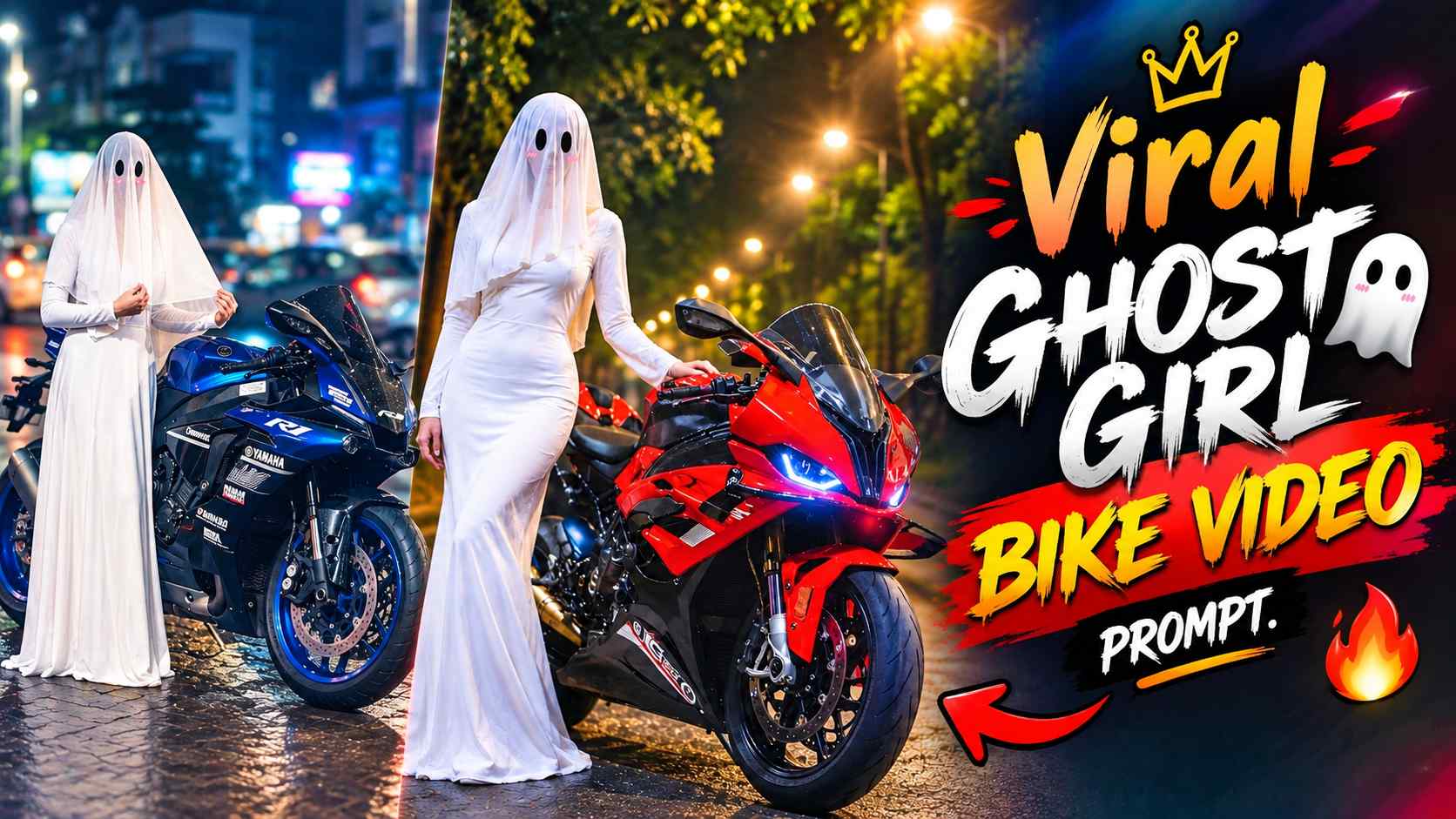
Ghost Girl Bike Video Prompt – Following AI photo editing, the trend of using AI to convert photos into short cinematic videos is also gaining popularity. A similar creative concept is Ghost Girl Bike AI Video Editing, which involves adding a spooky ghost-like girl to a photo of your motorcycle and then using AI to animate that character dancing. The unique feature of this editing is that it doesn’t require a specific bike. Whether you own a Royal Enfield Bullet, Classic 350, KTM Duke, Pulsar, Apache, Yamaha, or any other motorcycle, you can create this effect from its original photo. The entire process is carried out in two main stages. First, a final AI image is created by adding the ghost character to your bike photo using ChatGPT. Next, the image is uploaded to Google Flow, and the ghost is given a slight dance and natural movement through image-to-video generation. The ghost can dance and move slightly forward or slowly to the side of the motorcycle, but the bike should remain in place. Similarly, the background, camera angle, lighting, and the ghost’s outfit should remain unchanged. This article explains the entire workflow step-by-step, so you can easily create a creative AI Reel like this from any of your motorcycle photos.
About Ghost Girl Bike AI Photo Editing
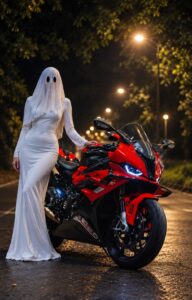
This entire AI video concept begins with a photo depicting a ghost character alongside your motorcycle. You don’t need a ready-made bike image or a particular motorcycle model. You can use a clean photo of your own Bullet, Duke, Classic 350, Pulsar, Apache, Yamaha, or any other bike. After uploading the photo to ChatGPT, a ghost-style female character is added next to the motorcycle using a suitable image editing prompt. The most important thing here is to not change the original motorcycle. The bike’s model, shape, color, wheels, headlight, fuel tank, position, and other important details must remain the same. The Ghost’s appearance is also kept consistent, with a bright white dress, translucent white head covering, black oval eye areas, and small pink marks. The background can be set in a cinematic nighttime environment, with dark trees, roads, streetlights, soft haze, and bokeh. This creates a final image that clearly shows both the motorcycle and the ghost. This image will later serve as the primary reference for video generation in Google Flow.
How to Create a Ghost Bike Image with ChatGPT?
First, upload a clear, high-quality photo of your motorcycle to ChatGPT. Ensure the main structure of the motorcycle is clearly visible and that important parts of the motorcycle are not cropped too much. Then, paste your actual image editing prompt into the placeholder below. This prompt will create a realistic image of the ghost character using your original motorcycle as a reference. After the image is generated, carefully examine the result to ensure the bike’s original model and design haven’t changed, the ghost’s appearance is correct, and the overall composition appears natural. If the motorcycle has changed in the result or the ghost’s appearance isn’t accurate, correct the image first. This final image will be used in Google Flow, so it’s crucial to have an accurate and stable reference image before creating the video.
Ghost Girl Bike AI Photo Editing Prompt
How to Create a Ghost Dance AI Video with Google Flow?
Once the final image of the motorcycle and ghost is ready from ChatGPT, upload it to Google Flow and begin image-to-video generation. The most important thing here is to keep the entire reference image stable and only animate the ghost character. The motorcycle should not be transformed into another bike in the video, nor should its shape, color, position, or angle be changed. The background should also remain the same as the original image. Camera movement should also be avoided so as not to alter the perspective of the entire scene. Instead of having the ghost dance in one place, it can be given slight movement. It can move slightly forward while dancing, then slowly move to the side of the motorcycle, continuing its light, stylish dance. The ghost’s dress, head covering, black eye design, and other appearance should also remain the same throughout the video. This way, movement will only be visible within the ghost, while the motorcycle and the entire environment remain locked.
Ghost Girl Bike AI video Prompt
How to create a Ghost Bike AI video correctly?
After generating a video with Google Flow, it’s important to review the final result. First, check that your original motorcycle remains the same throughout the video. If it’s a Bullet at the beginning, there shouldn’t be another bike in the middle; if it’s a Duke, its model shouldn’t change. Similarly, the original design of any motorcycle should remain consistent. Next, pay attention to the background to ensure that the trees, road, streetlights, and overall environment don’t suddenly change.
The camera angle and perspective should also remain stable throughout the video. The Ghost’s movement should also be smooth and controlled. It should move slightly forward with gentle hand gestures, waist movements, and small dance steps, and then move naturally to the side of the motorcycle. It shouldn’t suddenly teleport or change its attire or body appearance. If the AI changes the bike or background in the video, the video can be recreated by strongly mentioning the locked elements in the same prompt. The final result should ideally feel like a fixed cinematic motorcycle scene, with only the ghost character dancing and moving naturally.
Final Word
Ghost Girl Bike AI Video Editing is a creative AI workflow that lets you turn any motorcycle photo into an interesting cinematic reel. No specific bike model is required; a Bullet, Classic 350, Duke, Pulsar, Apache, Yamaha, or any other motorcycle can be used. The entire process involves first creating a ghost image with the motorcycle in ChatGPT and then animating that image in Google Flow. The most important thing is to keep the motorcycle, background, camera perspective, and lighting fixed while creating the video, and to keep the ghost’s original outfit and appearance consistent. Instead of having the ghost stand in one place and dance, slightly stepping forward, doing small dance steps, and giving the motorcycle natural movement on its side makes the video appear more dynamic. This way, a simple bike photo can be transformed into a creative AI Ghost Girl reel with just one character’s movement without changing the entire scene.