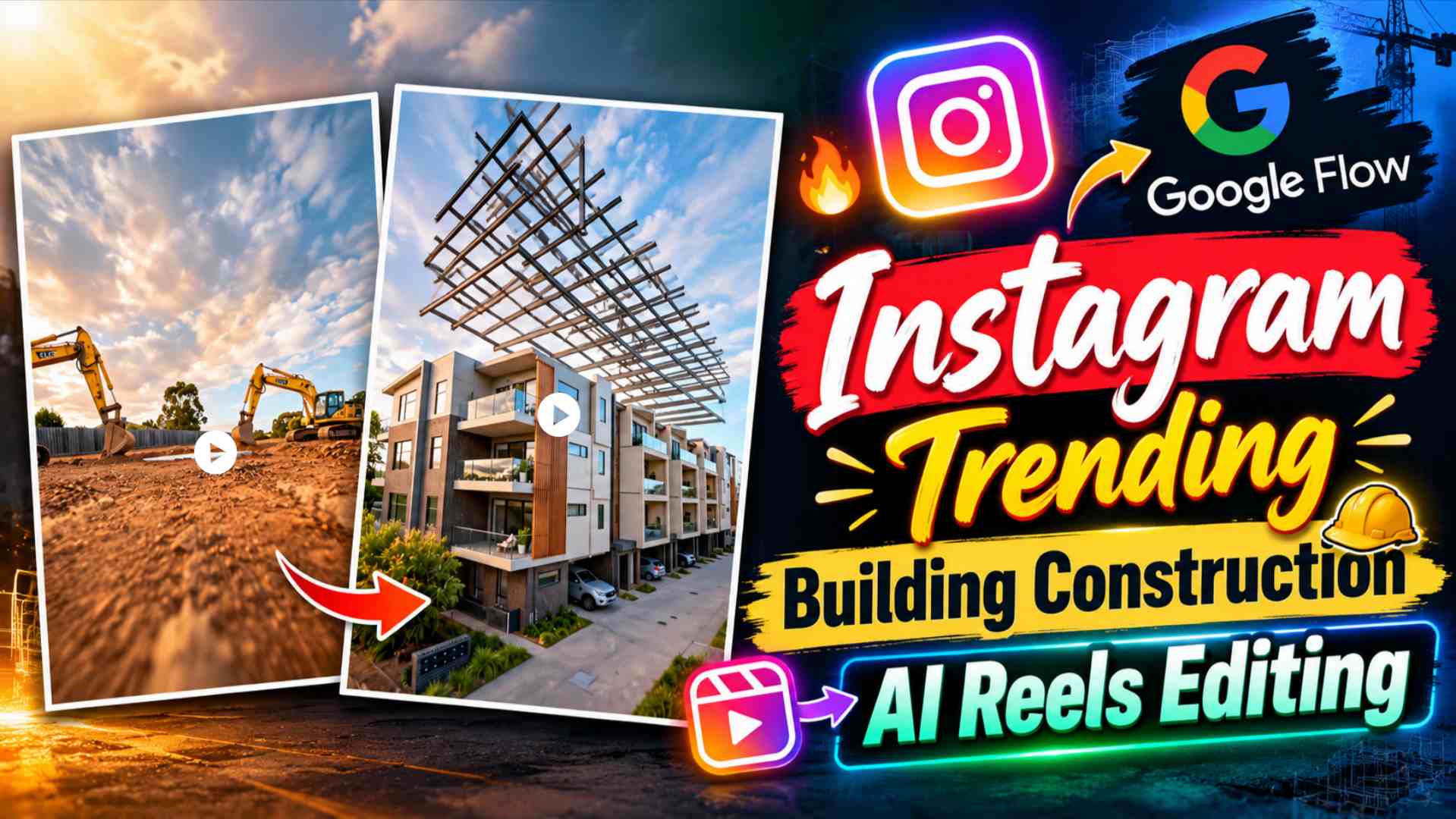
Building Construction AI Video Prompt – Transforming a normal photo of a house or building into a construction transformation video using AI is a very interesting editing concept these days. This type of video starts with an empty background or construction site at the same location, gradually showing the foundation, structure, floors, and the entire building being constructed. Finally, the completed building appears as if the entire building was captured on camera from the beginning, while the entire transformation is created using AI. This article explains how to create a similar building construction AI video. First, create a building-removed background using Gemini, and then generate a transformation video by inserting the original building photo and the non-building background into Google Flow. This method allows you to transform a photo of your house, bungalow, office, shop, or any other property into a cinematic construction reel. The key is to ensure that both images show the same location and approximately the same camera angle, making it easier for the AI to create a natural transformation between the initial and final result. The construction sequence from the empty location to the finished building can then be recreated using the actual Google Flow video prompt provided on the website.
What is Building Construction AI Video?
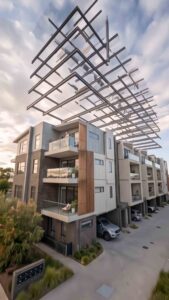
Building Construction AI Video is an AI transformation concept that depicts a photo of a finished house or building as part of the construction process. The video may begin with empty land or a background without the building, after which the foundation, steel structure, concrete columns, floors, and other construction elements gradually appear, and finally, the completed building is revealed. This entire process does not need to be manually shot, as Google Flow can generate the visual transformation between them based on uploaded reference images and the prompt. In this editing, your original building photo serves as the final reference, while the building-removed background created with Gemini serves as the starting reference. Therefore, the original photo must be clear and the building’s exterior clearly visible. Similarly, in the background image, it’s important to keep the building, the road, trees, sky, ground, and other surroundings as close to the original photo as possible. This keeps the location and perspective consistent between the two images and the generated transformation can appear more natural.
How to Create a Building Background with Gemini?
First, upload a clear photo of your completed building or house to Gemini. Now, tell Gemini to remove the main building from the photo and create a clean background of the same location. Only the building is removed; therefore, the road, trees, sky, ground, boundaries, or other important surrounding elements should not be unnecessarily altered. The goal is to create a second image that shows the same location but without the building. After creating the background, compare the original building photo and the new building-removed image. If the road, camera angle, surrounding objects, or perspective have changed significantly, it’s best to make corrections in Gemini to bring the background closer to the original scene. Once the correct background is created, you will have two images—the original photo with the completed building and the second photo of the same location without the building. These two images will be used to create the transformation video in Google Flow.
How to Add Both Photos to Google Flow?
Now, upload both images to Google Flow for video generation. The building-removed background can be used as the starting image (Start Frame), and the original photo of the completed building can be used as the final image (End Frame). Next, paste the actual Building Construction AI video prompt provided on the website into Google Flow. The prompt will tell the AI to begin construction from an empty location, develop the foundation and structure, complete the floors and building, and finally, create a completed result similar to the uploaded final building. The correct order of the two images is crucial in this process, as the first image represents the starting condition and the second image represents the final condition. If your Google Flow interface has the Start Frame and End Frame options, add these two images to the sequence and then initiate generation with the prompt. This way, instead of just showing the final building photo, the AI also gets the previous state, allowing the concept of construction transformation to be created.
Building Construction AI Video Prompt
How to make building construction video?
After applying both the reference images and paste the actual video prompt, generate the video in Google Flow. Good results should start with empty location without building and after that the construction should be seen progressing gradually. For example, stages like formation of foundation, getting steel reinforcement, preparation of columns and concrete structure, formation of floors and finally finishing exterior finishing can be shown. Like Reference Video, Camera Movement can also follow the construction process in a cinematic way and complete building in the final stage can be clearly revealed. The objective here is not just to convert the first image to the second image, but to create a believable construction journey between the two states. In the first generation, if the design of the building changes, the camera perspective changes suddenly or the construction jumps very fast, then instead of changing the entire prompt, it is better to give a short correction prompt for the same problem. With this, the result can be refined gradually while maintaining the original concept and good maintained details. How to make Realistic Building Transformation? The most important thing for a realistic result is the consistency of both the reference images. Original building photo and building in building-removed background will be as similar as Camera Angle, Perspective, Road, Surrounding Environment and Lighting, Transformation There is a possibility of appearing as natural. The architecture of the building should also be visible and sufficiently visible in the final frame, so that in the final frame, AI can easily understand its shape, floors, windows and exterior details.
Apart from removing the building while creating the background, the entire location should be avoided to be new design. Similarly, it is better to keep the construction movement gradual and realistic in the video prompt, so that a continuous progression is visible from the foundation to the structure and structure to the finished building. If unwanted objects, distorted walls, changing architecture or sudden camera movement are seen in the result, then only that part can be corrected by giving a specific correction. In Final Video, details like Realistic Lighting, Natural Construction Activity, Subtle Dust and Smooth Camera Movement can improve Cinematic Feel, but the main focus will always be Building should be kept on transformation only.
Last Word
Building Construction AI Video Prompt and Google Flow can convert one of its completed house or building photos into an interesting construction transformation reel. In this entire workflow, first you have to upload your original building photo in Gemini and get the building-removed background of the same location ready. After this, the image without building and the original complete building image has to be generated by using the construction transformation in Google Flow. After keeping the empty location in the start frame and the completed building in the end frame, the actual video prompt has to be paste given on the website. Google Flow will try to create a construction sequence between the two Visual References, in which the building from the empty space can be seen gradually forming. If the result is not completely correct in the first generation, then it can be refined again by giving a specific correction related to architecture, camera, construction speed or reality. In this way, a Cinematic AI Construction Transformation Video can be prepared from the normal photo of a house, bungalow, office or other building, in which the complete transformation from beginning to final building can be created. Shows as short reel.