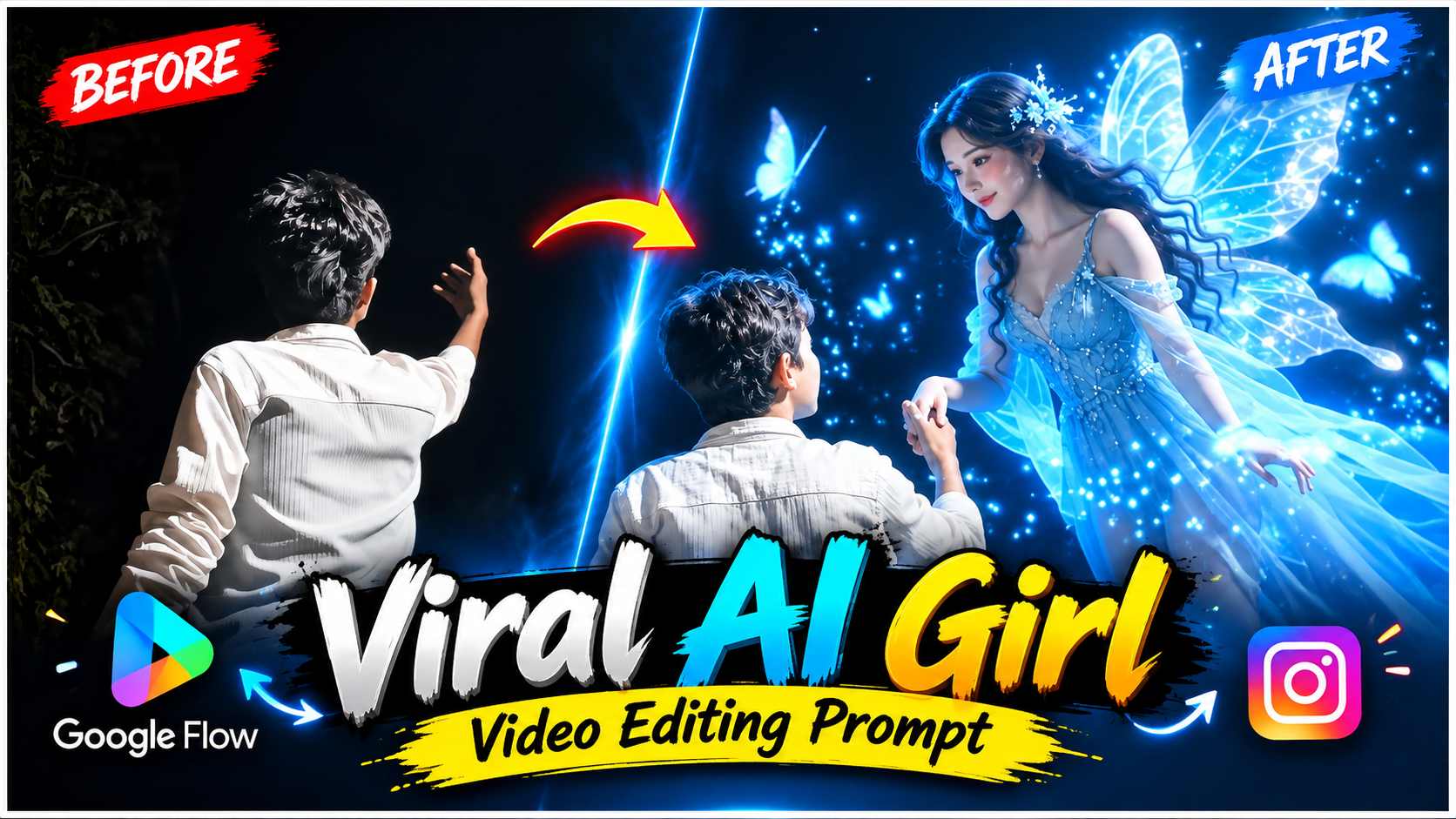
AI Girl Video Editing Prompt – These days, creative edits made with the help of AI are becoming quite popular in Instagram Reels, in which a magical or fantasy character suddenly appears within a normal real-life video. A similar AI Girl Video Editing effect is seen in this Reel, where a boy shoots a normal video at night in a quiet place and at a particular moment raises his hand and looks ahead, as if he is interacting with an invisible character. After this, a glowing blue fairy or magical girl appears in the same scene, surrounded by blue light, glowing particles, small butterflies, and fantasy-style effects. To create this entire effect, you don’t need to generate your entire video with AI. First, add your original night video to any editing app and take a screenshot of the exact moment where the AI girl is to appear. Then, the screenshot is cropped and uploaded to ChatGPT, and using the image editing prompt, the magical girl is added to the same frame. The prepared image is uploaded to Google Flow and converted into a cinematic moving scene using an image-to-video prompt. Finally, the original video and the AI-generated clip are combined at the same point to create the final Instagram Reel.
About AI Girl Video Editing
The entire concept of AI Girl Video Editing is based on combining real video and an AI-generated fantasy scene. The main character is a boy, so you should initially shoot a night video where your pose and movement resemble a natural interaction with the AI girl. For example, you could stand in front of the camera, look up, or slowly raise one of your hands forward or upward. Try to ensure that the place where the AI girl will appear has enough free space in the frame so that the character can be placed naturally. For a night location, use a street, park, open area, or any place with dim street lighting and a dark environment in the background. Next, select the exact frame in the original video where your hand and body position are clearly visible. An AI image will be created from this single frame and then animated in Google Flow. The unique feature of this method is that the original video’s real environment is preserved, and only selected portions are added with the AI-generated magical character, making the final reel appear more creative and cinematic.
How to Create an AI Girl Image from a Video?
First, open your normal night video in any editing application and go to the point where you want the AI girl or fairy scene to begin. Pause the video at that moment and take a clear screenshot. Crop any unnecessary parts in the screenshot, but keep the boy’s face, body position, raised hand, and background as clear as possible. Now, upload this cropped screenshot to ChatGPT and paste the Image Editing Prompt below. The purpose of this prompt is not to completely replace the original scene, but to naturally add a magical AI girl/fairy within the same frame. Therefore, the prompt can keep the character’s appearance, glowing blue look, wings, magical particles, and her interaction with the boy clear, while also providing instructions to preserve the original boy, his face, clothes, pose, and background.
AI Girl Image Editing Prompt Here
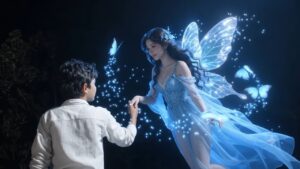
After using the Image Prompt, carefully examine the generated image. In particular, ensure that the AI girl’s position looks natural in relation to the boy’s raised hand and body movements. The character’s size shouldn’t be too large or too small, and its lighting should match the night background. If there’s blue glow, wings, or magical particles surrounding the fairy, they should highlight the character rather than overshadow the scene. Most importantly, the original boy’s face, hairstyle, clothes, and pose shouldn’t change unnecessarily. Once the image looks correct, save it, as this final image will serve as the reference for Google Flow in the next step.
How to Create an AI Girl Video Using Google Flow?
Now, upload the AI girl image created with ChatGPT to Google Flow. Use this image as a base/reference and convert it into a moving cinematic video. Before generating the video, paste the video prompt below. This prompt explains that the original boy and background shouldn’t be altered significantly, and that the AI girl should be the main movement. The fairy can be made to move gently and naturally towards the boy’s raised hand, with subtle movement in her wings, and the surrounding blue magical particles or glowing butterflies can be made to move naturally in the air.
AI Girl Video Prompt Here
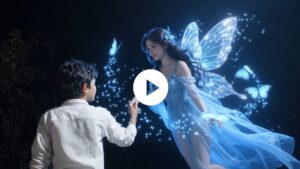
The purpose of a video prompt isn’t just to animate the character, but to transform the entire image into a believable cinematic moment. The AI girl’s body movement should be smooth and graceful, the wings should show slight natural motion, and the blue glow and magical particles shouldn’t appear too artificial or overdone. The boy can be kept mostly still so it feels like he’s looking at the magical girl in front of him and interacting with her raised hand. After the video is generated in Google Flow, check the entire clip to ensure the character’s face or body isn’t changing mid-moment, the wings aren’t distorted, and there’s no unnecessary movement in the background. Once you get the correct result, save the generated video.
How to Finalize an AI Girl Reel?
You’ll now have two separate clips—your original night video and the AI Girl video created with Google Flow. To create the final reel, open your original video again in any editing app and import the generated AI clip into the same project. The most important task now is to align both clips at the correct point. The frame you screenshot at the beginning will be your reference point. Find the exact moment in the original video and start the AI-generated clip from there, so it appears as if the scene doesn’t suddenly transition to a different video, but rather that the magical character appears within the same real video. The original clip can be trimmed as needed, and the beginning and ending of the AI clip can also be adjusted. If the cut between the two scenes is too noticeable, a subtle transition or short fade can be used, but the transition should not be so heavy that it destroys the realism of the original scene. Before final export, also check that the size, lighting, and position of the AI girl match the perspective of the original video. Similarly, it’s best to export the video in a vertical 9:16 format, as it’s a suitable format for platforms like Instagram Reels.
Final Word
This method of AI Girl Video Editing allows you to transform a normal night video into a creative magical Reel without having to generate the entire footage with AI. The process first requires shooting the original video with the right pose and a suitable night background, as this will form the basis for the AI image. A screenshot of the exact moment is then taken, cropped, and the magical AI girl is added to the frame using ChatGPT. The generated image is then uploaded to Google Flow, and the fairy’s movement, glowing wings, blue particles, and cinematic motion are created using Video Prompt. Finally, the timing and transitions are corrected by combining the original footage and the AI-generated clip at the same point. If the screenshot is clear, the placement of the AI character is natural, and the lighting and perspective of the original video and generated clip match each other properly, the final Reel can look quite smooth and cinematic. This way a simple boy night video can be converted into a creative AI Girl or Fairy style Instagram Reel.