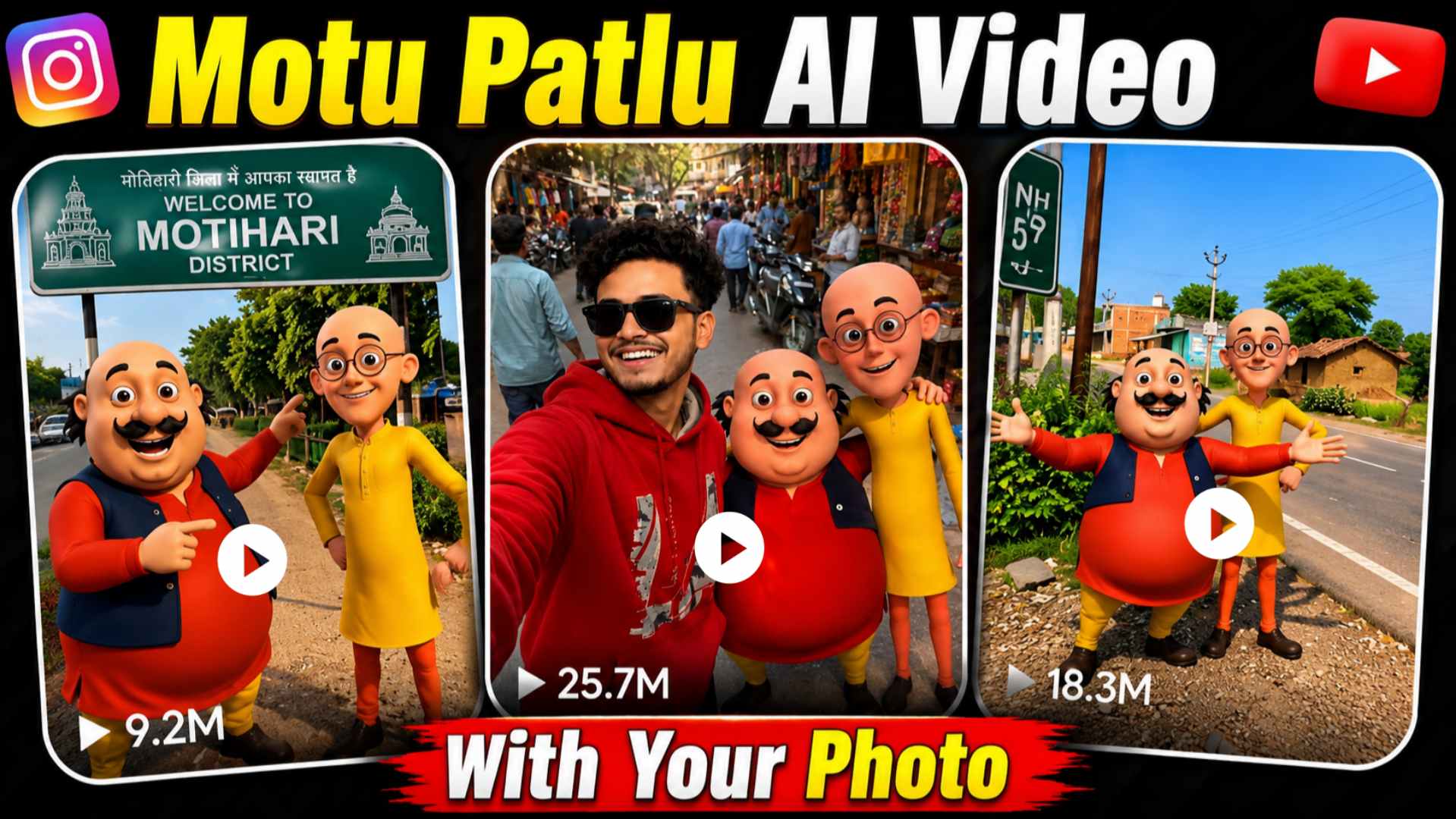
Motu Patlu AI Talking Video With Your Photo – If you have recently come across “Motu Patlu” AI talking videos on Instagram, Facebook, or YouTube, you might have noticed that these videos feature the characters—Motu and Patlu—interacting with a person using their own photo. It looks incredibly realistic, as if Motu and Patlu are actually standing beside that individual, discussing a specific location in their village or city; this is precisely why these videos are going viral so rapidly on social media. Thanks to AI tools like Google Flow AI and ChatGPT, creating such videos has become easier than ever. All you need is a good photo of yourself, an image of Motu and Patlu, and the right dialogue prompt. Within minutes, the AI transforms your photo into a fantastic talking video where both you and the Motu-Patlu duo appear to be conversing. If you want to create a viral video that will amaze your friends, this article will prove very useful, as I will explain the entire process to you in simple, step-by-step instructions.
Complete Guide to Motu Patlu AI Talking Video With Your Photo
If you are creating a Motu Patlu AI talking video for the first time, this article will prove incredibly useful, as we explain the entire process—from start to finish—in simple language. First, you will prepare your own photo and an AI-generated image of Motu Patlu. Next, using Google Flow AI, you will transform these images into a fantastic talking video where both you and Motu Patlu appear to be conversing—a visual that looks truly impressive. In this article, I will provide a step-by-step guide covering everything: photo prompts, dialogue prompts, and the complete video creation process. Whether you want to create such an AI talking video featuring Motu Patlu in your city, village, local market, railway station, or anywhere else, this guide will help you produce a stunning, viral-ready AI video in just minutes. So, be sure to read this article to the very end so you don’t miss a single important step.
Why Is Motu Patlu AI Talking Video Going Viral?
These days, “Motu Patlu” AI talking videos are going viral rapidly on Instagram Reels, Facebook, and YouTube Shorts. A major reason for this trend is that people are no longer just creating videos featuring Motu and Patlu; they are also using their own photos to make the characters appear as if they are speaking. These videos look incredibly unique and realistic. Thanks to AI tools, creating such videos has become very easy; with just a good reference photo and a dialogue prompt, you can produce a fantastic talking video in minutes. That is why thousands of people are creating these “Motu Patlu” AI talking videos featuring friends, family, or even their city, and sharing them on social media. If you also want to create such viral videos, make sure to follow all the steps outlined in this article right to the end.
Create a Motu Patlu AI Photo With Your Photo
If you want to create a “Motu Patlu” talking video featuring your own photo, the first step is to generate a fantastic AI image. You can use ChatGPT or any other AI image tool for this purpose. In this article, we have provided an excellent AI prompt that allows you to transform your photo into an amazing, professional blog-style image alongside Motu and Patlu. First, have a clear, high-quality photo ready where your face is clearly visible. Next, open ChatGPT, upload your photo, and add an image of Motu and Patlu as well. Then, paste the prompt into the chat box and hit the send button; in no time, it will generate a stunning image featuring you together with Motu and Patlu. Once the AI image is ready, download it. In the next step, I will teach you how to use this image to create a talking video using Google Flow AI, where you, Motu, and Patlu will appear to be talking together—a result that will look truly impressive.
Motu Patlu AI Photo Prompt

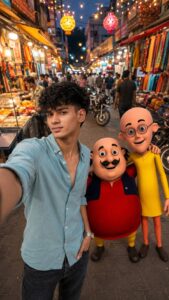
Create Motu Patlu AI Talking Video Using Google Flow AI
So friends, once your Motu Patlu AI photo is ready, the next step is to transform it into an amazing talking video. To do this, open ‘Google Flow AI’ in your browser and log in using your Google account. Next, click on the ‘Create with Flow’ option and select ‘New Project’. Set the video mode to 9:16 and upload the Motu Patlu AI photo you created. Then, copy the video prompt or dialogue provided in this article, paste it into the chat box, and hit the send button. In a short while, your photo will be converted into a fantastic AI talking video featuring Motu Patlu speaking—it will look really impressive. Once the video is ready, save it to your device and share it on social media platforms like Instagram, YouTube Shorts, or Facebook.
Motu Patlu AI Video Prompt
Customize Motu Patlu AI Talking Video Prompt
If you want your Motu Patlu AI talking video to look truly unique and engaging, the first step is to customize the prompt to suit your needs. For instance, you can change details like your name, the name of your city or village, mention famous landmarks, or specify the language and topics you want to cover. This ensures that Google generates a fresh, distinct talking video for you every time. If you face any difficulty editing the prompt, simply paste it into ChatGPT and describe the type of video you want; ChatGPT will generate an improved prompt for you. Using this method, you can create travel vlogs, village vlogs, city vlogs, food vlogs, or videos in any other style.
Conclusion
I hope this article has provided you with all the information needed to create Motu Patlu AI talking videos and images. Now, use ChatGPT to prepare your image—specifically, the Motu Patlu AI image—and then use Google’s AI tool to transform it into a fantastic talking video. By correctly using the image and video prompts provided in this article, you can create a unique, impressive video in just a few minutes where you and Motu Patlu appear to be conversing. If you enjoyed this video editing method, please share this article with your friends so they too can create fun, viral videos featuring their own photos. Also, keep visiting “Vishu Editz” for more AI prompts, Google AI tutorials, and the latest editing tricks. Have a great day—thank you.