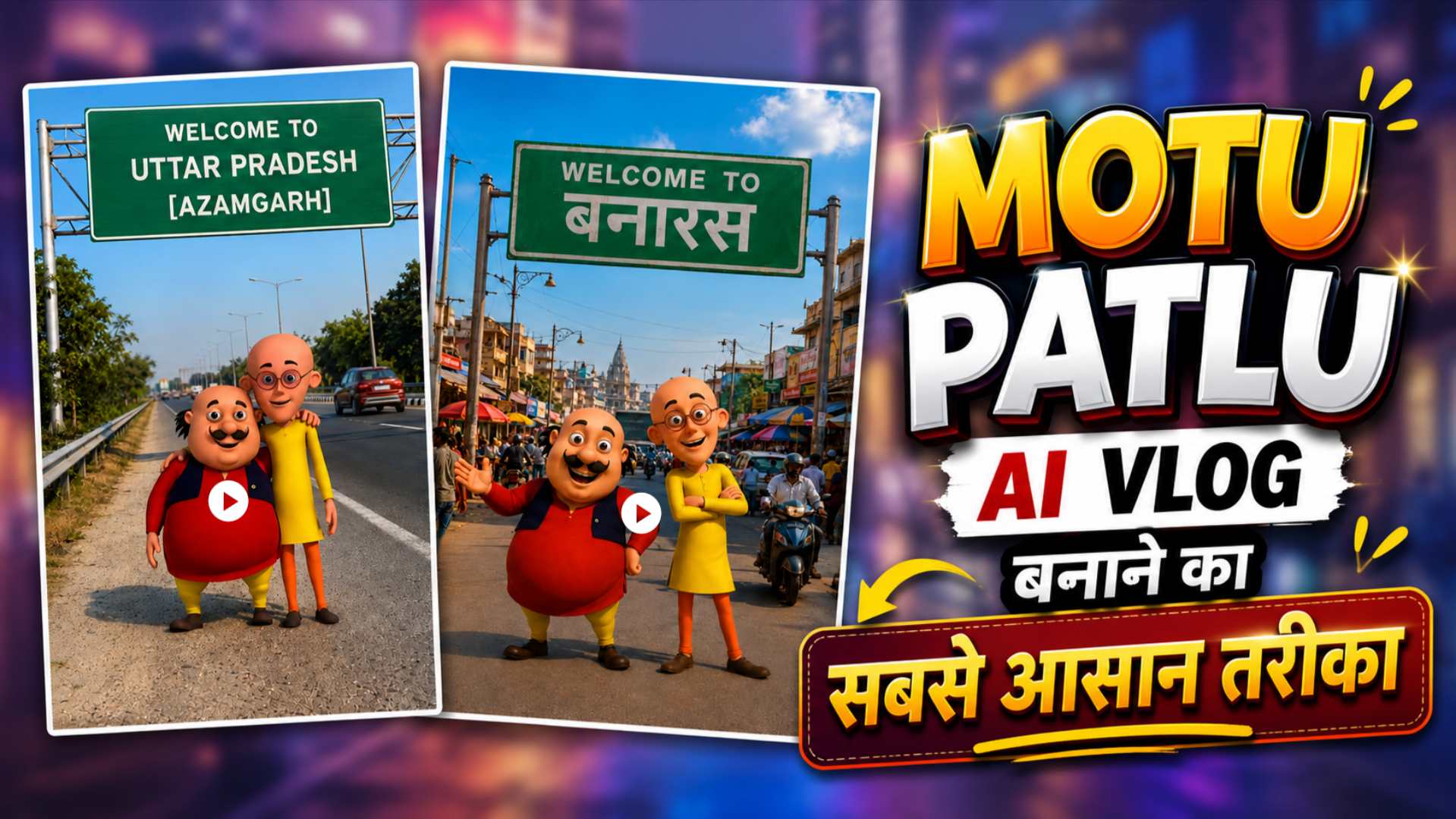
Viral Motu Patlu AI Vlog Video Editing – Hello friends, welcome to another article on AI video editing. If you have recently come across viral AI-generated vlogs featuring Motu and Patlu on Instagram or Facebook Shorts, you might have wondered how such entertaining videos are created. In these videos, Motu and Patlu are seen exploring villages and famous landmarks, interacting with people, describing their surroundings, and filming just like real-life vloggers. This is precisely why these videos are going viral so rapidly on social media. If you also want to create similar vlog videos, this article will prove to be extremely helpful. We will guide you through the easiest method: first, using ChatGPT to generate AI images of Motu and Patlu, and then transforming those images into fantastic vlog videos using Google Flow AI. You will also find the necessary image and motion prompts, along with a complete step-by-step process, enabling you to create your own viral Motu-Patlu video in just a few minutes.
Complete Guide to Viral Motu Patlu AI Vlog Video Editing
If you are hearing about “Motu Patlu AI vlog video editing” for the first time, this article will prove very useful, as we will explain this trending AI video editing style in simple language. We will also discuss why these videos are going viral on social media and why people love them. In this article, we will guide you through the entire process step-by-step—from start to finish. First, we will cover how to create Motu Patlu AI images using ChatGPT. Then, we will show you how to transform those images into a fantastic vlog video using Google Flow. I will explain all of this in detail. Additionally, you will get photo prompts, motion prompts, and essential tips that will help you create an amazing, viral Motu Patlu AI vlog video featuring your city or village name in just a few minutes. If you want to create and share captivating AI vlog videos on Instagram, be sure to read this article to the end so you don’t miss any crucial steps and can easily create your own Motu Patlu AI videos.
Create Motu Patlu AI Photo of Your City or Village
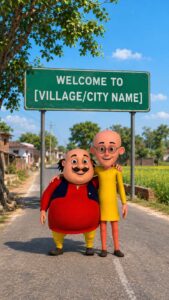
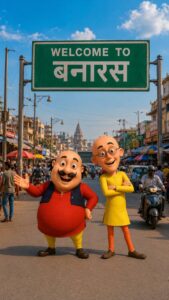
If you want to create a Motu Patlu AI vlog video featuring the name of your city or village, the first step is to generate a fantastic Motu Patlu image. You can use AI tools like ChatGPT or Google Gemini for this. In this article, we have provided an excellent AI prompt that allows you to create Motu Patlu images in various styles of your choice within minutes. First, copy the reference photo and the AI prompt provided in this article. Next, upload the reference photo to ChatGPT or Google Gemini. Then, paste the prompt into the chat box and replace the placeholder text (indicating the city or village name) with the actual name of your city or village. After that, submit the prompt. In a short while, it will generate a stunning image featuring your city or village name. Once the image is ready, save it, as you will need it for the next step: creating an amazing Motu Patlu AI vlog video using Google Flow AI.
Motu Patlu AI Photo Prompt

Create Motu Patlu AI Video Using Google Flow AI
Once your Motu Patlu AI photo is ready, the next step is to convert it into a video. To do this, search for “Google Flow AI” in any browser and open its official website. Log in using your Google account. Next, click on the “Create with Flow” option and select “New Project.” Choose “Video Mode,” set the aspect ratio to 9:16, and select the frame option. Upload the Motu Patlu AI photo you created, then paste the specific video prompt or dialogue provided in this article into the chat box. If you want Motu Patlu to mention the name of your city or village, simply include that name in the prompt. After you submit the prompt, Google Flow AI will quickly transform your photo into a stunning AI vlog video featuring natural camera movements, smooth animations, and realistic expressions. Once the video is ready, you can save it to your device and easily share it on Instagram Reels, YouTube Shorts, or Facebook.
Motu Patlu AI Video Prompt
Customize Motu Patlu AI Video Prompt
If you want your Motu Patlu AI videos to stand out and look unique, you should customize the prompt to your liking. For instance, you can change details like the name of your city or village, famous landmarks, food items, festivals, languages, or dialogues. This ensures that a fresh and distinct video is generated every time. If you face any difficulty editing the prompt, simply paste it into ChatGPT and specify the type of video you want; ChatGPT will then craft a new, improved prompt for you. This way, using a single prompt, you can easily create various styles of Motu Patlu videos—such as city vlogs, village vlogs, travel vlogs, and more.
Conclusion
I hope this article has provided you with comprehensive information on creating viral Motu Patlu AI vlog videos using Google Flow AI. Now, you can generate Motu Patlu AI images with ChatGPT and transform them into stunning AI videos using Google Flow AI. By correctly utilizing the image and video prompts provided in this article, you can create a unique and viral Motu Patlu AI video vlog featuring your own city or village name in just a few minutes. If you enjoyed this article, please share it with your friends so they too can easily create such amazing AI videos. Keep visiting Vishu Editz for more AI prompts, Google Flow AI tutorials, and the latest updates. Have a great day—thank you!