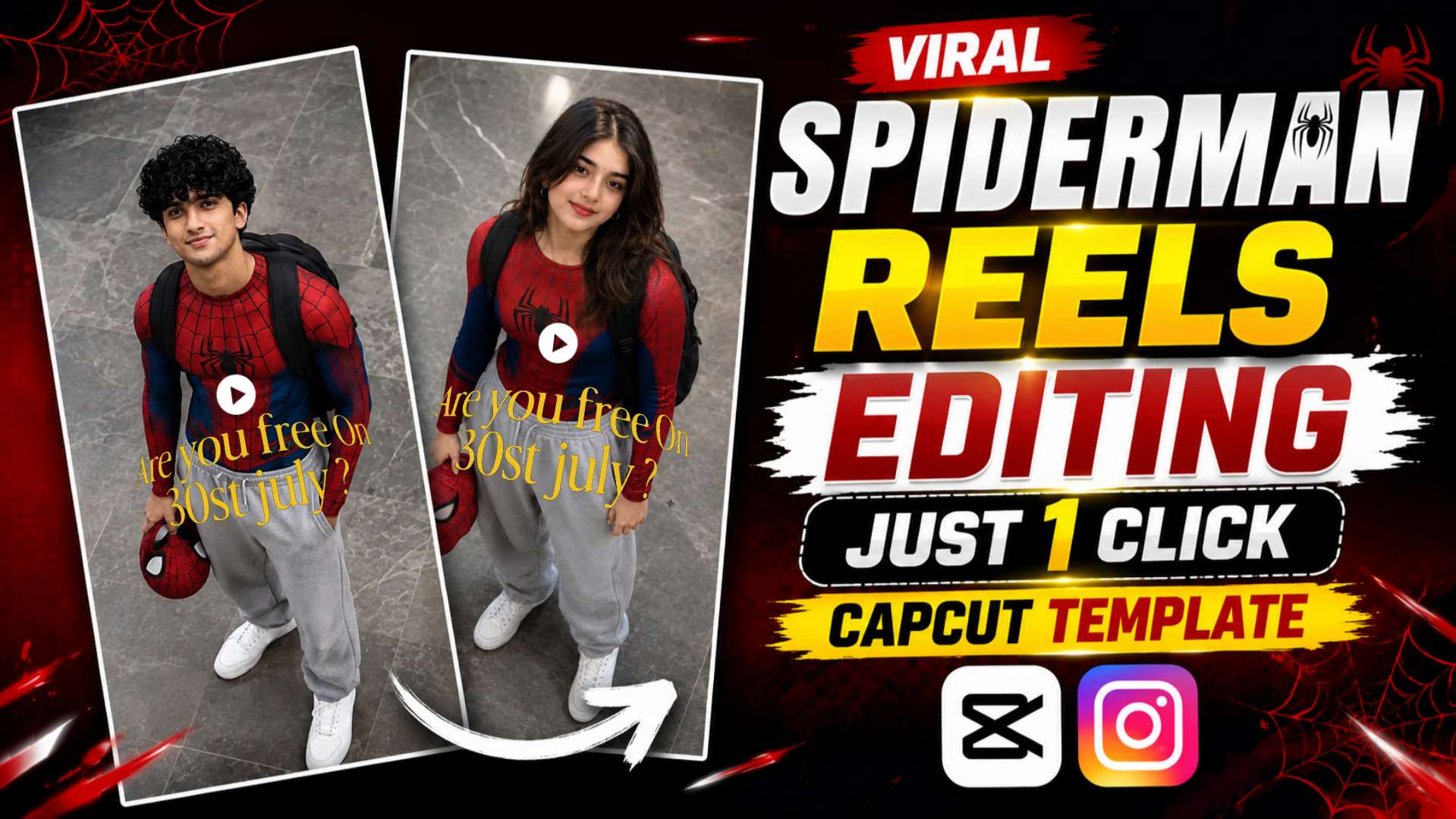
Viral Instagram SpiderMan Reels Editing – If you have been scrolling through Instagram Reels lately, you have likely come across viral Reels featuring a Spider-Man theme. These types of videos are currently going viral rapidly on social media. They start by displaying a stunning Spider-Man AI-generated photo, which transforms into a cinematic video just a few seconds later. Thanks to smooth transitions, trending music, and professional-grade animation, the Reel looks just like a scene from a movie. This is why millions of people are following the trend and uploading their own Spider-Man Reels to Instagram. If you like this style of Reel and want to create one yourself, this article is for you. In this guide, we will first learn how to create a Spider-Man AI photo using ChatGPT. Then, using that photo and a CapCut template, we will create an impressive viral Reel in just a few minutes. The entire process is very simple, and anyone can do it using their mobile phone. By following the steps outlined below, you can easily create this trending Spider-Man Reel without needing any professional editing skills.
Why Is This Spider-Man Video Editing Going Viral?
Millions of Reels are uploaded to Instagram every day, but very few manage to instantly grab people’s attention. Spider-Man AI video editing is one such trend that has garnered millions of views and likes in a very short time. The main reason for this is its unique concept: a Spider-Man-style photo is first created using AI, and then that photo is combined with a CapCut template to produce a cinematic Reel. It is this combination that sets the trend apart from other Reels. Another key highlight of this editing style is that it is not as difficult to create as it appears. Previously, people would spend hours manually editing such videos, but now, with the help of ChatGPT and CapCut, the same task can be accomplished in just a few minutes. ChatGPT generates the stunning Spider-Man AI photo, while the CapCut template transforms it into a viral Reel complete with professional animation and smooth transitions. If you also want your Instagram profile to stand out and create trending content, then this Spider-Man video editing style is a fantastic option for you. Below, we have explained everything in detail—from the AI photo prompt and CapCut template to the entire editing process.
SpiderMan AI Photo Prompt For Boys

SpiderMan AI Photo Prompt For Girls

Spiderman Reels Capcut Template

Customize Spider-Man AI Photo Prompts
If you like the Spider-Man AI prompts provided above but want to tweak them to your liking, it is very easy to do so. You can customize elements like the Spider-Man suit color, background, pose, camera angle, lighting, facial expression, and more to suit your needs. This ensures that your AI photo looks distinct and unique every time. If you aren’t sure how to edit the prompt, simply paste it into ChatGPT and specify the changes you want. For instance, if you want a black suit, a night background, a rain effect, or a cinematic look (like a movie poster), ChatGPT will generate a new prompt accordingly. This way, you can create a variety of Spider-Man AI photos using just a single prompt.
Spider-Man CapCut Template
By now, your Spider-Man AI photo should be ready. The next step is to turn that photo into a viral Reel. We have provided the specific CapCut template below that was used to create this trending video. This template comes pre-loaded with all the necessary animations, beat syncing, effects, and transitions, so you won’t need to do any manual editing. Simply click the “Use Template” button below; CapCut will open automatically. Then, select the Spider-Man AI photo you created with ChatGPT. Once you add the photo, the template will automatically apply all the effects and animations, and your Reel will be ready in just a few seconds.
How To Create This Viral SpiderMan Reel
By now, you have likely created your SpiderMan AI photo using ChatGPT and opened the CapCut template. Now, it is time to create the full Reel. First, paste the SpiderMan AI prompt (provided above) into ChatGPT and upload a clear, high-quality selfie. Within seconds, ChatGPT will generate your SpiderMan-style AI photo. Once the photo is ready, save it to your mobile; this is the photo you will use in the CapCut template. Next, click the “Use Template” button below; this will open the viral CapCut template. After the template opens, select the “Use Template in CapCut” option. Now, simply select the SpiderMan AI photo you created with ChatGPT. As soon as you add the photo, CapCut will automatically apply all animations, effects, beat syncing, and transitions—you won’t need to apply any effects manually. Once editing is complete, preview the video to ensure everything looks right. If everything is perfect, export the video in the highest quality and upload it to Instagram Reels. Using trending audio and the right hashtags will further increase the chances of your Reel going viral.
Final Thoughts
We hope this article helped you easily create your own viral SpiderMan Reel. The highlight of this trend is creating a SpiderMan AI photo with ChatGPT and then using that photo in a CapCut template to produce a cinematic video. If you have followed the steps above correctly, you will have a fantastic, trending Reel ready in just a few minutes. If you enjoyed this SpiderMan video editing tutorial, please share it with your friends so they can easily learn this trending editing style too. Keep visiting our website, “Vishu Editz,” regularly for more AI photo prompts, viral CapCut templates, ChatGPT guides, and trending editing tutorials. Have a great day—thank you!