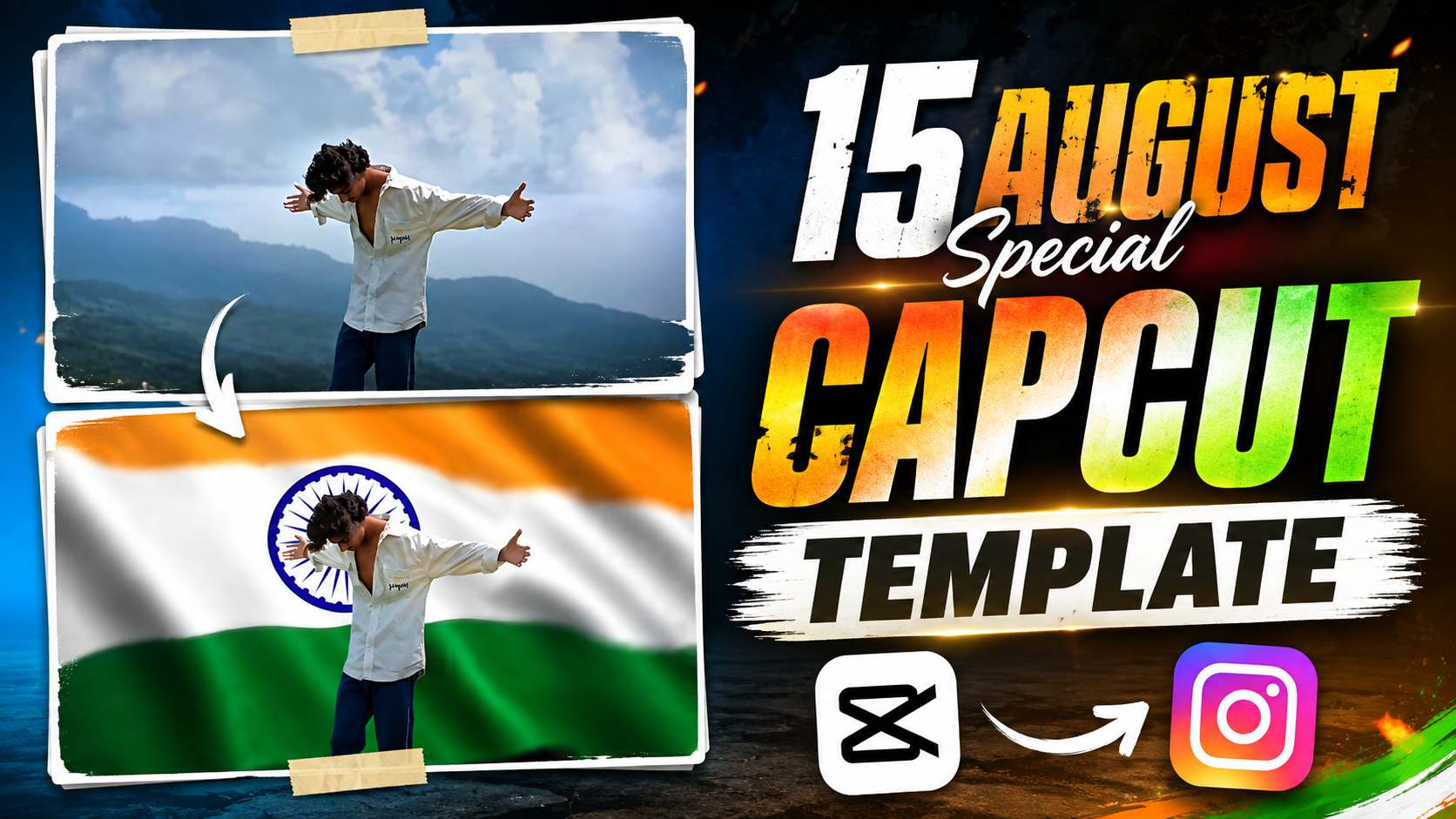
15 August CapCut Template for Reels Editing – Every year, on the occasion of August 15th, some new trend is seen on social media. This time too, the craze for creating Reels and short videos for Independence Day has increased significantly. Especially on Instagram, people are sharing their ordinary photos or videos with a stunning patriotic look. If you too want to create something unique and attractive for August 15th, the CapCut template can make your work much easier. With the help of such trending templates, even without much editing skills, you can prepare your photos and videos in a professional Reels style. All you need to do is add the photo or video of your choice to the template, and the rest of the editing is largely done according to the template. This is why such CapCut templates become increasingly popular around Independence Day. If you also want to create a stunning Independence Day Reel for your Instagram profile this August 15th, this article will show you the easy step-by-step method of using this CapCut template. Additionally, you’ll also find essential editing tips to use the template correctly and improve your Reel.
How to Create a 15 August Trending Reel
A reel like this for August 15th may look quite professional and advanced, but it’s not that difficult to create if you record the video correctly and use a template. First, you need to choose a location with plenty of open space and good lighting. You can shoot your video on a terrace, garden, park, or any open space. Try to keep the camera steady during recording. Using a tripod is best, as this will prevent unnecessary movement in the video and make it easier to position the subject correctly during editing. While shooting the video, stand normally facing the camera and keep your movements natural. Then, slowly move backward slightly, stretching both arms. Record this entire action slowly and don’t rush. Having some extra footage will make it easier to choose the right moment during editing. The most striking part of this reel is its tricolor background effect and the transition with music. At the right timing, a visual of the Indian tricolor appears in the background, suddenly transforming a normal video into a patriotic Independence Day reel. If you don’t want to create the entire effect yourself, you can also use ready-made templates from CapCut or VN. Once you add your recorded video clip to the template, you won’t need to do much manual editing, and a similar August 15th-themed Reel can be created quite easily.
How To Edit Your 15 August Reel Manually?
If you know a little about video editing, you can create this kind of August 15th Reel yourself without a ready-made template. All you need to do is record your video correctly and arrange the music and tricolor background with the right timing. First, watch a similar August 15th Reel carefully to get an idea of which part of the music contains the main action and which transition moment. This will help you determine the timing of your recording and editing. Then, record your video. It’s best to keep the camera in a fixed position while recording, and try to ensure that your upper body and both arms are fully visible in the video. Especially when you extend both arms, your arms should not go out of the frame. This will make it easier to set the background and transition correctly later. Now, import your recorded video into CapCut and first trim out any unnecessary parts. Then, add your favorite Independence Day music or audio. Listen to the music carefully and identify the point where you want to place the main action of extending both arms. Now cut and adjust your video clip according to the timing. Next, add the most important part of the Reel, i.e., the Tricolor background effect. A Tricolor motion video or a suitable Independence Day background can be added to the moment where you raise both hands. This can be placed over the main video in CapCut as an overlay or layer. If you have the background removal or cutout option, use it to separate your subject from the background. Next, position the Tricolor video behind the subject and adjust its size, timing, and placement. Try not to make the transition look abrupt or unnatural. Finally, preview the entire Reel from the beginning to the last frame. If the music, hand movement, Tricolor transition, and video timing match each other correctly, your manual edit is ready. The video can then be exported and shared as an Instagram Reel.
15 August Capcut Template

How To Create a 15 August Reel Using CapCut Template?
If you don’t want to spend much time on manual editing, the CapCut Template is the easiest option for you. Even if you don’t have much knowledge of video editing, creating a 15 August Reel like this can be quite easy with a ready-made template. Music, transitions, effects, background, and video timing are already pre-arranged in this CapCut Template. You simply add your recorded video clip to the template, and the template will create your Reel according to that sequence. This eliminates the need to manually set each effect and transition separately. In this article, we’ll provide a link to a similar 15 August CapCut Template. After opening the template, select your recorded video clip and carefully examine the preview. If your video is recorded according to the template’s required movement and timing, the final result will look much better. While a template makes editing easier, the quality of your original recording remains crucial. If the template requires an action involving spreading both arms, perform that movement comfortably and in the correct position while recording. Ensure both hands remain within the frame and the camera doesn’t shake excessively. A good recording will allow the CapCut template to process your video more cleanly and professionally. Therefore, recording a good and properly framed video before applying the template is the most important part of the entire editing process.
Final Thoughts
Hopefully, this article has given you a thorough understanding of how to create a trending Reel for August 15th. If you prefer self-editing, you can manually edit your video in CapCut, setting the music, timing, tricolor background, and transitions to your liking. However, if you want to complete editing in a simple and time-consuming way, using the provided CapCut Template would be a better option. In this Reel, it’s crucial to focus on your original recording. Keep the camera steady while shooting the video and ensure that all your required movements are visible within the frame. With a good recording, both manual editing and the CapCut Template are likely to yield a better final result. You can choose either method based on your needs and editing experience. If you’re creating a Reel like this for the first time, starting with the CapCut Template will be easier. However, if you want more control over editing, the manual method may be better. Now, record your video, follow the steps above, and create your desired August 15th Reel. After the final video is ready, you can give a patriotic touch to your profile on the occasion of Independence Day by sharing it as a Reel on Instagram.