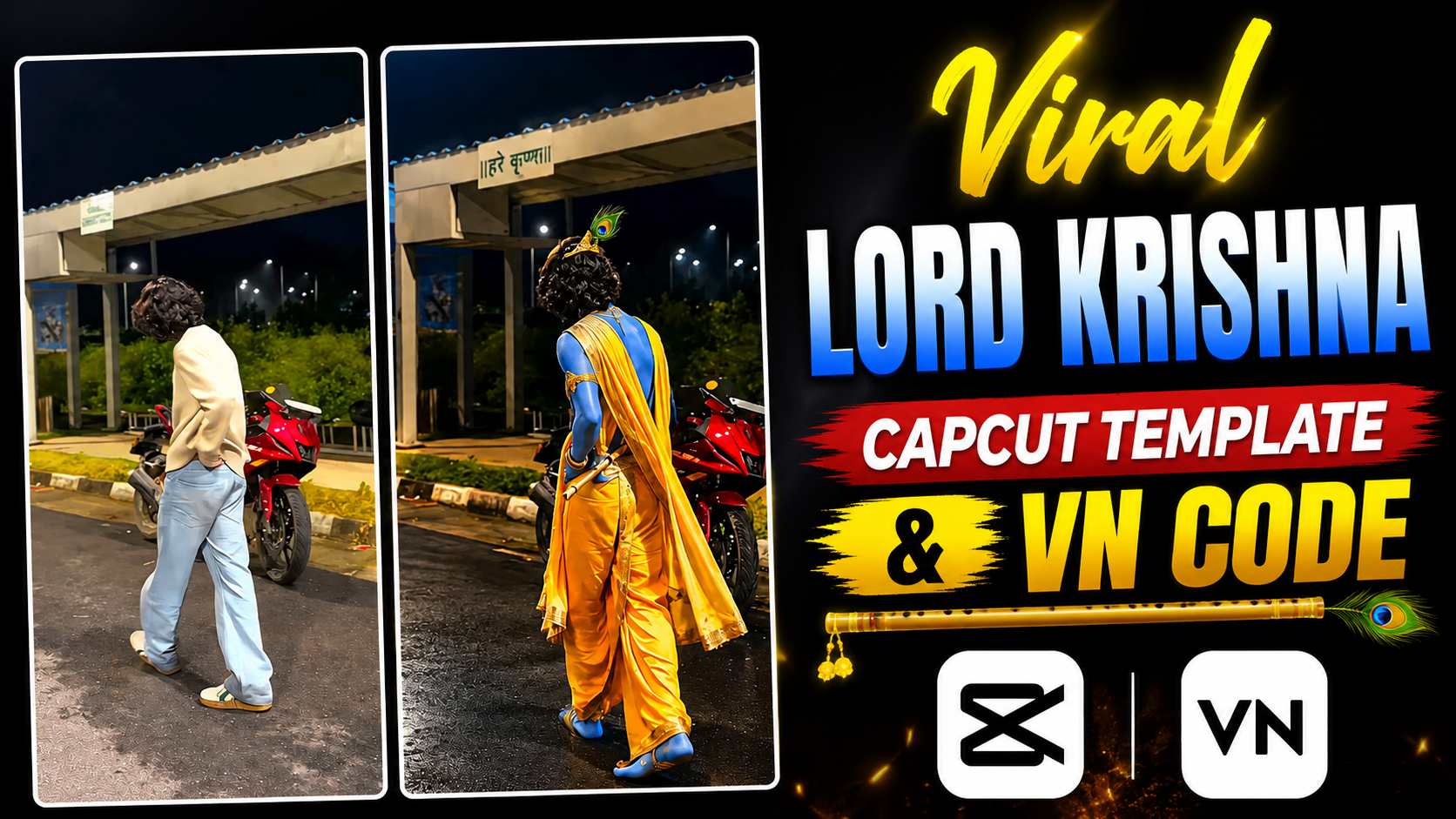
Lord Krishna CapCut Template – If you watch Reels on Instagram, you’ve likely seen many amazing videos about Lord Krishna these days. These videos begin with your own photo or short clip, followed by a smooth transition to Krishna-themed visuals. Devotional music in the background, glowing effects, and cinematic transitions make the entire video quite captivating. The Lord Krishna CapCut Template is a simple way to create similar Krishna-themed edits. It eliminates the need to manually edit the entire video from scratch. You simply select your favorite photo or video clip, and after adding it to the template, much of the editing is done automatically. In this article, I’ll show you how to use this trending Lord Krishna CapCut Template. I’ll also explain the entire process step-by-step, from using the template to adding your photo or video, and creating the final Reel. Even if you don’t have much editing experience, you can easily create your own Krishna-themed video.
What You’ll See in the Lord Krishna CapCut Template
This Lord Krishna CapCut template features a simple yet attractive transition. The video begins with your normal photo or short clip, after which, through a smooth transition, the entire visual transforms into a Krishna-themed look. The most striking feature of this edit is its eye transition. Initially, a close-up of your eyes is shown, and during the transition, the same visual transforms into the look of Lord Krishna’s eyes. The slow-motion effect, smooth movement, and cinematic visuals make the video even more engaging. The video isn’t very long, so it can easily be used for an Instagram Reel, WhatsApp Status, or short-form video. The unique feature is the complete transition and Krishna-themed visual in a short duration. If you want to create a similar video yourself, you won’t need to manually apply every effect. Use the CapCut template to add your photo or clip and create the edit according to the template.
Record a Walking Video for the Template
First, record a short video of yourself walking. Make sure your entire look is clearly visible in the frame during recording, and that you remain properly visible in the middle of the video. You can shoot the video in a clear area, walking normally towards the camera or slightly away from the camera. There’s no need to walk too fast—keep a natural and smooth walking movement so that the transition to the template is clearly visible later. Avoid moving the camera too much while recording, and make sure your body doesn’t leave the frame. A video shot with good lighting and a clean background can enhance the final edit. After recording a short, clear walking clip, save it to your phone. Now, add this video to the Lord Krishna CapCut Template and begin further editing.
Capcut Template Here
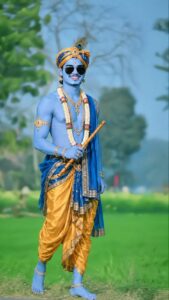
Krishna Photo Editing Prompt
Want to Edit It in VN? Use the VN Code
If you want to create this type of video in VN app instead of Capcut, then you can use VN QR Code given below. Access Template/Code by scanning QR Code and prepare Edit with your Recorded Walking Video.
VN Code Here

How to Use Lord Krishna CapCut Template
Now that your walking video is ready and the CapCut template is included, using it is quite easy. First, click the Check Template or template button above. The template will appear in CapCut, where you can see a full preview. After viewing the template, go back to the Use Template or Check Template option. Now, select the walking video you previously recorded from your phone’s gallery. Try to choose a clip where your overall look is clearly visible and the walking movement is smooth. After selecting the video, tap Next. CapCut will automatically adjust your selected video to the template, and the entire Krishna-themed edit will be ready. Now, check the video in the preview to ensure the transitions and your video are displayed correctly. If you like the final result, you can export the video to your phone and share it on Instagram Reel, WhatsApp Status, or any other social media platform.
Final Thoughts
Hopefully, this article will help you easily create your own stunning Krishna-themed video using the Lord Krishna CapCut Template. All you need to do is record a good walking video, use the template above, and add your clip to CapCut to create your edit. If you prefer to edit in VN instead of CapCut, you can also use the VN Code above. Choose whichever option is easiest for you and create your video. Once the final video is ready, you can share it on Instagram Reels, WhatsApp Status, or other social media platforms. We hope you enjoy this editing idea.