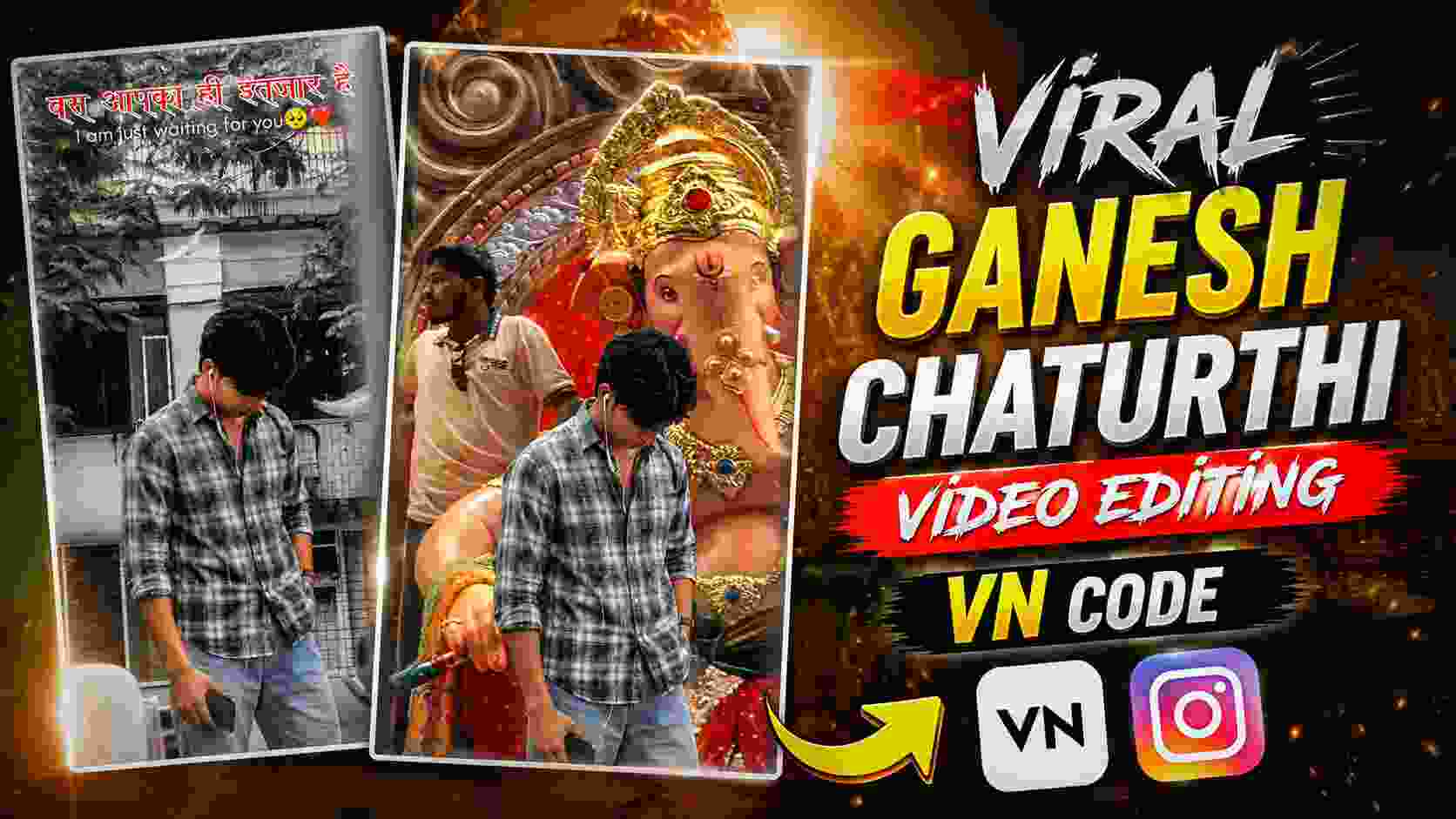
Ganesh Ji Vn Code – On the occasion of Ganesh Chaturthi, many creative videos related to Lord Ganesha are seen on Instagram and other social media platforms, but a particular type of video editing is currently attracting attention. In this edit, a large idol of Lord Ganesha is transported on a vehicle. As soon as Ganesh Ji’s idol comes into view, the video scene changes to a cinematic and slow-motion feel. At this moment, the creator’s full-body photo is animatedly incorporated into the video, making it appear as if he is also part of the scene. The highlight of this viral-style video is its simple yet attractive presentation. Suitable music plays in the background, and the smooth entry of the photo with Ganesh Ji’s scene, animation, and text appearing above it give the entire video a unique look. Because of this, people are taking ideas from the original video and creating similar reels with their own photos and sharing them on Instagram.
If you’d like to create a similar trending video for Ganesh Chaturthi, this article will provide you with complete information on how to create one. Here, we’ll explain how to create this viral-style Ganesh Ji video using your own photo and how to use the VN Code. You can create this festive and cinematic video in just a few steps by adding your favorite photo.
Guide to Making a Viral Ganesh Ji Edit
The overall concept of this viral Ganesh Ji video is based on a simple yet captivating festive scene. The video begins with a large idol of Lord Ganesha being transported on a vehicle. The camera is fixed in one place, allowing the entire scene to appear naturally as the idol appears to move forward. The video is given a slow-motion feel around Ganesh Ji’s entry, drawing the viewer’s attention to that specific moment and making the edit appear more cinematic. When the Ganesh Ji idol is positioned correctly in the camera frame, a full-body photo of the creator is inserted into the video. Instead of placing the photo vertically, the background is removed and it is added as a separate layer, with a slide-up animation from the bottom up. This movement is timed to the original video, so that the photo appears as a natural part of the scene rather than appearing suddenly.
Short text of your choice can also be added to the video. The text is placed at the right place according to the photo and scene, which makes the message of the video more clear. Suitable music or trending song in the background can make this edit more engaging, especially music that naturally matches with Ganesh Chaturthi and the festive atmosphere. This way the entire video transforms from a normal festival recording to a personalized viral-style reel. Due to this concept, people are taking inspiration from the original video and creating similar edits with their photos. Further in this article, you can learn how to make such a video quickly with the help of the given VN Code and can also make small changes in the final video as per the need.
How to Make This Ganesh Ji Video Manually
If you want to create this Ganesh Ji viral video yourself without using a VN code, it can be created manually using any simple video editing app. First, keep the original video clip showing Ganesh Ji’s idol arriving on the vehicle on your phone. Then, import it into VN, CapCut, or any other editing app of your choice. Now, carefully watch the video in the timeline and identify the moment when Ganesh Ji’s idol appears in front of the camera. Add a high-quality full-body photo of yourself as an overlay or layer at this point. Remove the photo’s background, leaving only the person in the video, and adjust it to a position so that it appears to be part of the original scene. Then, apply a slide-up or similar upward animation to the photo, so that it appears to be smoothly entering the frame from below. The duration and position of the animation must match the timing of the original video. If you wish, you can also add a short text of your choice above it and adjust its position and animation to match the video. Finally, preview the video in its entirety and check the timing of the photos, animations, and text. If everything looks correct, export the video and save it to your phone. For background music, you can keep the original audio or use music currently trending on Instagram and suitable for the mood of your video.
Ganesh Ji Vn Qr Code

How to Use the Ganesh Ji VN Code
If you don’t want to do manual editing, you can easily create this video using the Ganesh Ji VN Code provided. First, install VN Video Editor on your phone and create a high-quality, full-body photo, as this photo will be used in the template. Now, scan the VN QR Code above with the VN app’s scanner or open the template. Once the template opens, go to the Use Template option and select the photo from your gallery that you want to include in the video. After adding the photo, the VN template will automatically apply the provided animation, timing, and other editing elements. Then, preview the entire video to ensure the photo appears in the correct place and the animation timing is correct. If you wish, you can manually add text or make any minor changes as needed. When the video is ready, tap the Export option and save it to your device. So, without having to do all the editing from scratch, using VN Code, you can create a festive video in this style for Ganesh Chaturthi in no time. Then, you can share the video on Instagram Reels or other social media platforms using suitable or currently trending background music of your choice.
Final Thoughts
Hopefully, this article has given you a thorough understanding of how to create this trending Ganesh Ji video editing. If you prefer to edit it yourself, you can manually customize the photos, animations, and text. If you want to create a similar video in less time, you can easily create it by adding your own photos to the template using the provided VN Code. To make the video more attractive, use high-quality photos and choose background music that suits this festive and devotional mood. Once the video is ready, share it on your Instagram Reel or other social media platforms. Before Ganesh Chaturthi, make creative videos like this and share them with your friends and followers.