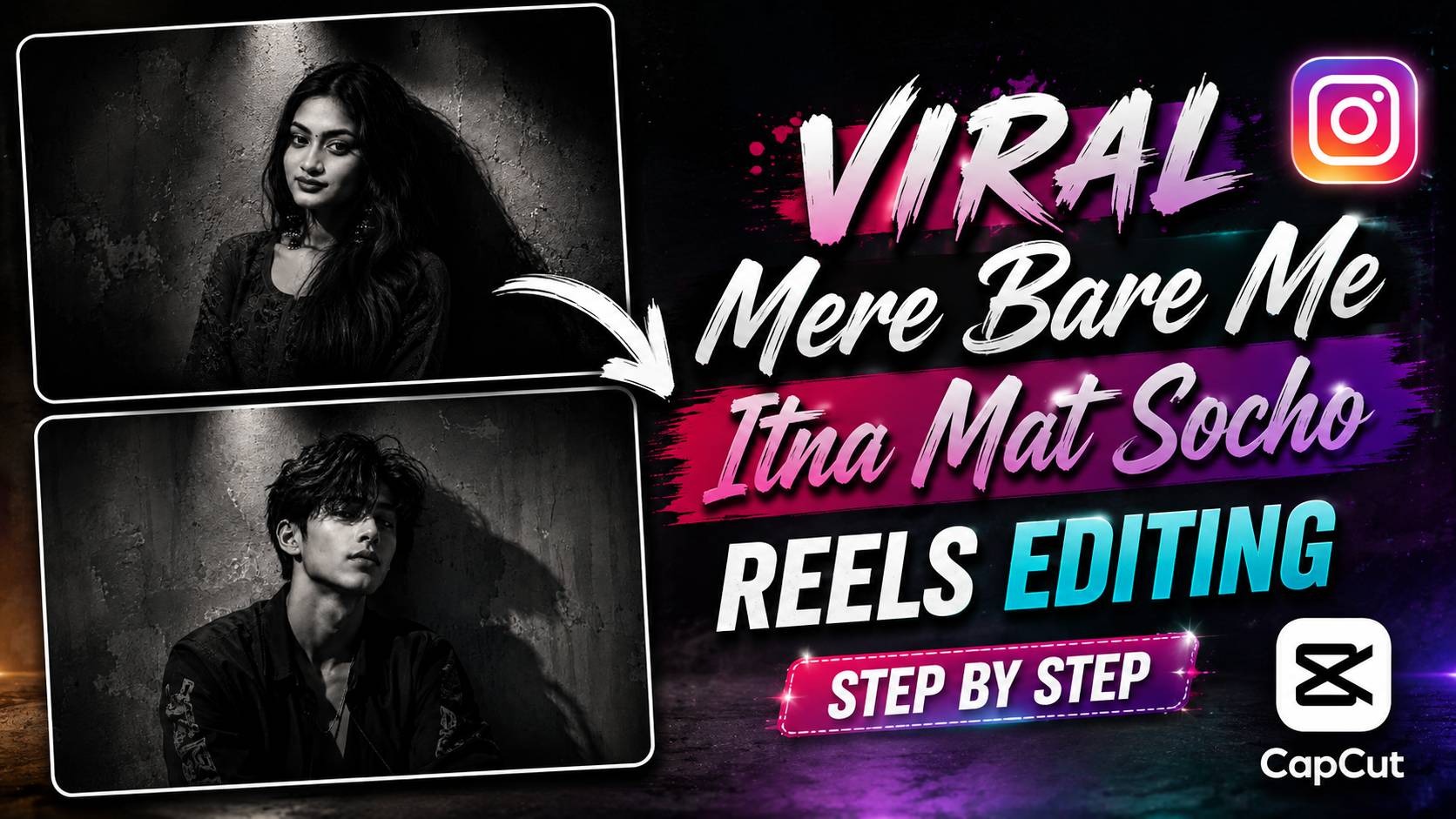
Viral ChatGPT AI Photo Editing With Capcut Film Wave Effect – If you’ve scrolled through Instagram Reels recently, you’ve likely noticed a unique type of AI editing reel currently going viral on social media. This trend involves transforming an ordinary photo into a dark and cinematic AI image using ChatGPT. The same AI photo is then transferred to the CapCut app and the Film Wave Effect is applied, transforming the photo into a smooth, premium, and highly engaging video. This unique combination is making this trend so popular among millions. The most remarkable thing about this viral reel is that you don’t need to learn any advanced photo or video editing skills to create it. Simply by using a good photo of yourself, the right ChatGPT AI Photo Prompt, and CapCut’s Film Wave Effect, you can create a viral reel in just a few minutes, in the same style that thousands of creators are sharing on Instagram today. This is why this trend is becoming more and more viral every day. In this article, we’ll walk you through the entire process of this viral AI editing trend, step by step. First, you’ll get the ChatGPT AI Photo Prompt, which will help you create a stunning, dark, cinematic AI photo. Then, we’ll show you how to use that photo with the Film Wave Effect in CapCut, transforming your ordinary photo into a stunning viral Reel in seconds. If you want to create a trending AI Reel on Instagram without much effort, read this article until the end.
What Makes This AI Editing Trend So Popular?
To my friends, nowadays, a new editing trend emerges daily on Instagram, but very few become the favorites of millions of people in just a few days. This is why the ChatGPT AI Photo Editing + CapCut Film Wave Effect trend is currently going viral on social media. In this trend, a simple photo is first transformed into a dark and cinematic AI image using ChatGPT, then CapCut’s Film Wave Effect is applied to the same photo. When these two elements are combined, a stunning Reel is created that looks just like a professional music video or movie scene. The biggest highlight of this trend is its simplicity. Previously, to create such cinematic videos, people had to learn advanced software like Photoshop, After Effects, or Premiere Pro. But now, with just the right ChatGPT AI prompt, a good photo of yours, and CapCut’s Film Wave Effect, anyone can achieve the same premium results in just a few minutes. This simple approach is making this trend increasingly popular among people of all ages. Another reason is that such Reels capture people’s attention at first sight. The dark color tones, cinematic lighting, smooth camera movement, and the unique animation of the Film Wave Effect make the video so captivating that people love watching it again and again. This is why the views, likes, and shares on such Reels increase rapidly, and many videos go viral in no time. If you also want to transform your ordinary photo into a viral AI Reel without much effort, this trend is a great option for you. Later in this article, you’ll find step-by-step information on using the ChatGPT AI Photo Prompt, the complete process for creating an AI Photo, and the Film Wave Effect in CapCut, so you can easily create a stunning Reel in this style.
Viral Chatgpt AI Photo Prompt

How to Generate This Viral AI Photo with ChatGPT
By now, you’ve probably seen the ChatGPT AI prompt above. If you’ve never created an AI photo with ChatGPT before, there’s no need to worry. By following the simple steps below, you can create a Dark Cinematic AI photo in the same viral style in just a few minutes. The entire process is incredibly easy and doesn’t require any professional photo editing skills.
Step 1: First, open ChatGPT on your mobile or laptop and ensure you have the AI Image Generation option available. Then, copy the ChatGPT AI prompt above.
Step 2: Now, upload a clear, high-quality photo of yourself to ChatGPT. Ensure your face is clearly visible and the lighting is good, as this will help the AI create a more realistic and professional result.
Step 3: After uploading the photo, paste the above prompt into ChatGPT and click the Generate button. In just a few seconds, the AI will transform your ordinary photo into a stunning Dark Cinematic AI image.
Step 4: If the first attempt doesn’t yield the desired result, re-generate it using the same prompt or try again with a different photo. Sometimes the second or third generation yields even better and more realistic results.
Step 5: Once your AI photo is ready, download it to your mobile. This will be the photo used in the next step to create a viral reel with CapCut’s Film Wave Effect.
Step 6: Now, import this AI photo into CapCut as described in the next section and apply the Film Wave Effect to create your viral-style reel in just a few seconds.
Turn Your AI Photo into a Viral Reel with CapCut
By now, your AI Photo should be completely ready. But this is where the real fun of this trend begins. Creating an AI Photo isn’t the only part of this viral trend; using the same photo with the right effects in CapCut to create a stunning Cinematic Reel is what makes this trend so special. This is why millions of people are creating Reels in this style, and their videos are rapidly going viral on Instagram. Creating this viral Reel doesn’t require much editing in the CapCut app. All you need to do is import your AI Photo and apply the Film Wave Effect to it. This effect adds smooth motion, cinematic camera movement, and a premium visual feel to your ordinary photo. In just a few seconds, your static AI Photo transforms into a stunning Moving Reel that looks just like a professional edit. Best of all, you don’t need to learn any advanced video editing skills to use the Film Wave Effect. Even if you’re using CapCut for the first time, you can easily create a viral-style Reel with this effect. This simple approach is what’s making this trend so popular among creators. If you want the same viral-style results, follow the steps below carefully. We’ve explained the entire process in simple language, so anyone can turn their AI photo into a stunning viral Reel without any hassle.
Final Thought
So friends, now I fully hope that with the help of this article, you will be able to easily create this viral ChatGPT AI Photo Editing Trend on your mobile. If you use the AI Prompt given above correctly and then apply CapCut’s Film Wave Effect to your AI Photo, then in just a few minutes your ordinary photo will turn into a stunning cinematic viral reel. This simple method is currently being used by millions of people on Instagram. If you liked this AI Photo Editing Prompt and CapCut Editing Method, then be sure to share it with your friends so that they can also easily create this trending reel. To be the first to receive such new ChatGPT AI Photo Editing Prompts, CapCut Editing Tricks, Viral Reels Tutorials, and Lightroom Presets, keep visiting our website “Vishu Editz” regularly. Good day to you. Thank you.