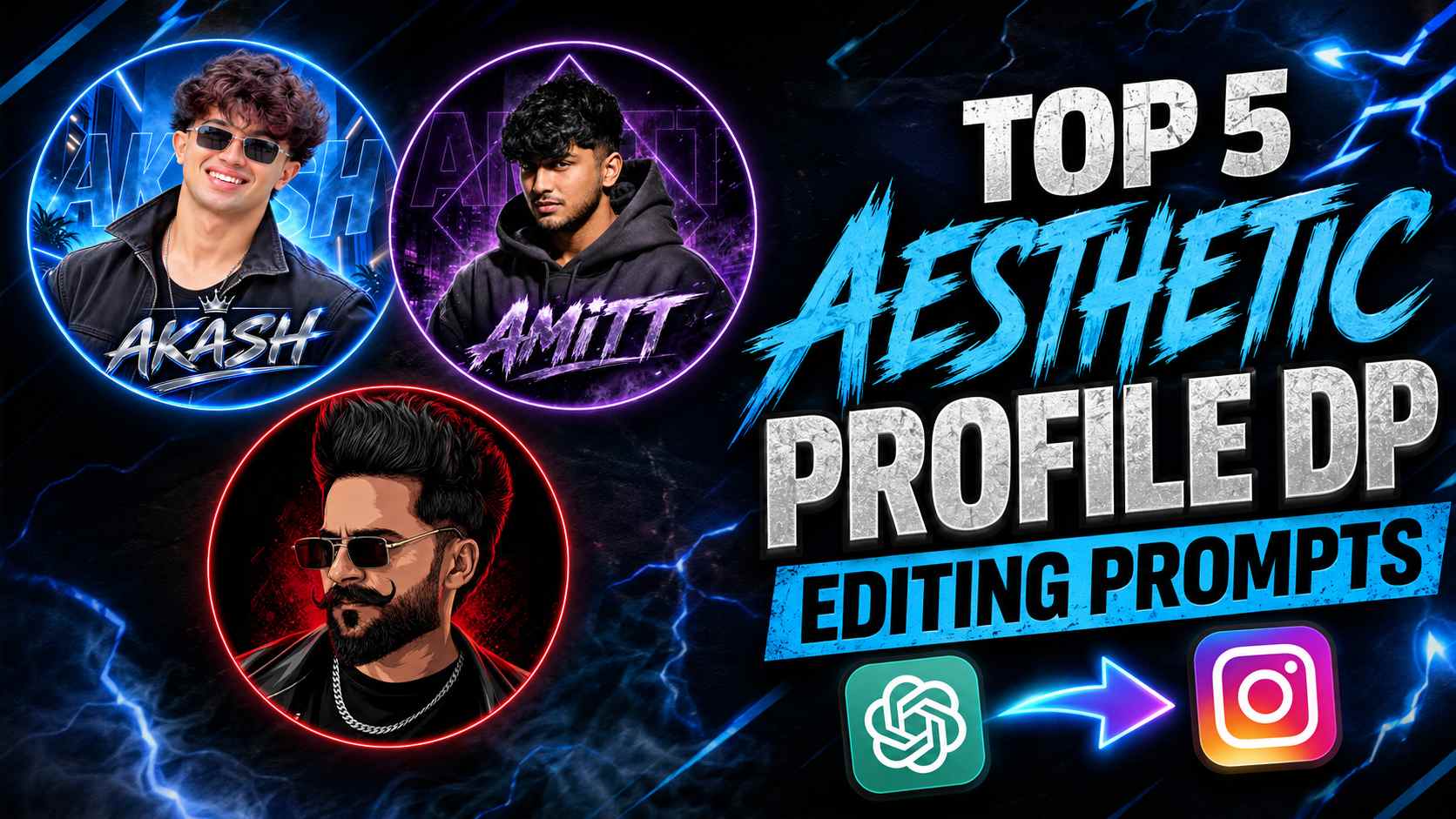
Aesthetic Dp Prompts – Nowadays, a good and stylish DP on Instagram is not just a profile photo, but it has become a way to represent your entire personality and personal style. This is why the trend of Instagram Aesthetic DP is becoming quite popular, especially those profile pictures which have a combination of circular frame, cinematic lighting, luxury background, stylish outfit and custom name typography. Now, there is no need to work for hours in any complicated editing software to create such a professional-looking DP. With the help of ChatGPT, you can create different types of aesthetic profile pictures using one of your reference photos. The five prompts given in this article have also been prepared for similar different creative looks. Some of them have a futuristic blue neon environment, some a warm sunset-orange studio look, some a purple urban night theme, red-black vector style and a futuristic crimson cyber look.
The special thing about these prompts is that each design has its own unique mood and personality, but special attention has been paid to preserving the natural details of the person in the reference photo, such as their identity, facial features, skin tone, hairstyle, and beard. This means you can choose a DP style that suits your taste and gives your Instagram profile a clean, premium, and eye-catching look.
What is Instagram Aesthetic DP AI Photo Editing?
Instagram Aesthetic DP AI Photo Editing is a creative photo-editing style that transforms your normal photo into a specially designed profile picture. It typically involves placing a clean circular DP frame and surrounding it with a square canvas with a black or dark background. This makes the main subject of the profile picture more prominent within the circle and gives the entire image a premium digital-art appearance. Changing the background isn’t the only purpose of this type of DP. Lighting, color theme, outfit, facial expression, glasses, shadows, neon elements, atmospheric effects, and typography are also designed together. For example, a blue theme design might use futuristic neon architecture, while a red or purple theme might create a cyber, urban, or cinematic atmosphere.
Another important element is name typography. Your name can be displayed below your DP in bold, metallic, futuristic or 3D style and in some designs the same name is also used in the background with a low-opacity effect. This way your profile picture is not just a portrait but looks like a complete personalized visual identity. The biggest advantage of these AI prompts is that you can try multiple DP concepts in different themes from a single reference photo. All you have to do is choose the prompt as per your choice of style and write your name in place of YOUR NAME.
How to Create an Instagram Aesthetic DP with ChatGPT
The process of creating an Instagram aesthetic DP is quite simple. First, choose a reference photo that clearly shows your face and has good image quality. Next, upload your photo to ChatGPT and paste a prompt with the style of DP you want to create. The prompt provides instructions to use the reference photo as an identity reference, making it easier for the AI to understand the person to base the portrait on. After pasting the prompt, if it says “YOUR NAME,” replace it with your own. Then, ask to generate an image. ChatGPT will create a new profile picture based on the elements specified in the prompt, such as the circular frame, outfit, lighting, background, color theme, expression, and typography.
After the image is generated, carefully examine the result. Be sure to pay particular attention to the face’s natural appearance, hairstyle, beard, skin tone, circular framing, and name text. If any small detail does not come out as per your expectation, then necessary correction can also be done by ChatGPT by making the same generated image as reference. For better results, the reference photo should not be too blurry or heavily edited. Using a clear and good-quality original photo makes it easier for the AI to understand the facial details. Similarly, instead of unnecessarily deleting the important instructions given in the prompt, it would be better to customize only YOUR NAME and small details of your choice.
Best Instagram Aesthetic DP Prompts
If you want to transform your normal photo into a premium and attractive Instagram aesthetic DP, you can use the prompts below with your reference photo. Each of these prompts uses different visual styles and creative elements, such as a futuristic neon environment, a luxury fashion look, warm lighting, a dark urban atmosphere, a bold red-black design, and cyber-style effects. Because of this, the overall appearance of the DP created by each prompt will be different. You can choose any prompt of your choice and personalize it by replacing “YOUR NAME” with your name. For best results, use a clear reference photo with a clearly visible face. After pasting the prompt into ChatGPT, carefully examine the generated image. If any detail requires correction, you can make the necessary changes using that image as a reference.
Now, use the prompt of your choice from the five AI Photo Editing Prompts below:
Asthetic Dp prompts




Customize Your Instagram DP
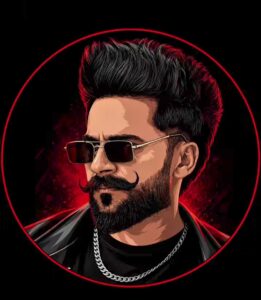
When using these prompts, you can customize them to your liking. First, replace “YOUR NAME” with your actual name or profile name. If you prefer a specific color, you can change the theme to something like blue, purple, orange, or crimson. Styling details like sunglasses, glasses, a jacket, hoodie, or shirt can also be adjusted as needed. You can also change the overall mood of the DP. If you want a more luxurious look, focus on metallic typography, premium lighting, and a clean background. If you want a more edgy profile picture, you can incorporate dark shadows, strong contrast, red lighting, or cyber-style elements.
Keep in mind that customizing the prompt doesn’t necessarily require removing its main identity-preservation instructions. If your goal is to create a DP based on your reference photo, it’s best to maintain the instructions regarding face, hairstyle, skin tone, and natural appearance. Similarly, unnecessarily altering important compositional details like the circular frame and black outer canvas maintains the original aesthetic of the final design. It’s more practical to make small changes gradually rather than making drastic changes in a single prompt. This will help you understand which changes are improving your DP and which are overly complicating it.
Final Thoughts
Hopefully, these five Instagram Aesthetic DP AI Prompts will help you transform your normal reference photo into a stylish and premium profile picture. Each prompt offers a different visual concept, so you can choose from futuristic blue luxury, warm stylish, purple street, red vector, or cyber attitude designs to suit your personality. The best way to create such a DP with ChatGPT is to use a clear reference photo and then apply the prompt of your choice correctly. After the image is generated, carefully check the result and make small corrections if needed. This can help bring the final DP closer to your expectations.
If you don’t like one style, you can try different prompts and create multiple versions. Especially for Instagram profiles, paying attention to circular framing, a clean background, and readable name typography can make the DP look more professional and attractive. So now choose any prompt of your choice, use it with your photo in ChatGPT and give a new aesthetic look to your Instagram profile.