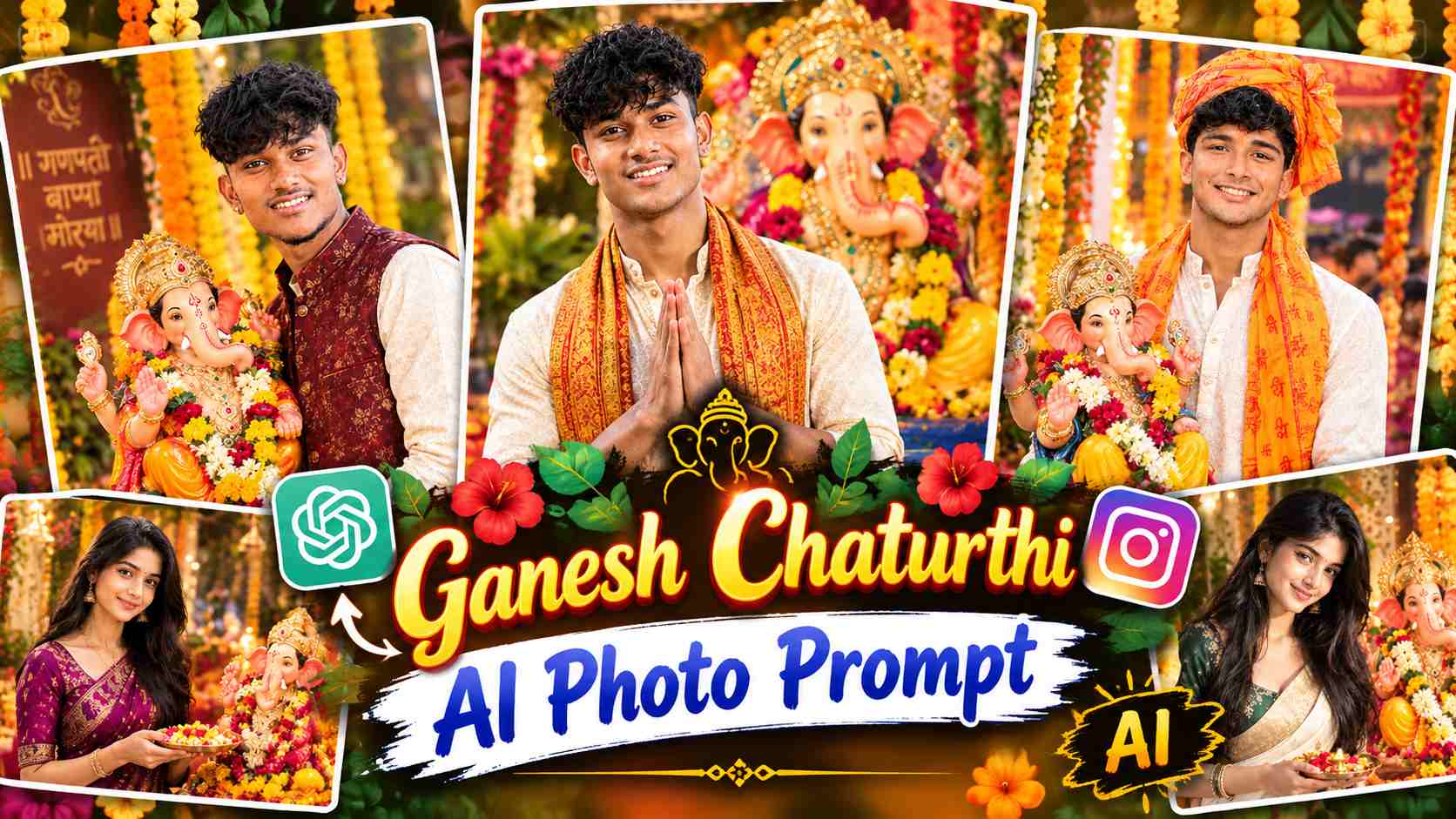
Ganesh Chaturthi AI Photo Prompt – The trend of transforming your normal photo into a beautiful festive portrait for Ganesh Chaturthi is becoming increasingly popular. Now, with ChatGPT, you can create a new and realistic Ganesh Chaturthi photo with Lord Ganesha using your own photo. You don’t need any complicated photo editing software; instead, with a good reference photo and the right AI photo editing prompt, a new festive scene can be created. This type of AI photo doesn’t copy your original photo’s entire body, clothing, or pose. Based on the prompt, the AI creates a new body, outfit, pose, and background using your identity and recognizable facial features as reference. This allows a simple portrait to be transformed into a traditional and cinematic Ganesh Chaturthi celebration photo.
In this article, we’ve provided separate Ganesh Chaturthi AI photo editing prompts for boys and girls. These include a beautiful idol of Lord Ganesha, along with various poses, traditional outfits, flowers, diyas, decorative lights, and a festive atmosphere. You can give a new festive look to your photo by using any of these prompts as per your choice.
What is Ganesh Chaturthi AI Photo Editing?
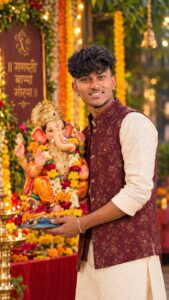
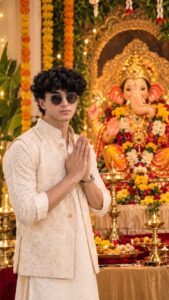
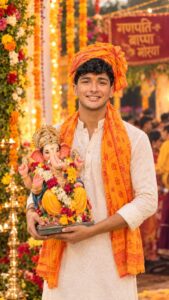
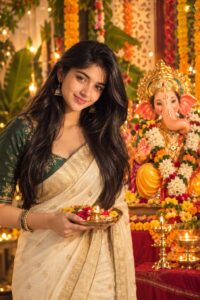
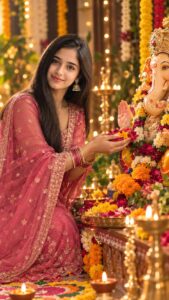
Ganesh Chaturthi AI Photo Editing is a method in which AI creates a new festive portrait using the recognizable facial identity of your reference photo. The original body, clothes, posture, and composition may not necessarily be kept the same. Based on the instructions provided in the prompt, the AI generates a new body, clothes, pose, and the entire Ganesh Chaturthi environment. Some variations in the prompts in this article involve holding an idol of Lord Ganesha, while others depict devotional activities like the Namaste pose and offering flowers. Traditional elements like a kurta, festive jacket, and saffron ceremonial chunari have been used for boys, while the prompts for girls feature sarees, jewelry, and elegant festive styling.
Elements like flowers, diyas, rangoli, decorative lights, and warm cinematic lighting have been used in the background, reflecting both a celebratory and devotional atmosphere in the final image. Using these prompts with the right reference photo can transform a normal image into a premium festive portrait style.
How to Create a Ganesh Chaturthi AI Photo with ChatGPT?
First, upload a clear and high-quality photo of yourself to ChatGPT. It’s best to choose a reference photo that clearly shows your face, as facial identity will be used as a reference in the prompts. After uploading the photo, paste the prompt of your choice from the Ganesh Chaturthi AI Photo Editing Prompts below into ChatGPT. After submitting the prompt, the AI will view your reference photo and create a new festive scene based on the instructions provided. Here, you’re using only the recognizable face and identity from your original photo as a reference, while the body, clothing, pose, and environment will be generated according to the prompt. Therefore, the final image may appear to have a significantly different composition than your original photo. After the image is generated, carefully examine it. If you notice any minor flaws in your face, hands, clothing, Ganesha’s idol, or any other element, you can ask ChatGPT to make corrections to the image. This way, the final Ganesh Chaturthi photo can be improved by making several small changes as needed.
Ganesh Chaturthi AI Photo Editing Prompts
Below are three different AI photo editing prompts for Ganesh Chaturthi, for boys and two for girls. Each prompt features a different pose and festive styling, so you can use any variation you like. Use the prompt with your reference photo in ChatGPT and make any minor changes to the generated image as needed.
Ganesh Chaturthi Ai Photo Prompt
Customize the Photo
If you want to make any changes to the generated Ganesh Chaturthi photo, you can enter correction instructions for the image itself in ChatGPT. For example, you can ask for changes to the outfit color, Ganesha idol design, background decorations, flowers, lighting, pose, or camera angle. You can also specify whether you want the image to have a more traditional, cinematic, devotional, or natural look. Similarly, if the face looks good but the hands or a background element are not well-drawn, you can ask for corrections only in that area.
Keep in mind that when making corrections, it’s best to clearly state your original requirements. This will make it easier for the AI to understand what needs to be changed and what needs to be kept the same. This way, you can create different Ganesh Chaturthi portraits based on your needs with a single prompt.
Last Word
Hopefully, this article will help you easily create stunning and cinematic photos of your choice using Ganesh Chaturthi AI Photo Editing. If the photo doesn’t turn out exactly as you expected the first time, you can enter correction instructions in ChatGPT to make changes to the outfit, background, lighting, pose, or any specific detail. This way, you can create different Ganesh Chaturthi AI photos tailored to your needs with a single prompt. Now, you can create your own photo and share it on social media.