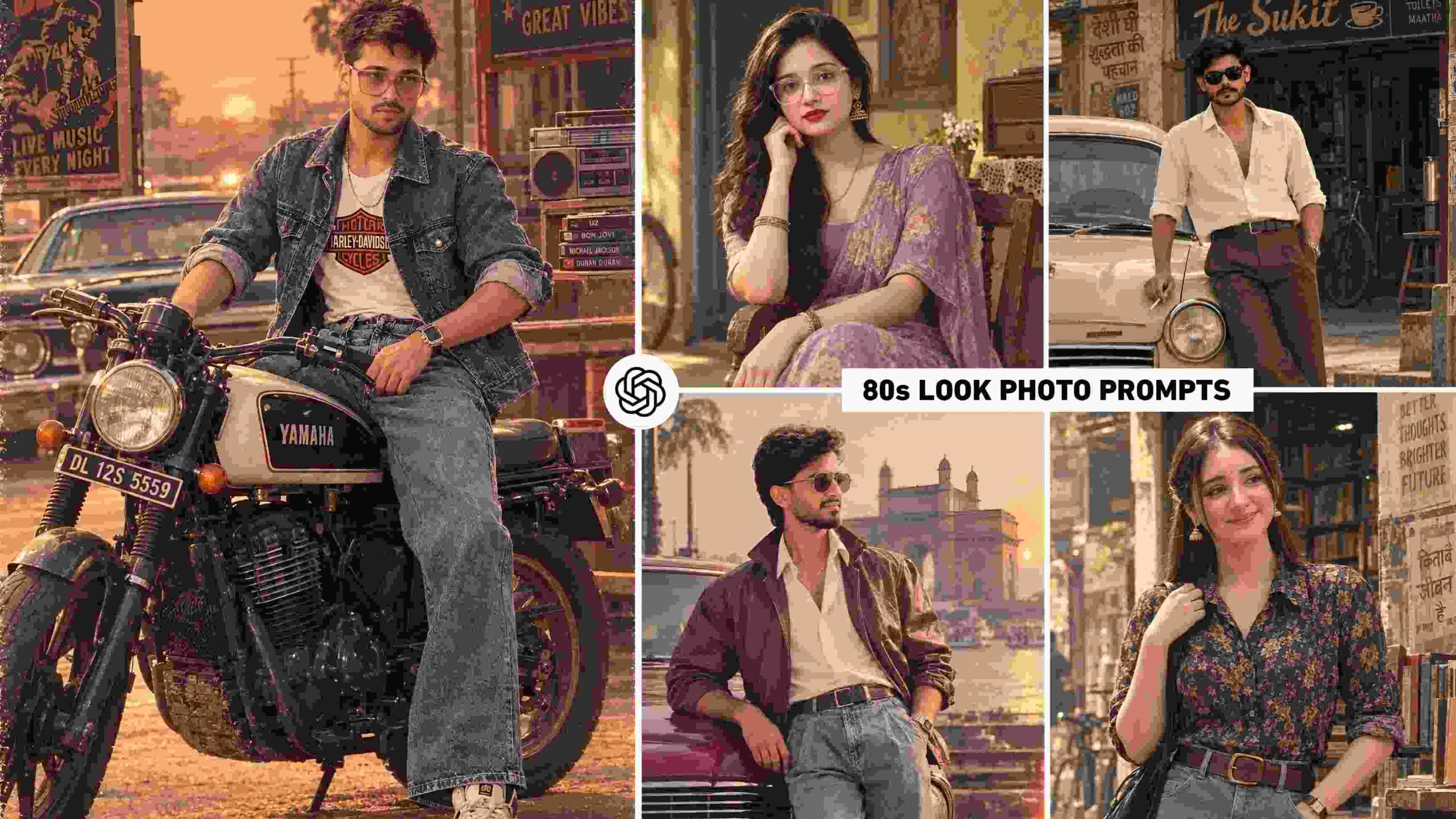
Chatgpt 80s Retro Prompt – Have you ever thought about making a normal photo from today look like it was captured years ago with an old Indian camera? With the help of AI photo editing, this has become quite easy, and that’s why 80s retro style photos are once again gaining attention. In this trend, instead of simply applying a vintage filter to a reference photo, the entire atmosphere of the era is recreated, giving the final image a unique 1980s story. Visual details like vintage fashion, classic vehicles, vintage streets, retro furniture, old posters, traditional locations, and photography of that era set these images apart from other ordinary AI photos. The special thing is that this type of editing can be done with different concepts for both boys and girls. With this in mind, in this article, we present five different 80s retro AI photo editing concepts, including three male portraits and two female portraits. Each concept has its own unique environment and visual mood, so you can have a variety of interesting options instead of just one repetitive image. If you want to transform your current photo into a vintage Indian cinematic era look with ChatGPT, the prompts below can be a useful starting point.
The New Trend of 80s Retro AI Photo Editing
80s Retro AI Photo Editing can be considered a combination of modern photography and vintage visual storytelling. While a new scene is created from your reference photo, the person’s identity is retained, while the final environment is designed to resemble the 1980s. In this type of image, the clothing, hairstyles, accessories, vehicles, architecture, shops, furniture, and other surrounding details are crucial. For example, placing a portrait in an old café, street, vehicle, or other vintage location can transform the image’s entire character. Photography details like warm natural light, slightly faded colors, analog camera appearance, subtle grain, and cinematic shadows can further enhance the vintage feel. The uniqueness of this style is that it doesn’t require a fixed look. Using a different prompt, multiple photographs can be created from a single reference photo, each with a different outfit, pose, and location. This time, the collection features three boys and two girls, so both types of users can experiment with their favorite retro characters. With the right reference image and a well-crafted prompt, ChatGPT can combine these different elements to create a portrait that, while looking like a modern AI creation, feels like old Indian-era photography.
How to Create an 80s Retro Photo in ChatGPT?
To create this kind of retro image in ChatGPT, start with a good reference photo. It’s best to choose an image that clearly shows your face and doesn’t blur or obscure facial details too much. Next, upload your reference photo to ChatGPT and paste a prompt of your choice from the five concepts below. Image generation will work in the direction of the character, clothing, location, pose, and photographic appearance specified in the prompt. If your goal is simply to create a retro look, the reference photo’s original background or pose doesn’t necessarily need to be retained in the final image; a new environment can be created according to the prompt’s instructions. After the image is generated, carefully examine the result, especially facial similarity, hands, body proportions, clothing details, and background objects. Sometimes the AI doesn’t generate small elements as expected, so it’s more practical to refine the final image as needed rather than assuming it’s perfect in one attempt. You can also try five different prompts, as each concept has a different visual atmosphere. This way, you can get several different 80s-inspired portraits from the same reference image, and choose the best result for your social media post, reel cover, or personal creative project.
5 Viral 80s Retro AI Photo Prompts
Here are five different prompts for 80s Retro AI Photo Editing. After uploading your reference photo to ChatGPT, paste the corresponding actual prompt below for the type of retro image you want to create. This collection includes three boys’ and two girls’ photo concepts, so you can easily explore both male and female retro looks.
80s Retro Ai Photo Prompts
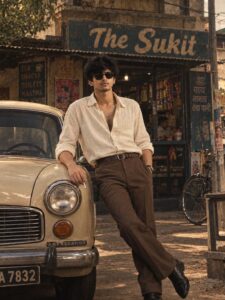
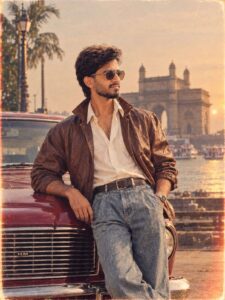
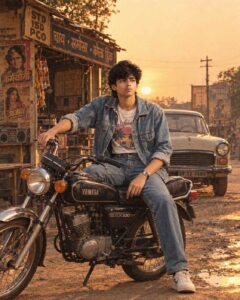
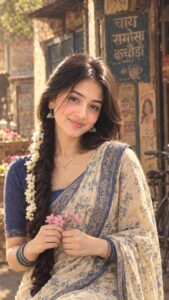
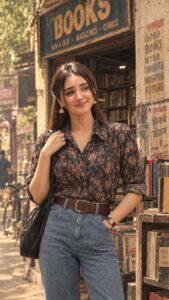
You can test these five concepts individually and choose a particular scene or character as per your choice. If any detail doesn’t come out right in the first generation, the image can be further improved by using the customization and correction methods described below.
Prompt Customization & Correction
It’s normal for any AI-generated photo to require minor changes after the first attempt. If the face in the generated image appears slightly different from the reference photo, when making corrections, focus on preserving facial identity, facial structure, and natural features. Similarly, if the pose or body anatomy appears artificial, specific corrections can be made to make that area natural and realistic. Sometimes, AI also adds modern objects to an old scene; in these cases, instructions can be given to remove unwanted modern elements and maintain period-appropriate surroundings. If you don’t like a particular part of an outfit, it’s better to correct only the clothing detail rather than changing the entire scene. Similar small adjustments can be made to lighting, framing, background depth, vintage colors, or film effects. Making too many changes at once can alter a good part of the original image, so it’s more useful to keep corrections short and targeted. For example, try to correct only one specific problem at a time, either with the face, pose, or background. This gives the AI a clear direction and gradually the final image can be made more realistic, balanced and closer to your liking.
Conclusion
The most interesting part of 80s Retro AI Photo Editing is that it can transform a simple modern photograph into a visual story of a different time and environment. From old fashions and locations to vintage photography effects, small details together create the character of the entire image. The five concepts in this article include different options for both boys and girls, so you don’t have to be limited to just one style. You can create a variety of nostalgic portraits by using different prompts with your reference photo and then customize the result to your liking. If you like vintage photography, old-school Indian fashion, and cinematic AI portraits, this 80s Retro concept can yield very creative results for you. With the right reference image, clear instructions, and a little refinement, photos created with ChatGPT can create a unique and memorable look even on social media.