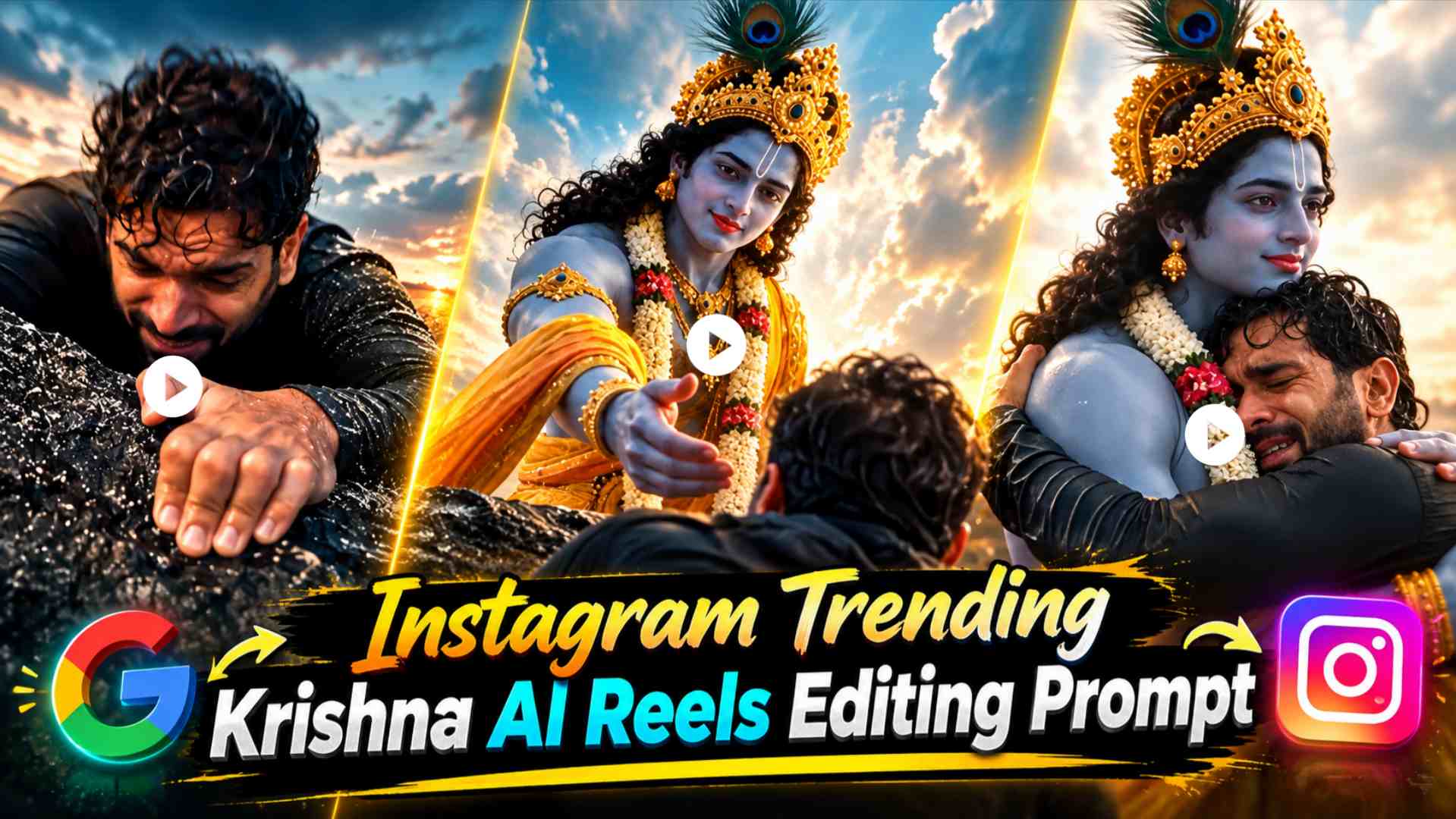
Krishna AI Video Prompt – The trend of devotional Reels created with AI is rapidly growing on Instagram, and a similar concept, the cinematic Krishna AI Reel, is attracting a lot of attention. This editing does not require any complicated shooting setup; instead, by using a clear photo of yourself and a suitable reference photo of Lord Krishna in Google Flow, a complete cinematic story-like Reel can be created. The generated video can show a person with Lord Krishna in a natural or emotional scene, where Krishna comes to him, supports him, helps him, or some emotional moment is seen between the two. Elements like rocky location, natural surroundings, dramatic lighting, cinematic camera framing and realistic character movement make such a Reel quite different from ordinary photo animation. The most special thing about this entire concept is that AI makes your normal photo a part of a new devotional environment. If your face is clearly visible in your photo and Krishna Ji’s reference image is also of good quality, then uploading both images to Google Flow and using the provided prompt can create a cinematic Krishna Reel. This is why concepts like Krishna AI Video Prompt and Google Flow Krishna Reels Editing are generating considerable interest among AI creators on Instagram.
About Krishna AI Video Editing
The main concept of Krishna AI Video Editing is to create a cinematic devotional scene by combining your original photo with a reference image of Lord Krishna. This doesn’t just animate your photo, but the AI attempts to place both characters in a common environment based on your appearance and Krishna Ji’s reference appearance. For example, you might initially appear alone in a rocky or natural location, after which Krishna Ji enters the scene and is seen helping or caring for you. Further in the video, moments like holding hands, lifting up, coming closer or emotional interaction can be created and in the end the entire environment can be shown through a wide cinematic shot. Watching the video in this way gives the feel as if a devotional cinematic scene has been shot. It is very important to keep your identity stable in this editing, hence the face in the original photo should be clear and recognizable. Similarly, for Krishna Ji also such a reference image should be used in which his face, crown, peacock feather, traditional clothing and overall appearance are clearly visible. With the right prompt, one can try to match the positioning, body proportions, lighting, shadows and surroundings of both the characters with each other naturally.
How to Create a Krishna AI Reel in Google Flow?
To create such a Krishna AI Reel, first take a clear, high-quality photo of yourself. It’s best to have your face clearly visible, as this image will be the primary reference for your character. It’s best to avoid using excessive blur, a heavy filter, or a very dark photo. Next, save a good reference photo of Lord Krishna on your phone. Krishna Ji’s face and traditional appearance should be clearly visible in the reference image, making it easier for Google Flow to understand the character reference. Now, upload both your images to Google Flow—your original photo and Krishna Ji’s reference photo. After adding both images, paste the Actual AI Video Prompt below into the prompt box. Google Flow will attempt to generate a video based on the cinematic scene, character interaction, movement, and environment described in the prompt. Using both reference images correctly is the most important part of this workflow, as your photo establishes the person’s character, and Krishna Ji’s image establishes the visual appearance of the other character.
Krishna AI Video Prompt Here
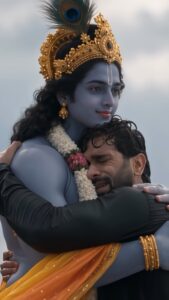
After pasting the prompt, generate the video and carefully review the resulting result. If the face appears correct in the video, Krishna Ji’s appearance is close to the reference, and the movements of both characters appear natural, the generated clip can be used for the next reel. If a minor flaw is noticed in the first generation, there’s no need to change the entire prompt. For example, if your face has changed slightly, a small correction to preserve identity can be made. If Krishna Ji’s look is changing, his uploaded reference image can be strictly followed throughout the video. Similarly, if there are any problems with hands, body movement, background, or lighting, it will be more useful to make targeted corrections to that area only.
How to use Krishna AI Video Prompt?
The actual AI video prompt is the most important part of this editing, as it tells Google Flow what kind of Reel to create from the uploaded photos. The prompt should preserve your original identity and Krishna Ji’s appearance, as well as clearly describe the scene’s environment, the position of both characters, their interactions, camera framing, lighting, and movement. If the video’s concept is emotional, it’s best to include natural and controlled interactions in the prompt so that the moment between the two characters appears realistic. For example, Krishna Ji could approach the person, support them, or perform a cinematic action like lifting them up. This could be followed by an emotional moment between the two, and finally, a wide environmental shot. Instead of including too many complicated movements in the prompt, it’s better to have a clear sequence, as this can keep the flow of the generated video more consistent. Most importantly, the prompt should provide clear instructions to use your photo and Krishna Ji’s reference image not just as inspiration, but as main visual references. This can help avoid unnecessary changes to the face, clothing, character design, and overall appearance.
How to Make a Krishna AI Reel Realistic and Cinematic?
To make the final Krishna AI Reel realistic, special attention should be paid to the quality of the reference images, character consistency, and environment matching. The clearer and more recognizable your face is in your original photo, the easier it will be for the AI to maintain your identity across frames. Similarly, traditional details should be clearly visible in Krishna Ji’s reference image. The size and position of both characters must be natural to the environment. If the person appears to be floating off the ground, or if the proportions of Krishna Ji and the person are too unusual, the entire scene may appear artificial. Lighting and shadows should also appear consistent on both characters in accordance with the environment. If the background includes a sunset, cloudy sky, rocks, water, or another natural environment, the light from that environment should fall naturally on both characters. Body movement must also be smooth and realistic. Extremely fast hand movements, sudden position changes, or unnatural body bending can clearly reveal an AI-generated appearance. Therefore, subtle hand movements, natural walking, gentle interaction, and realistic facial expressions are more effective in emotional scenes. If any distortion is visible in the generated video, it’s best to correct only that problem by making specific corrections, so as not to spoil the rest of the excellent composition.
Last Word
Using your normal photo and a reference image of Lord Krishna, you can create a cinematic devotional reel using Google Flow. This entire process doesn’t require you to travel to a real location for shooting. Upload your clear photo as the first reference image and a suitable photo of Krishna as the second reference image and use Actual AI Video Prompt. Google Flow then attempts to generate a new cinematic scene based on both references, showing your photo and Krishna in the same environment with natural interactions. Using the right prompt, emotional moments, realistic movement, cinematic lighting, and dramatic surroundings can be combined into a short reel. If the first generation reveals minor flaws in faces, hands, character appearance, or background, the result can be refined by applying targeted correction instructions. In this way, a unique and cinematic Krishna AI Reel can be created for Instagram from a simple photo of yours, in which both your recognizable identity and the devotional character of Lord Krishna are visible in the same AI-generated story.