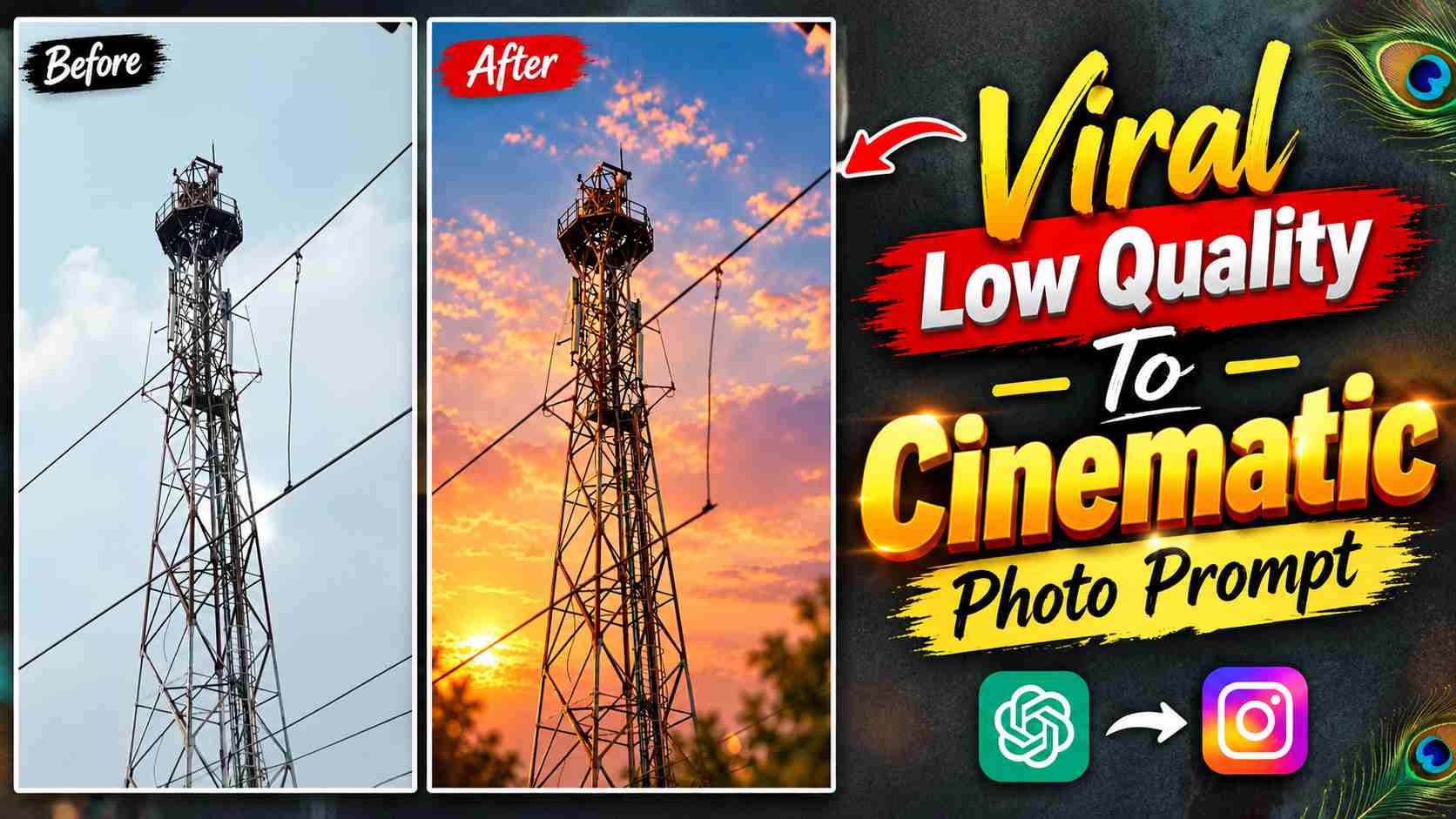
Cinematic Photo Prompt – AI photo editing is gaining popularity on Instagram these days, giving a normal or low-quality photo a cleaner, sharper, and more cinematic look without completely recreating it. If your old photo is a bit blurry, lacks clarity, has a distracting background, or lacks the depth effect of a professional camera, using this AI prompt can significantly improve its overall quality. The key to this editing is that it improves the photo’s sharpness, clarity, and exposure while maintaining the original subject, its composition, proportions, and essential details. A strong hard bokeh effect is applied to the background, making the main subject stand out more clearly. A slightly warm and pinkish cinematic color grade gives the photo an attractive tone, while soft highlights and natural contrast give the image a more premium photographic feel. The prompt below is designed to transform a similar low-quality image into a clean, detailed, and cinematic portrait.
About Making a Low-Quality Photo Cinematic
The primary purpose of this AI Photo Editing Prompt isn’t to completely redesign your existing photo, but rather to improve its quality and visual presentation. The AI is clearly instructed to preserve the original subject, composition, proportions, and important details, ensuring the subject’s natural appearance or original framing isn’t unnecessarily altered after the photo is edited. The image’s sharpness and clarity are then enhanced, exposure is balanced, and overall quality is enhanced. The most noticeable change is seen in the background, where a strong, realistic hard bokeh effect separates the subject from the background and creates a camera-lens-like depth feel. Subtle warm and pinkish cinematic gradation, soft highlights, and natural contrast are used alongside it. Importantly, the prompt also instructs you to avoid artificial effects, excessive saturation, and unrealistic lighting, making the final image appear more natural and reminiscent of professional photography.
Low Quality Photo Editing Prompt
If you’d like to enhance a low-quality or ordinary photo with this cinematic style, you can use the actual prompt below in your AI Photo Editing tool. This prompt focuses on sharpness, clarity, exposure, background bokeh, and cinematic color grading, while preserving the photo’s original identity and composition. Use the prompt with your original photo so the AI can enhance the image to create a more polished photographic look.
Cinematic Photo Editing Prompt

CREATE IMAGE
When using this prompt, try to ensure the subject in your original photo is at least clearly visible, as AI enhancement can produce a more natural result with a better source image. It’s not possible to perfectly recover every detail in a severely damaged, extremely blurry, or completely unclear image, but a typical low-quality photo with a good composition can see a noticeable improvement in sharpness, background separation, and overall cinematic presentation.
How to Make a Low-Quality Photo Cinematic with ChatGPT?
First, upload your original, low-quality photo to ChatGPT and then paste the actual photo editing prompt above. The prompt explains that it only aims to improve the image quality and visual appearance while preserving the subject and its original details. The AI will analyze the photo to enhance sharpness, clarity, and exposure, and can make the background more blurred and depth-oriented with a realistic hard bokeh effect. A warm-pinkish cinematic tone, soft highlights, and natural contrast will also be added to the image. The prompt also specifies a 3:4 portrait aspect ratio, so the final image will be created in a portrait composition. After the image is generated, carefully examine it. If you notice any unwanted changes in face and body proportions, background blur, or color tone, it’s best to provide a small correction instruction for that specific issue rather than changing the entire prompt.
How to Maintain a Realistic Look for a Cinematic Photo?
The most important part of this editing is ensuring that the photo doesn’t appear artificial after applying the cinematic effect. Therefore, the prompt recommends keeping the subject crisp and naturally detailed, while keeping the lighting realistic and balanced. The background’s bokeh should be strong, but the subject’s edges shouldn’t blur, making it appear cutout or pasted. Similarly, it’s important to maintain a subtle, warm and pinkish color grade, as excessive pink, orange, or saturated colors can make the photo look unnatural. If your original photo already has good lighting, it’s better to let AI enhance it naturally rather than completely replacing it. If the final image has clear subject matter, smoothly separated background, natural skin and clothing details, and balanced overall colors, the cinematic effect will appear more professional.
How to Create a Professional Portrait from a Low-Quality Photo?
This prompt can be used to give a normal mobile photo a more polished portrait look, especially when the original image has a good subject but poor image quality or background presentation. Sharpness and clarity enhancements help bring out subject details, while exposure correction is useful for balancing a dark or uneven image. Hard bokeh visually simplifies the background and maintains focus on the subject. Warm-pinkish cinematic grading gives the entire image a consistent mood, and soft highlights add a premium finish. However, the final result will depend on the quality, lighting, subject position, and background of your original photo, so it’s not necessary to achieve the exact same result in every photo. If necessary, you can refine the bokeh, lighting, or color grading to your liking by making small corrections after the generated image.
Final Thoughts
This prompt for converting a low-quality photo to a cinematic photo is useful for those who don’t want to completely change their existing photo, but rather want to improve its quality and presentation. It enhances sharpness, clarity and exposure while preserving the original subject and composition, adds realistic hard bokeh to the background and gives the photo a professional photographic look through subtle warm-pinkish cinematic grading. The best part is that the effect is also focused on preventing over-editing or artificial appearance. You can use this prompt by uploading any of your normal, old or low-quality portrait photos to ChatGPT and after seeing the result, you can make small corrections as per the need. With the right source photo and balanced editing, the final image can give a clean, sharp and cinematic portrait look suitable for use on Instagram.