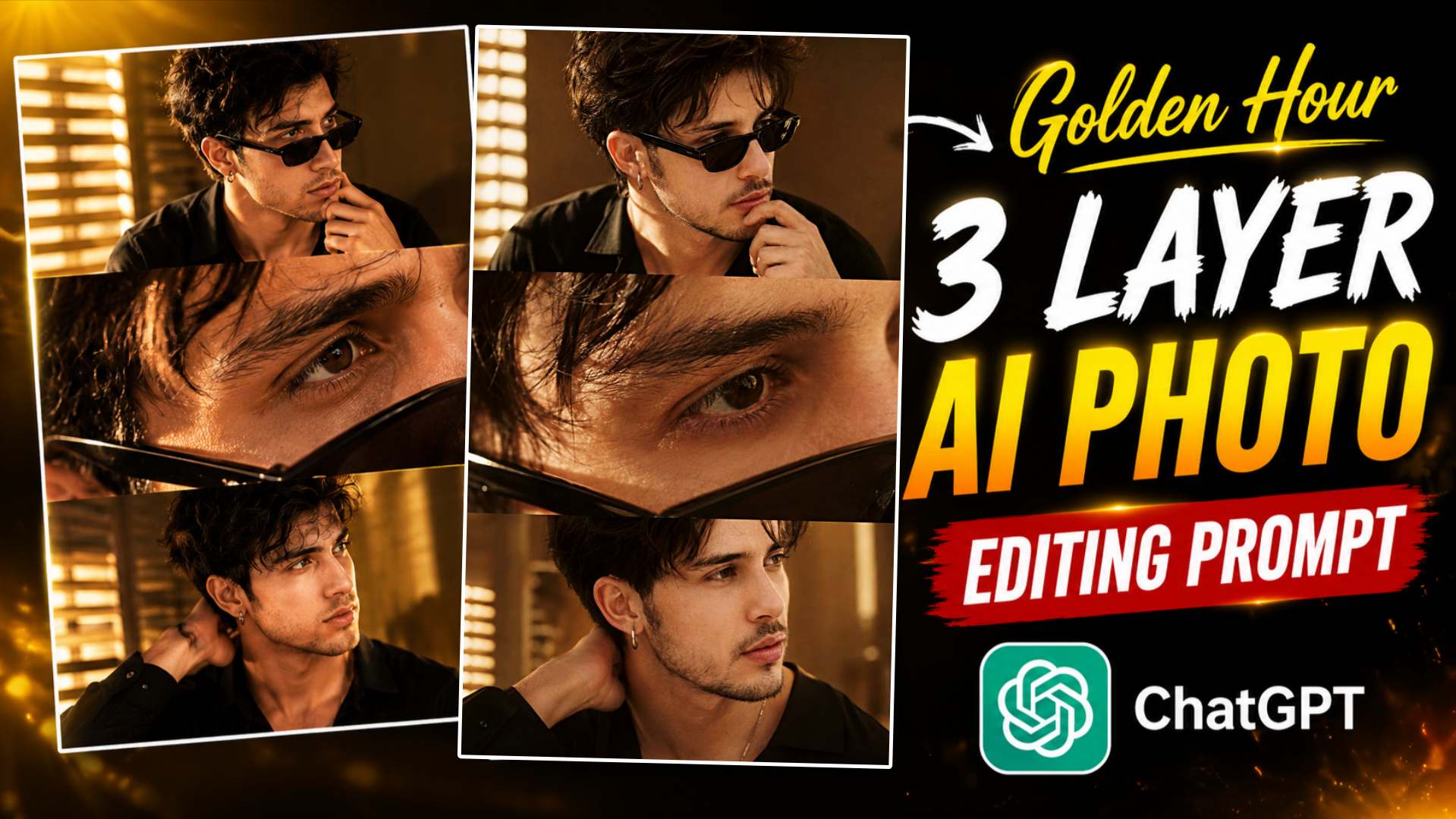
Golden Hour 3 Layer AI Photo Editing Prompt- So friends, if you’ve been scrolling through Instagram Reels or Facebook recently—or using Instagram daily—you’ve almost certainly come across this kind of three-layer cinematic AI photo; it looks truly amazing and incredibly eye-catching. This style features a stunning image displayed across three distinct layers, making the entire picture look like a fantastic, professional fashion shoot. Honestly, this is exactly why this type of AI editing trend goes viral so quickly and is loved by so many people. And friends, the most amazing thing about this photo is the central element—that eye close-up layer—which gives the entire image a distinctively premium look. When you view that central eye close-up alongside the cinematic portrait framing at the top and bottom, the result is so stunning that it looks as if the photo was shot using a DSLR camera and an expensive lens. And friends, when someone sees photos like this for the first time, they often assume that creating them requires a high-end professional camera, a studio, or extensive editing. But nowadays, that is simply not the case; with just an AI prompt and a good photo of yourself, you can create stunning images like these in a matter of minutes. So friends, if you also want to create this kind of viral ‘Golden Hour’ portrait using your phone, then this article is very important for you. We are going to provide the specific prompt that will allow you to generate such an image—featuring a stunning, impressive look—using the ChatGPT app.
Complete Information About Golden Hour 3-Layer AI Photo Editing
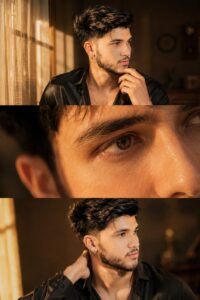
So friends, in this type of viral “Golden Hour” 3-layer photo edit, your eyes are immediately drawn to the three distinct layers—elements that give the entire image a stunning, premium, cinematic look, especially when you notice the stylish portraits at the top and bottom. However, when you look at the eye close-up positioned in the middle, it exerts a unique, captivating appeal; honestly, that specific part of the image looks incredibly stylish. It is precisely this three-layer style that sets it apart from other photo edits, making the overall result look truly unique. This photo utilizes warm ‘golden hour’ lighting, natural skin tones, and stunning, soft cinematic color grading to achieve a highly professional look. If you upload a high-quality reference photo, the tool analyses your features—preserving your likeness—and generates a magnificent result that looks truly impressive. These days, this style of photo editing is going viral on Instagram—whether for profile pictures or social media posts—because the images look fantastic. If you want to create this “3-layer cinematic portrait” without needing a professional camera or spending time on complex editing—and want to do it with just a single click—then the prompt provided in this article will be incredibly helpful, as it allows you to generate this exact type of image.
Customize Golden Hour 3-Layer AI Photo Prompt
If you want to create this type of three-layer photo in your own unique style, you can easily customize the provided prompt to suit your preferences. For instance, you could change the look—such as swapping sunglasses for regular glasses—or alter the outfit, background, lighting, and even facial expressions. You can also easily adapt this three-layer photo concept into a two-layer design or a full portrait style. To get started, first copy the prompt and save it somewhere—like in a notepad—so you can easily access it later. Then, paste the prompt into ChatGPT. You can modify it according to your preferences; if you wish, you can simply tell ChatGPT what changes you want, and it will generate a new, customized prompt for you. Next, you need to upload a reference photo—specifically, one where your face is clearly visible and looks good. Finally, the AI will generate an amazing result for you based on the changes you specified. If you still find it difficult to modify the prompt or don’t quite understand how to do it, you can simply upload your photo to ChatGPT and type: “Create a new prompt for this image with a different three-layer cinematic style.” The AI will then generate a new prompt based on that photo, allowing you to create images in various styles and share them on social media.
Golden Hour 3 Layer Prompt

CREATE HERE
Make Golden Hour 3-Layer AI Photo Using ChatGPT Prompt
So, friends, if you want to create this kind of viral “golden hour” and 3-layer photo edit, the first step is to take a high-quality photo on your phone. Make sure your face is clearly visible in the shot—avoid wearing glasses or masks. Good lighting is also essential, as it significantly enhances the final result of the photo. Next, you need to open the ChatGPT app on your phone. If you don’t have the ChatGPT app, you can easily install it from the Google Play Store or the Apple App Store. Next, you will need to log in using your Gmail account; this is essential for generating your image for free. You will then see an option labeled “Create Image”—click on it. After that, upload a reference photo—as I mentioned earlier—where your face is clearly visible, the lighting is good, and you aren’t wearing glasses. Finally, you will see a prompt input field (often referred to as a chat box); simply paste your prompt there. After a short while, ChatGPT will generate your photo in a ‘golden hour, 3-layer cinematic’ style. If the initial result doesn’t meet your expectations or isn’t to your liking, you can tweak the prompt slightly and try generating the image again. Once you are happy with the result, simply click on the image and use the download button at the top to save it to your gallery. Friends, if you want, you can later use Lightroom or another photo editing application to add some color grading, editing, lighting, and every detail you need. After this, friends, once you’ve created a better photo, you can share it on social media if you wish.
Conclusion
So friends, I am confident that with the help of this article, you were able to easily create this kind of “Golden Hour” 3-layer AI photo edit. If you used the provided prompt, please do let us know in the comments how your result turned out; your feedback greatly motivates us to share more amazing and innovative photo editing prompts. If you encounter any issues or difficulties while creating the photo, or if the result doesn’t meet your expectations, feel free to leave a comment below—we will do our best to assist you. Also, do keep visiting our website regularly for new photo editing prompts, Lightroom presets, and other editing resources. Have a great day! Thank you.