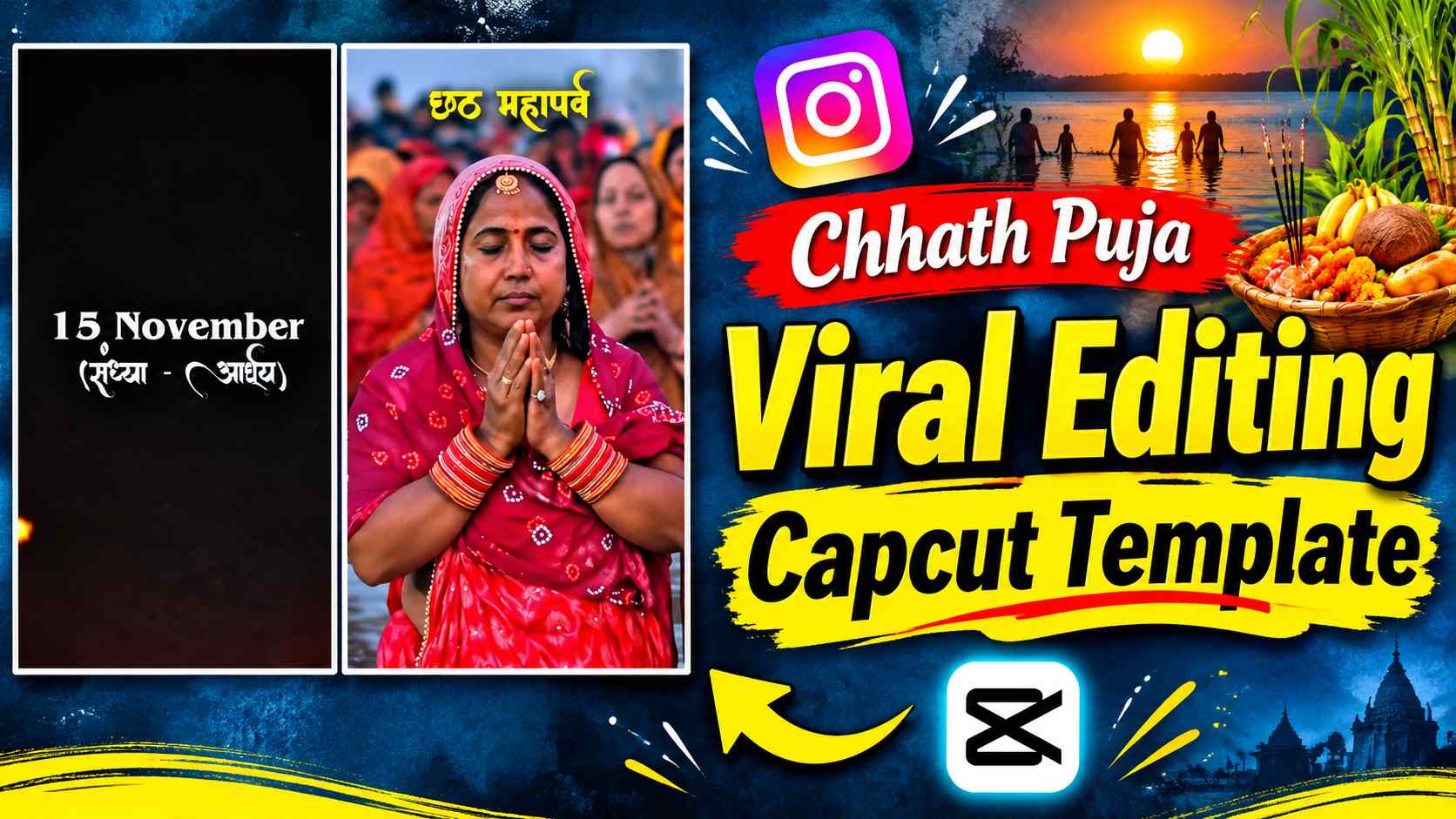
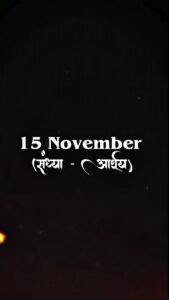
Chhath Puja Capcut Template – Sharing your memories in the form of videos on social media during festivals is a unique experience. Especially on a sacred festival like Chhath Puja, it’s wonderful to capture the gaiety of the ghats, the devotion of the devotees, and the preparations for the puja in a short reel. The Chhath Puja Viral Reels Editing CapCut Template can be used to create such videos. The video presentation is uniquely designed. A dark black background appears on the screen, interspersed with bright red and orange lights. The dates associated with the four days of Chhath Puja are then displayed in turn. Each date is accompanied by the name of the corresponding puja day, giving viewers a glimpse of the festival’s sequence from the outset. The video then moves directly to actual scenes of Chhath Puja. It features glimpses of devotees gathered at the ghats, women performing puja, the ritual of offering arghya to the Sun, and scenes of preparing prasad. Some shots show puja materials and offerings up close, while others highlight the devotional atmosphere along the riverbank. The yellow “Chhath Mahaparva” text overlay that appears throughout the video gives each scene a unique identity for the festival. This way, the template doesn’t appear to be just a collection of generic clips, but rather presents various moments of Chhath Puja in a sequential order.
Features of the Chhath Puja Viral Reels Template
The presentation of this template may appeal to those who want to include a variety of activities related to Chhath Puja in their reel, rather than just one or two photos. The date animation used at the beginning is different from other videos, as it first shows the days of the festival, followed by the puja scenes. This creates a clear sequence for the video. The next part features various shots of people present on the ghat. In some, women are seen participating in the puja, while in others, devotees are seen offering prayers to the Sun with their hands. The Prasad portion also includes glimpses of Thekua and other traditional dishes. These scenes are shown from different camera perspectives, ensuring the video doesn’t rely on a single scene. Furthermore, a yellow “Chhath Mahaparva” overlay maintains the video’s visual theme. This transition from a dark background to the illuminated, vibrant scenes of the ghats gives the video a distinct visual flow. If you want to showcase Chhath Puja preparations, key moments, and the traditional atmosphere of the festival together on your social media accounts, this CapCut template can be useful.
Chhath Puja CapCut Template Link
To create this video on your mobile device, you won’t need to manually apply various effects, text animations, and transitions. The CapCut template already has a pre-defined editing arrangement, according to which your selected media clips are arranged in the video. Therefore, first open the template link below and view the preview available in CapCut. This will give you an idea of the overall look of the finished Reel and the scenes it will contain. If the template suits your needs, you can begin editing by tapping the Use Template option. You’ll then have the option to select the necessary photos or video clips from your gallery. Make sure to select your files according to the number of media slots available in the template. This will ensure your chosen content fits in well with the template’s sequence.
Chhath Puja Capcut Templte Here
Chhath Puja Vn Template

How to use the Chhath Puja CapCut Template?
To create a Reel using this template, first open the CapCut Template link above on your phone. Clicking on the link will open the template page in the CapCut app, where you can see its editing style and preview. Tap Use Template. This will open your mobile gallery, from where you’ll need to select photos or video clips for the template. Try to ensure the selected media contains different moments related to Chhath Puja, so the final video doesn’t repeat the same scenes. For example, clips related to ghat decorations, the puja basket, prasad, diyas, and arghya can be used. Once you’ve selected the necessary files, tap Next. CapCut will prepare your selected media according to the order and editing arrangement pre-determined in the template. Once processing is complete, a preview of the video will appear on the screen. You can see which clips appear in which part and how the entire Reel looks. If the result is to your liking, tap Export and save the video to your phone. This way, you won’t have to manually arrange each clip on the timeline or create animations from scratch.
How to Make Chhath Puja Reels More Attractive?
When using a template, pay close attention to the type of content you select from your gallery. Good editing doesn’t require a lot of effects in every clip; sometimes a simple video that captures a clear and precise moment can be more impactful. For this Chhath Puja Reel, it’s best to choose shots that clearly show the ghat atmosphere, puja preparations, and traditional offerings. If you have clips recorded on the riverbank in the morning or evening, you can use them as well. Small details like the puja basket, fruits, coconuts, thekua, lamps, and flowers help give the video a realistic feel of the festival. Try not to vary the brightness of all the clips too much, so that the look doesn’t change abruptly when switching from one scene to another. Additionally, it’s a good idea to keep the text overlay and date animation already present in the template intact, as these are crucial components of this editing concept. Before saving the final video, review it from start to finish to ensure no clips have been incorrectly cropped and that important scenes are clearly visible. Paying attention to these small details can make your Reel more organized and visually appealing.
Last Word
A good Reel created for the sacred occasion of Chhath Puja can be a great way to share the beautiful moments of the festival with others. The Chhath Puja Viral Reels Editing CapCut Template offers a ready-made editing option for creating such videos. The opening date animation, the sequence of different puja scenes, and the “Chhath Mahaparva” text overlay combine to create a unique festive presentation. Simply select the appropriate photos or video clips from your gallery and let CapCut create the editing according to the template. You can also customize this template to reflect your Chhath Puja memories by using your favorite clips. If you want to create a Reel for Instagram or other social media platforms on this festival, which shows both the tradition of worship and the atmosphere of the ghat, then you can definitely try this template.