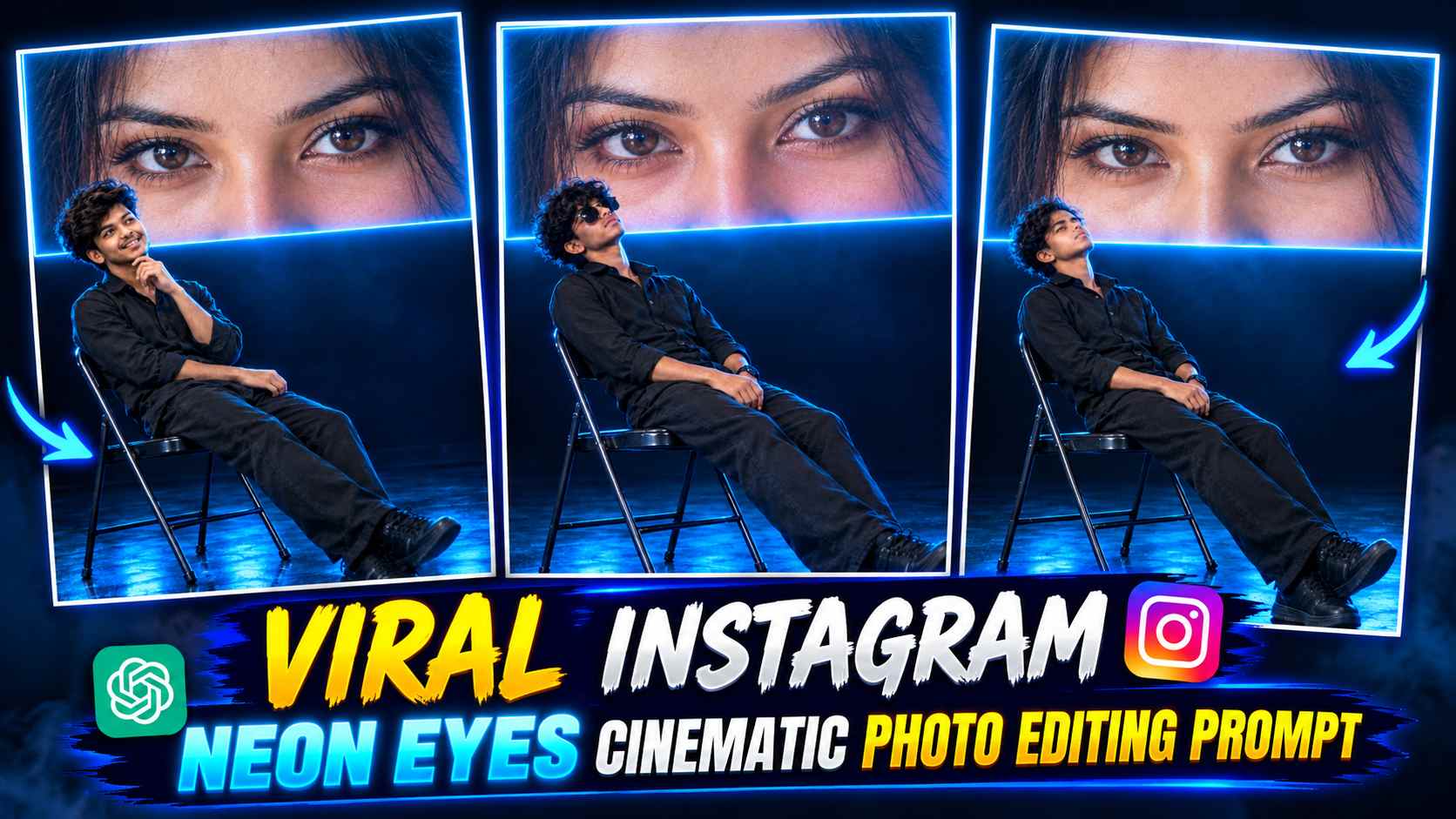
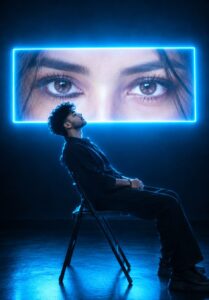
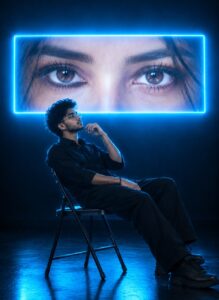
Neon Eyes AI Photo Editing – These days, Cinematic AI Photo Editing photos on Instagram are quite attractive, featuring dark studios, glowing neon lights, and large LED screens. Neon Eyes Cinematic AI Photo Editing is a similar, innovative photo editing concept. It features your own photo in a dark cinematic setup, where you’re sitting on a simple metal folding chair in a black outfit, with a huge screen behind you. This screen displays a close-up of a woman’s beautiful, deep, and captivating eyes. The most striking feature of this photo is its electric-cyan blue neon effect. Glowing blue lights appear around the screen, creating cinematic lighting on the edges of your face, hair, clothing, chair, and shoes. The contrast between the dark background and the glowing eyes gives the photo a premium and dramatic look. This makes these photos a standout addition to Instagram posts, profile photos, and creative social media content.
What’s so special about Neon Eyes AI Photo?
The goal of this photo editing style isn’t just to change the background, but to make the entire photo resemble a cinematic scene. The subject is depicted in an all-black outfit, such as a black shirt, black trousers, and black shoes. The subject is seated comfortably in a chair, with their head tilted back or turned toward a large screen, depending on their pose. This gives the image a thoughtful, calm, and stylish look. The woman’s eyes, on the large screen behind her, are the main focus. Special attention is paid to capturing the details of the eyes, natural eyelashes, eyebrows, realistic skin texture, and light strands of hair in a photorealistic manner.
The blue neon border around the screen and the light blue reflection on the floor add to the overall impact. The camera angle and framing of the photo are also important in this concept. The vertical 9:16 composition should show the subject’s entire body, the chair, and both shoes, while the large screen is positioned above the background. With the right prompt, ChatGPT can be instructed to combine all these elements into a single composition.
How to Create a Neon Eyes Cinematic Photo with ChatGPT?
To create such an AI photo with ChatGPT, first select a clear and high-quality photo of yourself. A reference photo is ideal, with your face clearly visible and easy to identify. Then, upload your photo to ChatGPT and use one of the Neon Eyes Cinematic AI Photo Editing Prompts below. The prompts include details such as protecting your identity, a black outfit, a seated pose, a close-up of a woman’s eyes on a large screen, blue neon lighting, and a dark studio. The first prompt focuses on a more thoughtful chin-touching pose and a viewing angle towards the screen, while the second prompt suggests a different cinematic composition with a leaning back body pose and an upward-looking face.
After pasting the prompt, let ChatGPT create the photo. Examine the generated image carefully to see how closely the face matches your reference photo, whether the screen is in the right place, whether the neon lighting looks natural, and whether the entire body is visible in the frame. If the result isn’t perfect on the first try, you can provide short and clear instructions on how to correct any specific flaws instead of starting the process over again.
2 Best Neon Eyes Cinematic AI Photo Editing Prompts
Below are two different prompts you can use for Neon Eyes Cinematic AI Photo Editing. The main concept is the same, but the seating position, head direction, and hand position differ. So you can choose one prompt to your liking, or use both separately and compare the results.
1st Neon Eyes Cinematic Chair Pose
2nd Neon Eyes AI Photo Prompt
Important Tips for Better AI Photo Results
When creating this type of photo, first consider the quality of your reference image. If the photo is too blurry or has excessive filters applied to your face, it may be difficult for the AI to retain your true identity and facial details. Therefore, use a photo with a clear face and don’t remove the instructions to preserve identity in the prompt. Another important consideration is composition. The appeal of this edit is maintained when your entire body, chair, and shoes are visible, and the giant screen with the woman’s eyes remains clear in the background. If the AI cuts off your legs, makes the screen too small, or adds unnecessary objects, instruct it to fix that particular issue. Also, instead of making the neon lighting too bright, focus on making the light from the screen appear natural on the edges of your face and clothing.
This can make the photo appear more realistic and professional. Keep in mind that the AI doesn’t always get the face, hands, and lighting exactly right, so it’s helpful to make some small adjustments if needed.
Final Thoughts
The Neon Eyes Cinematic AI Photo Editing Prompt is a good option for those who want to transform their ordinary photo into a cinematic portrait with a dark studio and blue neon lighting. In this edit, the all-black outfit, metal folding chair, giant screen with the woman’s eyes behind, and glowing cyan blue lighting combine to create a striking visual style. Both prompts here are for different poses and compositions. You can experiment with them by uploading your reference photo and see which result is closer to your preference. With the right reference photo, clear instructions, and minor adjustments as needed, you can create a stunning Neon Eyes Cinematic AI Photo for your social media content.