
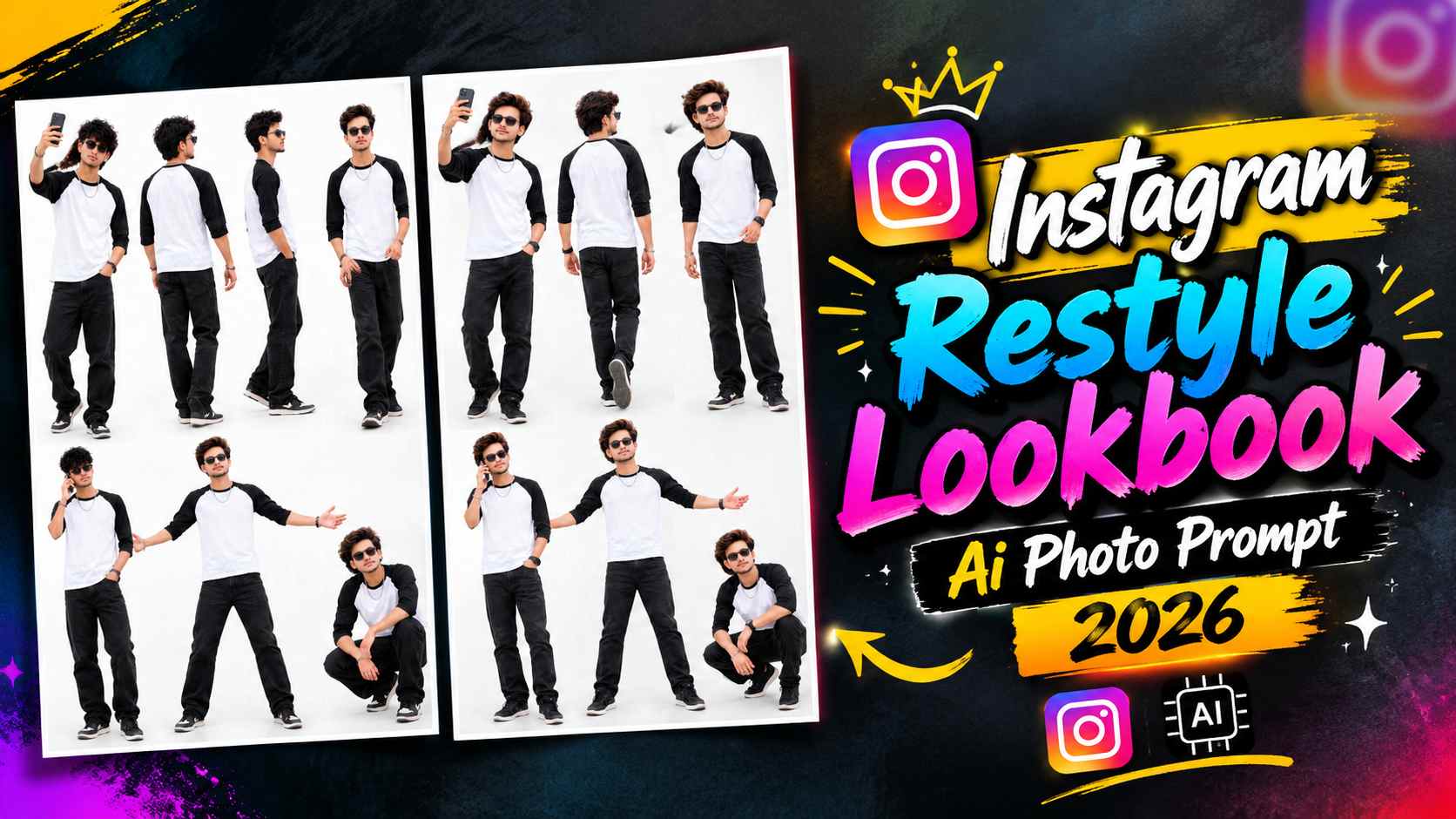
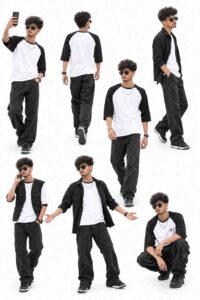
Lookbook Ai Photo Prompt – If you enjoy trying new photo styles for Instagram, the AI Lookbook trend is an interesting way to give your pictures a fashion-catalogue appearance. Instead of creating separate images for every pose, you can use ChatGPT to generate a single composition featuring multiple versions of yourself. The idea is to present your personality through a collection of stylish poses, similar to the layouts used in fashion portfolios and clothing lookbooks. In this concept, the person wears a white T-shirt with black three-quarter sleeves, black jeans, black sneakers, sunglasses, and a silver chain. The final composition features seven poses arranged against a clean white backdrop, with each pose showing a different action or body position. From a casual selfie to a confident standing pose, the variety makes the image look more dynamic than an ordinary portrait. You can try this effect with your own reference photo by following the steps in this guide and using the AI prompt provided below.
Understanding the AI Fashion Lookbook Trend
A fashion lookbook is usually a collection of images that presents a model, outfit, or style from different angles. With AI photo editing, a similar concept can be recreated in one image using a single reference photo. For this particular style, the composition includes seven variations: taking a selfie, walking away from the camera, posing in profile, walking casually, talking on a phone, standing confidently with arms spread, and squatting in a stylish pose. The consistent outfit connects all seven versions, while the plain white background keeps attention on the person rather than the surroundings. Soft lighting and realistic shadows add depth without making the image look overly dramatic. This layout can work well for Instagram posts, profile content, fashion experiments, and personal style presentations. Since all the poses are arranged together, the spacing and full-body visibility are important parts of the final result. The goal is to create a coherent lookbook in which the poses feel like they belong to the same photoshoot.
How to Prepare Your Photo for an AI Lookbook
Before generating the image, choose a reference photo that clearly shows your facial features and gives the AI enough information about your appearance. A sharp, well-lit image is generally a better starting point than a heavily filtered or blurry photograph. Open ChatGPT, upload your reference photo, and enter the lookbook prompt from the next section. The instructions ask the AI to retain your recognizable appearance while creating seven poses in the specified outfit and arrangement. If you have a suitable full-body photo, it may help the AI understand your body proportions and clothing style, although the result can vary depending on the reference image. After submitting the prompt, wait for the image-generation process to finish. Once the result appears, inspect the individual poses and check whether the outfit, facial appearance, and body proportions remain reasonably consistent. If the composition misses a pose or crops the shoes, you can request a correction rather than starting with an entirely different concept.
AI Lookbook Photo Editing Prompt for ChatGPT
The prompt below is designed to turn your reference photo into a multi-pose fashion layout. It describes the outfit, the seven requested actions, the white background, and the photographic style so that the AI has a clear visual direction. Upload your reference photo first, then copy the complete prompt and send it to ChatGPT. The prompt is intended to keep the person’s identity and appearance consistent throughout the composition while presenting each pose as part of one coordinated lookbook. For a cleaner result, review the generated image carefully and make small adjustments if any pose is missing or appears unnatural.
LOOKBOOK AI PHOTO EDITING PROMPTS
Ways to Improve Your Generated Lookbook
Once ChatGPT generates the lookbook, examine each pose separately instead of judging only the overall composition. Sometimes a pose may be repeated, a hand may look unnatural, or the clothing details may differ between versions. If the face changes noticeably, ask ChatGPT to make the facial features, hairstyle, beard, and skin tone more consistent with the uploaded reference. If the outfit is inconsistent, specify that the same white-and-black T-shirt, black jeans, sneakers, sunglasses, and silver chain should appear in every pose. You can also request more space between the figures if they overlap or appear too close together. If the image includes unwanted objects or a gray background, ask for a plain white background with soft, realistic shadows. Try to correct one or two issues at a time so that the changes remain focused. AI-generated images may not reproduce every detail perfectly, but clear and specific feedback can help improve the composition.
Last Word
The AI fashion lookbook style offers a creative way to show several poses and one coordinated outfit in a single image. Rather than arranging seven separate photos manually, you can use your reference photo and the ChatGPT prompt to attempt a complete fashion-catalogue composition. The white background, consistent clothing, and range of poses give the image a clean, organized appearance that can suit Instagram and other social platforms. For a better starting point, use a clear reference image and review the final result for identity consistency, full-body framing, spacing, and realistic anatomy. If something looks incorrect, provide a focused correction and generate an improved version. The final result will depend on the reference photo and the AI’s generation capabilities, so some refinement may be necessary.
1 thought on “Instagram Restyle Lookbook Ai Photo Prompt 2026”