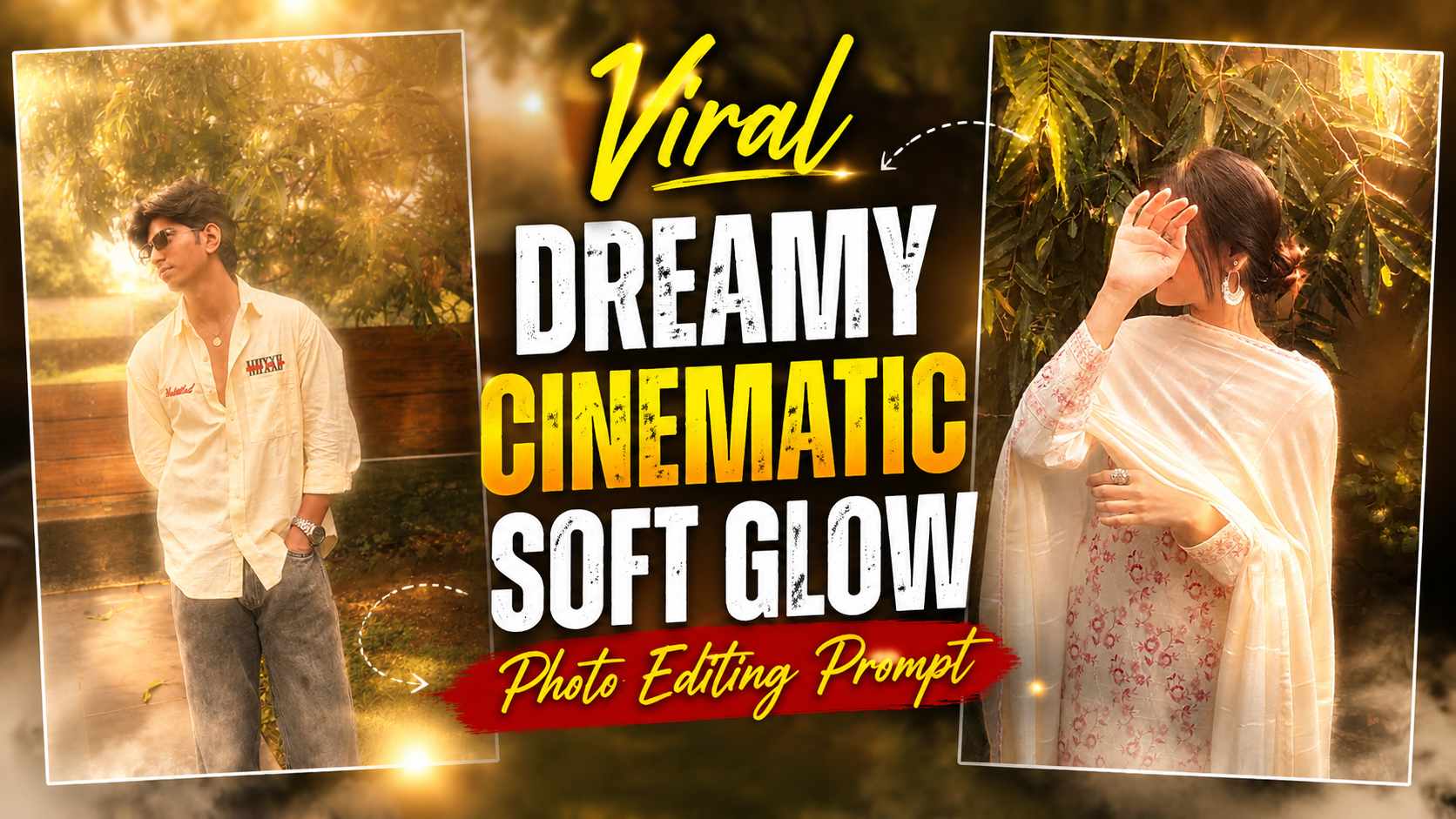
Soft Glow Cinematic AI Prompt – Nowadays, giving photos a cinematic and premium look with the help of AI has become quite popular. People are adding dreamy lighting, warm colors, soft glow, and atmospheric effects to their normal photos, giving them the look of a professional cinematic photograph. A similar Cinematic AI Photo Editing style can be used to add beautiful lighting and dreamy atmosphere to your original photo without changing it. The special thing about this editing is that it preserves the original face, identity, pose, clothes, and complete background. Effects like warm premium color grading, rich depth, light bloom, soft hazy fog, and milky glowing light diffusion are added, which makes the entire image look more attractive and cinematic. You can easily create such photos with the help of ChatGPT.
If you want to make your photos a little different and premium for Instagram or other social media platforms, then this editing style can be very useful for you. In this, while maintaining the original appearance of the photo, only its mood, lighting and visual atmosphere are enhanced, hence the final result looks natural as well as cinematic.
What is Cinematic AI Photo Editing?
Cinematic AI Photo Editing is an editing technique that enhances the lighting, colors, and overall atmosphere of an existing photo while maintaining its original details. It uses effects like warm cinematic tones, dreamy light, soft haze, glow, and rich depth, making a normal photo appear more premium and professional. This prompt specifically instructs to keep the face, identity, pose, clothing, and background unchanged. Soft hazy fog and milky glowing light diffusion are then added to the entire image, naturally appearing on the face, clothing, and background. Glowing highlights and a light bloom give the photo a dreamy feel, while important details are kept sharp and highly detailed.
The result is a photo in which the lighting and atmosphere appear more cinematic, but the identity of the original scene remains intact. This means that the AI’s job here isn’t to transform the entire photo into a new location or a different person, but to give the same photograph better lighting, depth, and a premium visual finish.
How to Create Cinematic AI Photo with ChatGPT?
To create such a cinematic photo, first upload a clear, high-quality original photo to ChatGPT. Try to ensure that your face and other important details are clearly visible. After uploading the photo, paste the Cinematic AI Photo Editing Prompt below into ChatGPT and ask it to edit the photo in a cinematic style. According to the prompt, ChatGPT will enhance the lighting and atmosphere of the photo while preserving the original face, identity, pose, clothing, and background. Effects like warm color grading, dreamy glow, soft fog, light bloom, and milky light diffusion will appear. If the initial image doesn’t look to your liking, you can also ask ChatGPT to adjust the fog, glow, or lighting by making corrections.
For best results, use the prompt only after uploading the photo and avoid making unnecessary changes to the original image during editing. If you need to change the intensity of a particular effect, specify it clearly, such as “Take a little less fog” or “Take a little more warm cinematic lighting.” This can bring the final image closer to your liking.
Cinematic AI Photo Editing Prompt
After uploading your original photo, paste the prompt below into ChatGPT. This prompt is specifically designed to create a dreamy and premium cinematic look while preserving the original photo.
Cinematic Photo Prompt
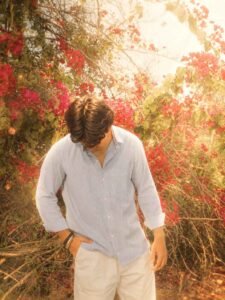
The prompt includes instructions to keep the original face, identity, pose, clothes, and complete background unchanged. Effects like intense dreamy cinematic lighting, warm premium color grading, rich depth, beautiful light bloom, soft hazy fog, milky glowing light diffusion, and glowing highlights are added. Instructions are also given to keep the face and important details sharp, so that the important details of the photo are clearly visible despite the cinematic effect.
The main purpose of this prompt is not to completely redesign the photo, but to enhance its existing look in a cinematic way. Therefore, the prompt includes both preservation and enhancement instructions. This helps the AI understand which elements to keep original and which visual elements to improve.
Customize the Photo
If the fog, glow, or lighting in the generated photo doesn’t seem to be to your liking, you can have ChatGPT make corrections to the image. For example, if there’s too much fog, you can ask to make it a little subtler, or if there’s less glow, you can ask to slightly increase the soft cinematic glow. Similarly, the warm color grading can also be adjusted to your liking.
When making corrections, make sure to specify that the original face, identity, pose, clothes, and background are to be kept completely unchanged. This will keep the AI focused solely on adjusting the lighting, color grading, fog, and cinematic effects. This way, you can create a cinematic look for different photos using a single prompt. You can also change the intensity of the effect depending on the mood of the photo. A little warm light and soft glow may look good in dark photos, while keeping the fog and bloom more subtle may be preferable in bright photos. By making small changes like this, you can create a more natural and balanced cinematic result for your original photo.
Conclusion
Hopefully, this article has given you complete information about Cinematic AI Photo Editing. Now, you can upload any of your clear original photos to ChatGPT and, using the provided prompts, add dreamy lighting, warm cinematic colors, soft fog, glowing highlights, and premium cinematic atmosphere to it. The best part about this editing is that the overall look of the photo is enhanced while preserving the original face, identity, pose, clothes, and background. If the first generation result isn’t as expected, you can adjust the lighting, fog, and glow to your liking by giving ChatGPT simple correction instructions. With the right reference photo and clear prompts, this editing can give your normal photos a polished and attractive cinematic appearance. You can also create a unique look of your choice by slightly altering the intensity of the effect on different photos and use it on Instagram or other social media platforms.