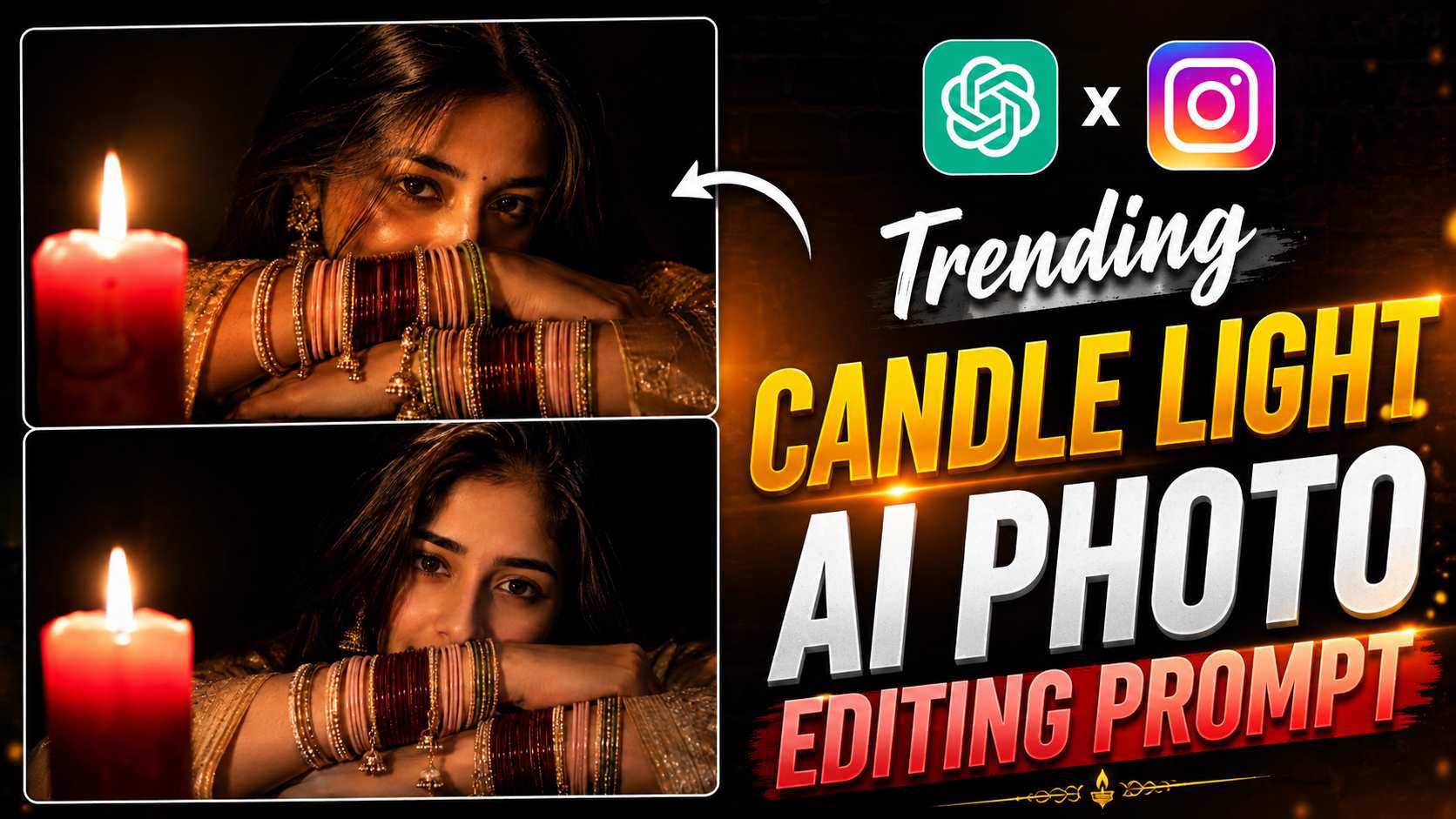
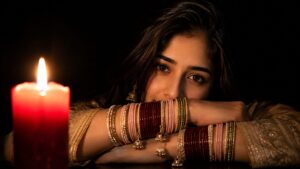
Viral Candle Light AI Photo Editing Prompt – AI photo editing is gaining momentum on social media these days, and Candle Light AI Photo Editing is gaining popularity for its dark, cinematic, and stylish look. This type of photo features soft light on one side and a deep, dark background on the other, giving the photo a uniquely moody and premium feel. The key is that creating such a photo doesn’t require an expensive camera or professional photoshoot. You can upload a regular photo to ChatGPT and create a similar cinematic portrait using the appropriate AI prompt. Elements like warm candle light, deep shadows, traditional outfits, jewelry, bangles, and a close-up portrait enhance the photo. If you’re looking to create a unique and cinematic AI photo for your Instagram DP, Story, or Post, the prompt below can be very useful.
What Makes This AI Photo Editing Style Special?
In this type of AI Photo Editing, most attention is given to lighting, pose and overall mood. Soft candlelight falls on the face and jewellery, while the background is kept dark. This creates dramatic contrast in the photo and the entire photo looks like a professional cinematic portrait. In this style, elements like traditional saree, statement earrings, colourful bangles, natural expression and soft candlelight make the photo more attractive. You can customize this entire look as per your choice by using your original photo as a reference. If you also want to create such dark cinematic portrait with your photo which is going viral on Instagram, then you can use the AI Prompt given below after uploading your photo in ChatGPT.
Viral Candle Light AI Photo Prompt
How to Create This Cinematic Portrait with ChatGPT?
The above prompt is quite easy to use. First, upload a clear, high-quality photo of yourself to ChatGPT and paste the prompt. Try to ensure your face is clearly visible in the reference photo so the AI can better understand your facial features. Elements like candle light, a dark background, crossed arms, colorful bangles, a traditional saree, and jewelry mentioned in the prompt will help give your photo a dramatic cinematic look. If you don’t get the exact result you want the first time, you can make small changes to the prompt. The position of the candle, the pose, the colors of the bangles, the design of the saree, or the lighting intensity can all be customized to your liking. This way, you can create several different stylish portraits using the same concept and use them in your Instagram Story, Post, or Profile.
Final Thoughts
Candle Light AI Photo Editing is a great way for those who want to give their simple photos a cinematic and premium look without any complicated editing. Using the right reference photo and a well-written prompt, you can easily create dramatic lighting, traditional styling, and a professional portrait feel in your photo. If you liked this AI Photo Editing style, be sure to try the prompt above with your own photo and create different variations to your liking. Keep checking our articles for more new AI Photo Editing prompts and trending editing ideas.