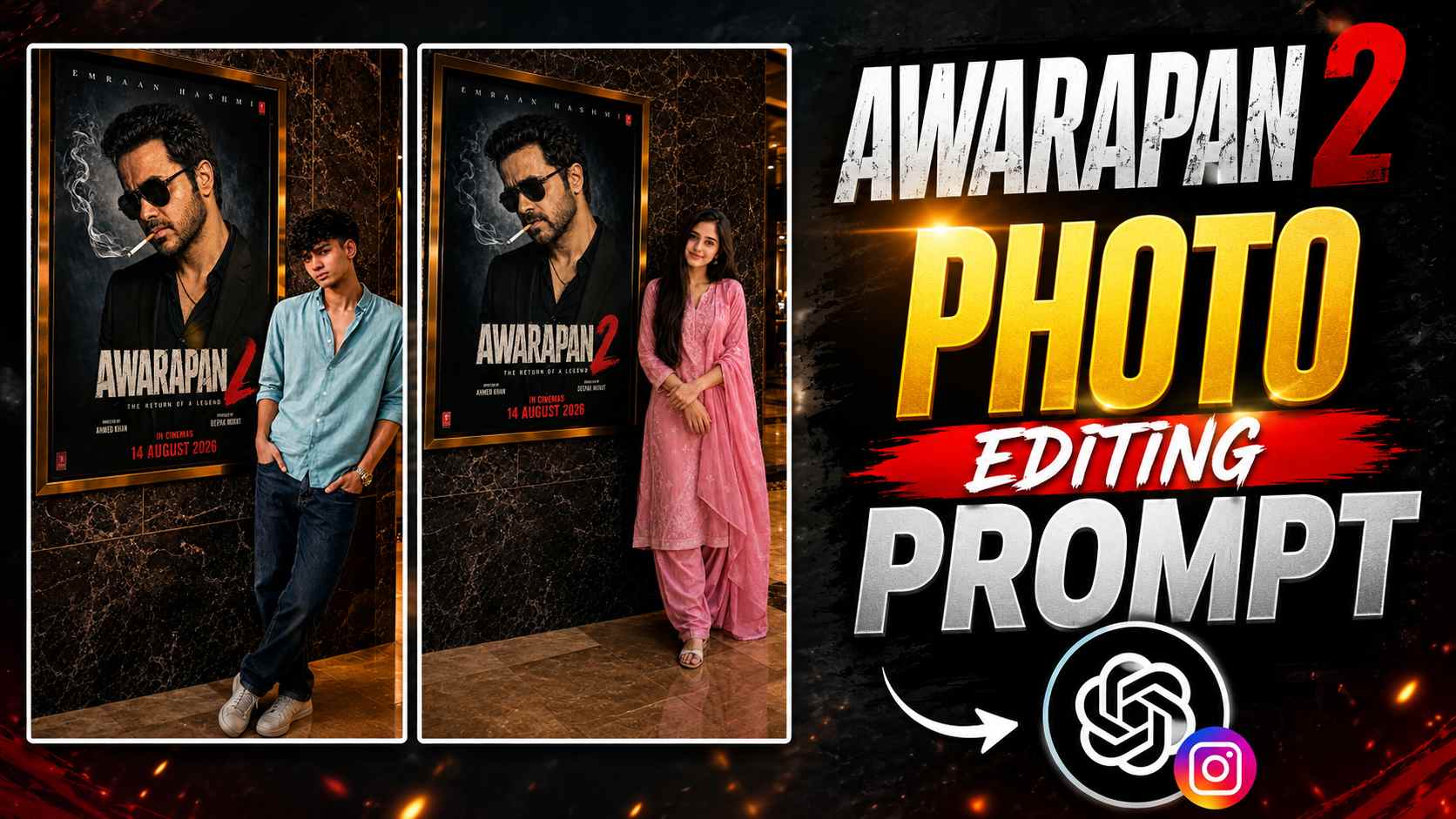
Awarapan 2 Cinema Poster AI Photo Editing Prompt – These days, the AI photo editing trend of realistically combining your photos with movie posters or cinema promotion setups is gaining popularity. Similarly, with the Awarapan 2 Cinema Poster AI Photo Editing Prompt, you can transform your normal photo into a premium movie-theater-style photo, placing your photo next to the Awarapan 2 poster display in such a way that the entire image appears like a photograph taken in a real cinema lobby. Elements like a luxury cinema environment, marble wall, cinematic lighting, and realistic shadows are added while maintaining your original identity, face, and overall appearance. If you also want to give your photo a professional movie-premiere look with the Awarapan 2 poster, the AI prompt below will be very useful. Using it with the right reference photo, you can create a stunning cinematic photo without any complicated editing.
Awarapan 2 AI Photo Editing Prompt
Now’s the time to try this cinematic photo editing trend yourself. The AI prompt below is designed to transform your uploaded photo into a realistic cinema-lobby scene with the Awarapan 2 movie poster. Special attention has been paid to maintaining your original identity and appearance, while elements like a premium cinema environment, marble wall, realistic lighting, and natural shadows in the background give the photo a more professional look. For best results, upload a clear photo of yourself with your face and outfit clearly visible. Then, use the prompt below in ChatGPT or any compatible AI image generator to create your Awarapan 2 cinematic poster photo.
Awarapan 2 Cinema Poster AI Photo Editing Prompt

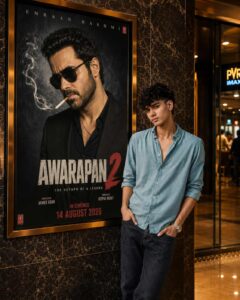
Use uploaded photo as STRICT IDENTITY REFERENCE. Preserve the exact face, facial structure, hairstyle, expression, skin tone, outfit, hijab/hair, body proportions and overall appearance. No beautification, face alteration, face replacement, age modification or identity change. Create an ultra-realistic luxury cinema lobby photograph with the subject naturally standing beside a giant illuminated Awarapan 2 movie poster mounted on a premium marble wall. Keep the same overall composition, camera angle, poster placement and cinematic framing. Luxury PVR/IMAX-style cinema environment, warm golden ambient lighting, polished marble floor reflections, realistic glass surfaces and premium theater atmosphere. Keep the Awarapan 2 poster design unchanged, including the title, typography, colors, background, release information and layout. Emraan Hashmi must look accurately recognizable as the real Indian actor Emraan Hashmi, with a natural and realistic face that properly matches his identity, not a generic or mismatched face. Keep the release date 14 August 2026. Only the person beside the poster should be represented from the uploaded reference. Do not alter the movie poster, Emraan Hashmi, cinema wall, frame, camera perspective or overall composition. Ultra-realistic DSLR photography, natural skin texture, HDR, cinematic lighting, realistic shadows and reflections, professional movie-premiere photography, 8K Ultra HD, highly detailed, no CGI, no cartoon, no watermark. Aspect ratio 4:5 vertical.

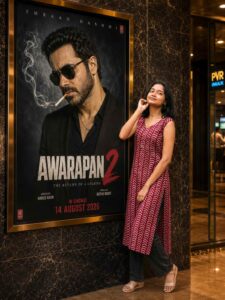
Use the uploaded photo as STRICT IDENTITY REFERENCE. Preserve the exact face, facial structure, hairstyle/hair or hijab, skin tone, natural expression, outfit, body proportions and overall appearance. No beautification, face alteration, AI face replacement, age modification or identity change. Create an ultra-realistic luxury cinema lobby photograph matching the reference composition, with the female subject naturally standing beside a giant illuminated Awarapan 2 movie poster mounted on a premium marble wall. Replace ONLY the person beside the poster with the uploaded girl. Keep her original outfit, hairstyle/hijab and natural appearance exactly as shown in the reference. Maintain the same camera angle, framing, subject placement, poster-to-subject relationship, perspective and full-body composition. She should look naturally toward the camera with realistic hands, fingers, limbs, body proportions, shadows and natural floor contact. Keep the original Awarapan 2 poster design unchanged, but make sure Emraan Hashmi is clearly recognizable as the real Indian actor Emraan Hashmi. His face must accurately match Emraan Hashmi’s real facial identity and must NOT look like a generic AI-generated actor or a different person. Preserve his recognizable facial structure, eyes, nose, lips, jawline, hairstyle and natural likeness while keeping him integrated naturally into the movie poster. Keep the title “AWARAPAN 2”, original typography, colors, background, release information, release date 14 August 2026, poster frame, size and placement unchanged. Do not modify the cinema wall, marble texture, floor, lighting, camera angle or overall environment. Luxury PVR/IMAX-style cinema lobby, warm golden lighting, polished marble reflections, realistic glass surfaces, cinematic depth of field and authentic DSLR photography. Ultra-realistic skin texture, natural anatomy, realistic clothing, HDR, cinematic lighting, professional movie-premiere photography, 8K, photorealistic, no CGI, no cartoon effect, no artificial AI look. Final image must look like a real photograph taken inside a premium cinema lobby. Aspect Ratio: 4:5 Vertical.
CREATE IMAGE
How to Use Awarapan 2 AI Photo Editing Prompt
The AI Photo Editing Prompts for both male and female characters above are quite easy to use. First, upload a clear, high-quality photo of yourself, clearly showing your face and overall appearance. Then, copy and paste the male or female prompt, as needed, into ChatGPT or a compatible AI image generator. Using your uploaded photo as a reference, the AI will create you in a realistic setup near the Awarapan 2 movie poster, like in a cinema lobby. For a better result, choose a photo that doesn’t have too much blur or a heavy filter on your face. After the prompt is generated, check the resulting image. If you like the result, save it and share it on Instagram, Facebook, or WhatsApp.
Create Your Awarapan 2 Cinematic Photo
If you want to give your normal photo a different, cinematic movie-poster look, this Awarapan 2 AI Photo Editing Prompt could be a good option for you. With separate prompts for both male and female users, you can try any style that suits your needs. Using the right reference photo and prompt can create a premium image, combining cinema lobby, movie poster, and realistic lighting. You can also experiment with different photos and create a variety of cinematic images of your own.
Final Thoughts
Hopefully, this article will help you easily create a stunning cinematic AI photo with the Awarapan 2 poster. Both prompts above have been designed to be suitable for both male and female users. Simply upload a good reference photo, select the appropriate prompt, and let the AI do its work. If you liked this editing idea, don’t forget to share your photo on social media. Keep visiting our website for more such new AI photo editing prompts, cinematic photo ideas, and trending editing concepts.