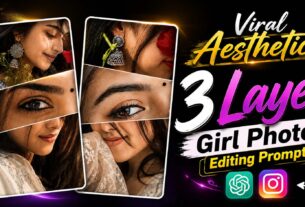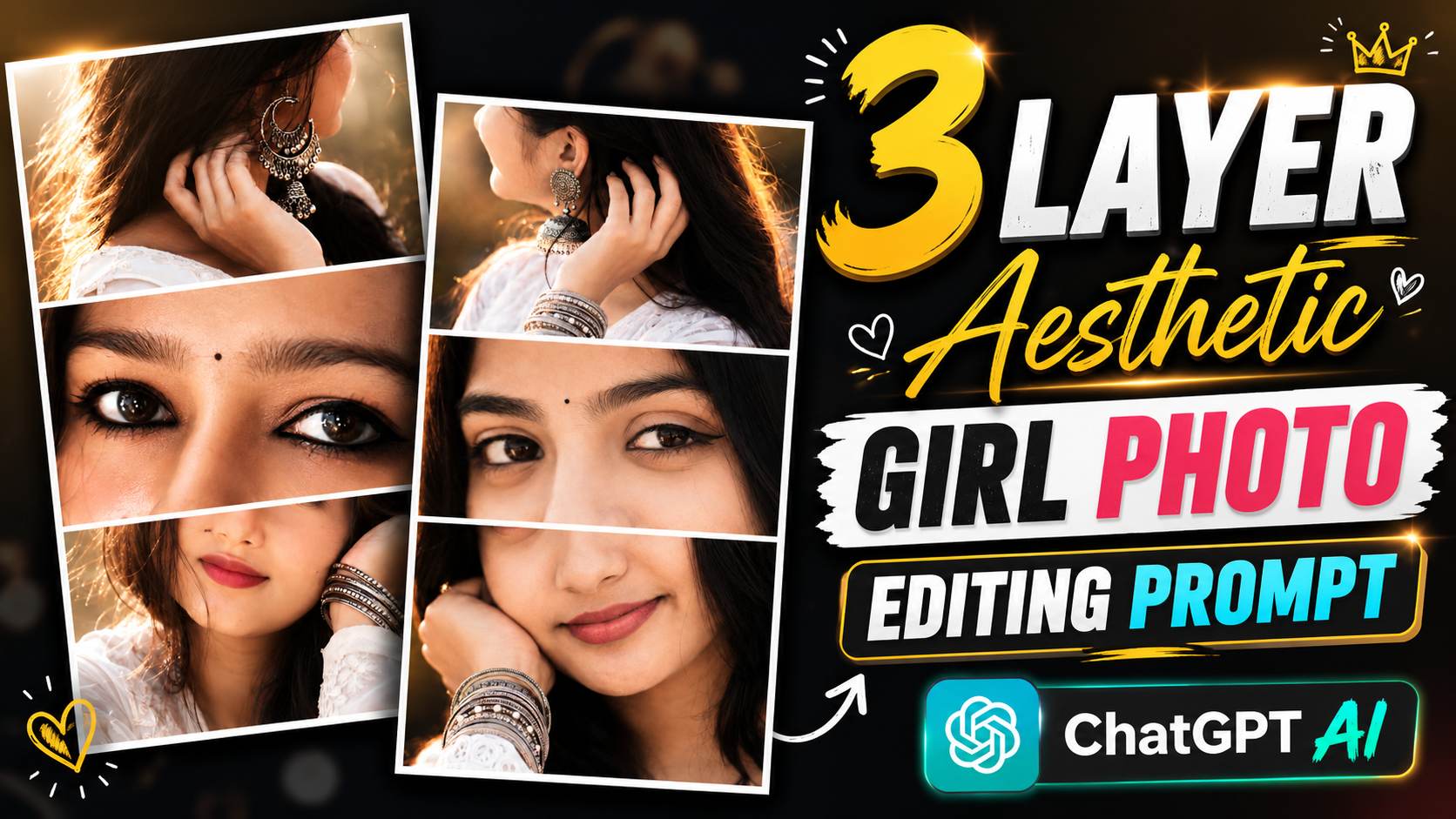
3 Layer Aesthetic Girl Photo Editing Prompt – So friends, if you’ve been scrolling through Instagram, Pinterest, or Facebook recently, you’ve surely come across those “3-layer aesthetic girl” photos—images that look incredibly cinematic and visually stunning. These photos feature a single image split into three sections: the eyes positioned between the earrings at the top, and the lower part of the face at the bottom, creating a premium, aesthetic look. This style is going viral on social media; people love it and are using these images for their profiles, statuses, and posts. The best part is that you don’t need Photoshop or professional editing skills—nor do you need to put in a lot of effort—to create them. With just ChatGPT and a good photo, you can generate these 3-layer aesthetic images in minutes. In this article, I’ll walk you through the process step-by-step. I’ll also provide a fantastic prompt that you can simply copy and use.
What Is 3 Layer Aesthetic Girl Photo Editing?
The “3-layer aesthetic girl” photo edit is a new AI photo editing trend. In this style, a single photo is displayed across three distinct layers: the top layer shows the hair and head; the middle layer features the eyes and the central part of the face; and the bottom layer displays the lips and the lower portion of the face. White gaps or borders are placed between these layers, giving the photo a highly premium and aesthetic look—which is exactly why people are finding this trend so appealing.
Also, friends, this type of photo editing is currently going viral on Instagram, Pinterest, and other social media platforms. Previously, creating such edits required hours of hard work using professional software like Photoshop; however, with the help of ChatGPT, the task can now be completed in just a few minutes. All you need is a high-quality photo where your face is clearly visible, along with the right AI prompt. It transforms the image into a “3-layer aesthetic style,” delivering a completely professional-looking result. If you also want to share unique and amazing trending photos on social media, this AI photo editing style is an excellent option for you.
How To Create A 3 Layer Aesthetic Girl Photo Using ChatGPT?
If you want to create this kind of “3-layer aesthetic girl” photo edit, start by opening the ChatGPT app or website and logging into your account. Next, copy the specific “3-layer aesthetic girl” photo prompt provided in this article. Then, open ChatGPT, select the “Create Image” option, and upload a clear, high-quality photo of yourself where your face is clearly visible. Paste the copied prompt into the input field and click the “Send” button. In a short while, ChatGPT will transform your ordinary photo into a stunning “3-layer aesthetic girl” image. Once the photo is ready, you can save it in high quality by clicking the “Save” button. This way, you can create a professional, trending “3-layer style” photo in just a few minutes—without using Photoshop, PicsArt, or any other editing app.
3 Layer Aesthetic Girl Prompt
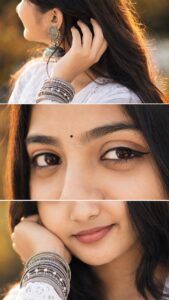
Create Photos Using 3 Layer Aesthetic Girl Photo Editing Prompt
Friends, if you also want to create this kind of 3-layer aesthetic girl photo edit, the first step is to have a clean, high-quality photo ready—one where your face is clearly visible and you aren’t wearing glasses or a mask. Using a high-quality photo ensures the AI delivers better results. Next, copy the entire “3-layer aesthetic girl photo prompt” provided in this article, making sure not to miss a single word.
Finally, follow the simple steps listed below.
1. Open the ChatGPT app on your mobile and sign in with your Google account.
2. Tap on the “Create Image” option to start creating your AI photo.
3. Upload your selfie by tapping the Media icon. Make sure your face is clearly visible in the photo.
4. Copy the 3 Layer Aesthetic Girl Photo Prompt from this article and paste it into the chat box.
5. Tap the Send button and wait for about a minute while ChatGPT generates your image.
6. Once your photo is ready, open it and tap the Save or Download option to store it on your device.
Note-
Sometimes, even after using a high-quality photo and the right prompt, the result might not meet your expectations. There is no need to worry in such situations; simply try using the prompt again to generate the image a few times, as the AI often produces better results with subsequent attempts. If you still don’t get the desired output, upload your selfie alongside the reference photo provided in this article and ask ChatGPT to “create an image exactly like this reference photo while keeping my face unchanged.” This increases the likelihood of achieving a superior result.
Conclusion
If you want to try the viral “3-layer aesthetic girl” photo editing style seen on social media, start by using the prompt provided in this article—it will prove to be incredibly useful. With ChatGPT’s help, you can create stunning, premium 3-layer aesthetic photos in just a few steps, without needing advanced editing skills. If you like this prompt, be sure to share it with your friends. Keep visiting Vishu Editz for more photo editing prompts and trending editing ideas. Have a great day! Thank you!