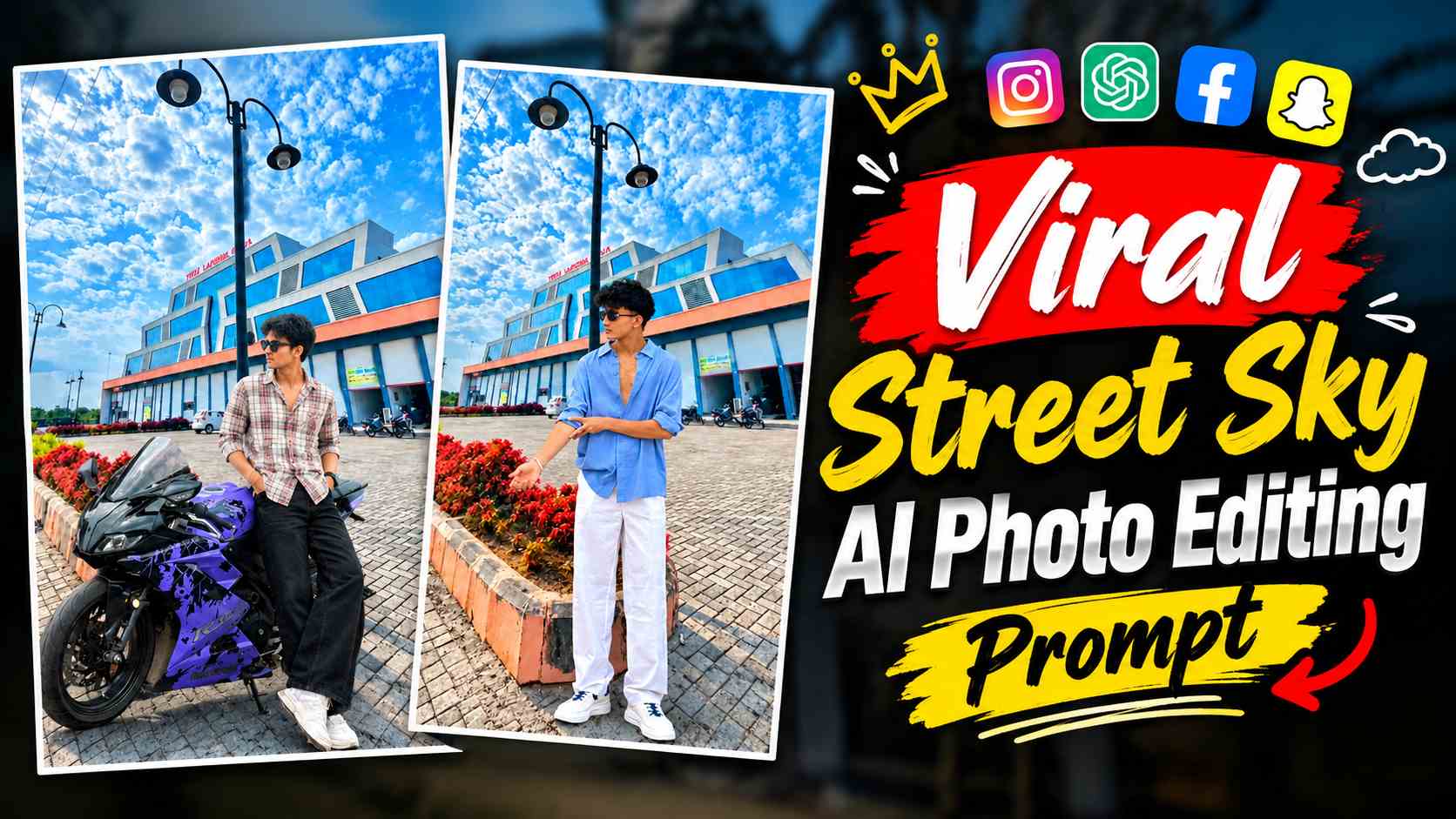
Street Sky Al Photo Editing Prompt – These days, AI photo editing is increasingly popular for realistic background edits, which place a normal photo in a high-quality cinematic location so that the final image resembles the original camera photo. A similar new concept, the Street Sky AI Photo Editing, has emerged, using a stunning street environment, clear blue sky, detailed clouds, modern street lights, buildings, and a realistic road scene as the background. The most striking feature of this background is its extremely high-detail and sharp visual quality, giving the entire image a premium, high-resolution look. The sky, clouds, street lights, buildings, pavement, and small environmental details are clearly visible in the background, giving the final photo a cinematic and professional appearance. With this editing, you don’t need to use a specific pose or a single type of photo. You can apply different images, such as a standing photo, a photo on a bike, a photo with a bike, a sitting pose, or a couple photo, to this Street Sky background as per your needs. With the right prompt, the AI attempts to blend your original photo according to the background’s perspective, lighting, scale, shadows, and overall environment, making the final result appear more natural.
About Street Sky AI Photo Editing
The main idea behind Street Sky AI Photo Editing is to naturally place your existing photo into a high-quality outdoor street environment. You don’t need to create a new character or generate a separate image; instead, you simply use your original photo with the provided Street Sky background. This background features a bright blue sky, detailed clouds, tall streetlights, modern buildings, a wide paved area, and realistic outdoor surroundings. Its high-detail 16K-style visual quality is used to give the final image a sharp and premium appearance. The best part is that this editing isn’t limited to just a standing photo of a guy. If you have a photo of him riding a bike, it can also be applied to this background. Similarly, photos of people standing near a bike, solo portraits, sitting poses, or couple photos can also be used as needed. The most important thing during AI editing is that the person’s size, position, perspective, and lighting match the background properly, so that they don’t appear to be superimposed on top of the background. Therefore, this type of editing involves not just changing the background, but also blending the entire photo into a natural environment.
VIRAL PHOTO EDITING PROMPT
Street Sky Background and AI Prompt
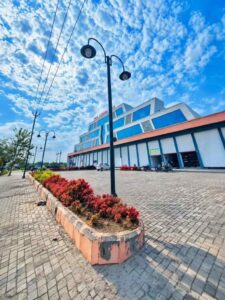
To create this Street Sky AI Photo Editing, first save the Street Sky background provided in the article. This is the main background on which your original photo will be placed. The blue sky, detailed clouds, street lights, buildings, road, and the entire outdoor environment visible in the background form the base of the final image. Its high-resolution and highly detailed appearance can give the generated photo a sharp and premium visual feel. After saving the background, use the Actual AI Photo Editing Prompt provided just below it. The purpose of this prompt isn’t just to paste your uploaded photo into the background, but to naturally integrate it into the scene. Therefore, the prompt will focus on properly matching the background’s lighting, perspective, scale, shadows, and depth, while preserving the person’s original identity, body proportions, clothing, and important details.
Street Sky Background
Street Sky AI Photo Editing Prompt
CREATE
How to create a Street Sky AI photo with ChatGPT?
The process of creating a Street Sky AI photo is quite simple. First, save the Street Sky background above to your phone. Then, upload your original photo to ChatGPT that you want to use as this background. You’re not limited to just a standing photo; you can also use a photo of you riding a bike, standing next to a bike, a sitting pose, a portrait, or a couple photo, depending on your needs. After uploading your photo, upload the saved Street Sky background to the same chat. Now copy and paste the Actual AI Photo Editing Prompt given just below the background into ChatGPT and ask it to generate the image. The AI will try to position and blend your photo according to the given street environment, so that the subject’s size, perspective, lighting and shadows match the background. If in the first generation the person appears a little too big or small, the position is not right or there is a slight difference in lighting, then instead of changing the entire prompt, a small correction instruction can be given. This allows the final Street Sky AI Photo to be gradually improved while maintaining the original concept.
How to Keep a Photo Natural with a Street Sky Background?
The most important part of this editing is ensuring that your original photo doesn’t appear artificial or pasted into the background. It’s best to use a photo that clearly shows the person, with sufficient body parts visible. If you’re using a photo of a bike, both the bike and the person’s important parts should be clear so the AI can correctly place them according to the background’s perspective. Similarly, in a couple photo, it’s important to keep the position and proportions of both people natural. The size and position of the subject in accordance with the perspective lines of street lights, roads, and buildings in the background can make the final result more realistic. Lighting is also crucial; if the background depicts a bright outdoor environment, the light and shadows on the subject should reflect the same direction and intensity. High-detail street sky backgrounds can make even small errors easily visible. If the subject appears slightly floating, oversized, or in different lighting, simple corrections can be made to re-match it with the background. Similarly, if unnecessary changes are noticed in the face, clothing, hairstyle, or body structure, the AI can make clear corrections to preserve important details of the original photo.
Street Sky AI Photo’s Final Result
The combination of the right background, original photo, and appropriate AI prompt can result in a realistic outdoor photo that naturally places your original image in a high-quality street sky environment. Blue skies and detailed clouds give the image an open outdoor feel, while street lights, buildings, and a paved road give the overall composition a modern street photography-like appearance. The high-detail 16K-style quality of the background allows even small environmental elements to be clearly visible in the final image. This concept also offers flexibility, as you don’t have to use the same pose as the reference standing photo. You can try a photo of yourself sitting on a bike, standing next to a bike, solo, sitting pose, or couple with the same background, depending on your preference. Maintain a natural balance of perspective, scale, lighting, and shadows between the original photo and the background. If any minor flaws are noticed on the first try, you can refine the final image to your needs by providing correction instructions.
Final Thoughts
Street Sky AI Photo Editing is an easy way for those who want to transform their normal photo into a high-quality and visually attractive outdoor environment. The essential ingredients are a good Street Sky background and the right AI editing prompt. Simply upload your favorite photo and the background to ChatGPT and use the prompt below to generate the image. Whether your photo is in a standing pose, on a bike, with a bike, or with a couple, a variety of photos can be used in this concept with the right positioning and realistic blending. This provides an easy way to transform your existing photo into a detailed, sharp, and cinematic Street Sky setup without any complicated manual editing.